
Duplicate a plan
Copy a plan and its stops into another day — the fastest way to run a route that repeats, without re-importing anything.
Deliver to mostly the same places every day? Don't rebuild the plan each morning. Duplicate copies a plan's stops into another day, so you start from yesterday's work and only adjust what changed.
Duplicating a plan
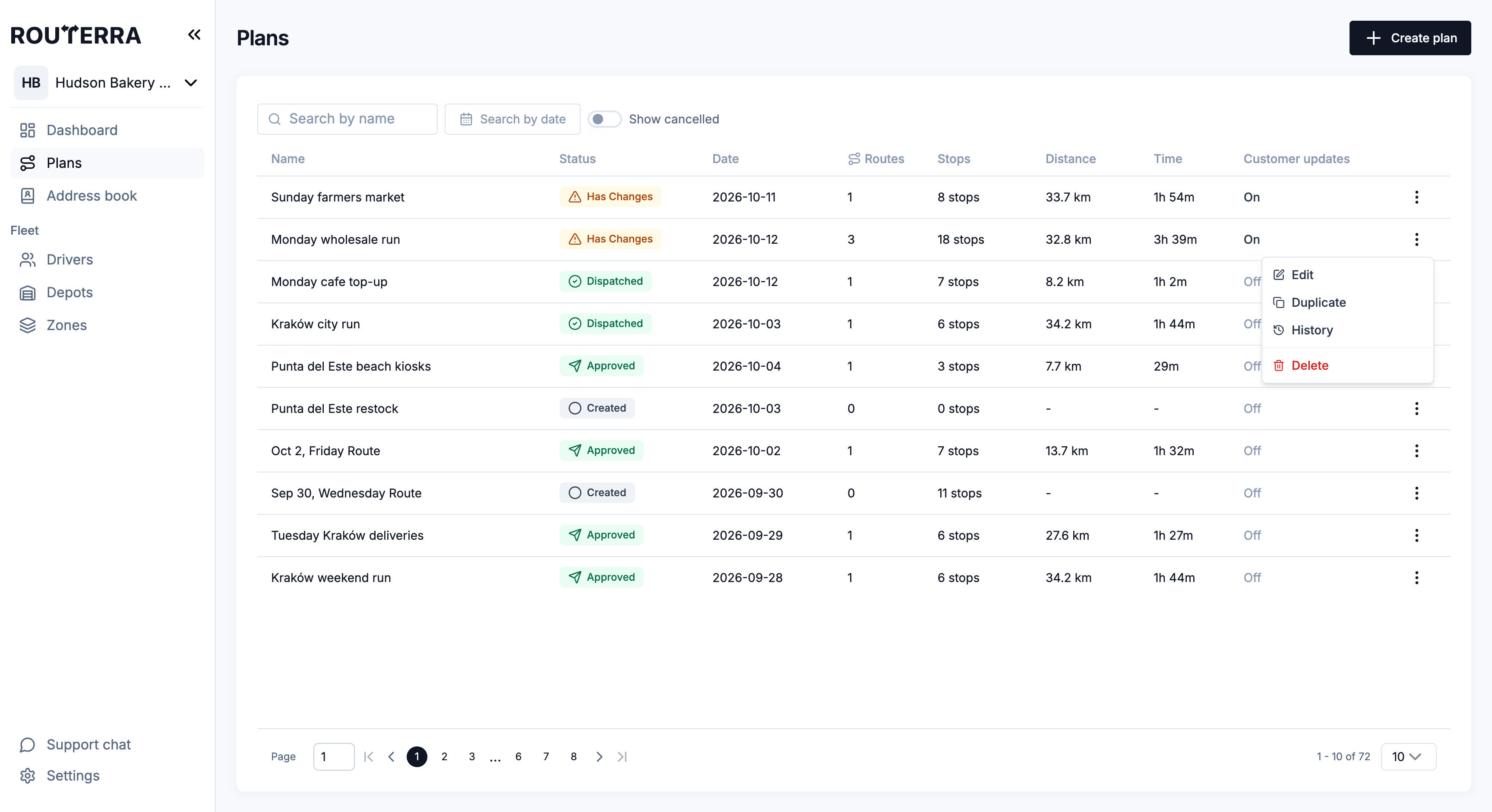
Choose Duplicate from a plan's row menu on the plans list, or from More actions on the plan page. A short form opens with the copy's details — the activity log later records it as "duplicated plan" with the stop count, so there's a clean trail of where the copy came from.
Open the plan you want to reuse
Usually today's — or a "master" plan you keep around as a template for a recurring run.
Choose Duplicate
The form opens with Route name (the original name followed by "(Copy) Duplicate" — rename it to something shorter), Start date, and Route start time.
Set the new day
Pick the date the copy is for. Changing the date also resets the name to that day's default, so rename it afterwards if you want. Leave Route start time empty to start each route at its driver's shift start.
Press Duplicate
Routerra creates a new plan containing the same stops.
Adjust, then optimize and dispatch as usual
Add today's one-offs, drop anyone who's off the list, then Assign drivers & optimize and send routes to drivers.
Duplicate vs the Address Book
Two tools solve the "same customers every day" problem, and they work well together:
- Duplicate a plan is best when the whole list repeats — copy the plan and tweak.
- The Team Address Book is best when individual customers recur across different plans — save them once and pull them in wherever they belong.
When you fix a regular's pin or instructions on a stop, tick Update in address book before you save, so the fix lands in the address book too and every future plan that pulls that address starts from it. That's the compounding setup called out in A typical morning.
What's next
- Create, find, and manage plans — the plans list, the plan page, and its other actions
- Import stops — other ways to fill a plan
- The Team Address Book — reuse individual customers across plans