
Danger zone: deleting a team
The one irreversible action in Routerra Teams — deleting a team wipes every driver, depot, plan, and record. Here's what happens and how the app makes you mean it.
Almost nothing in Routerra Teams is permanent — you can undo, re-optimize, revoke, and resubscribe. The Danger zone is the exception. It's the red-bordered card at the bottom of Settings → General, and it does exactly what it says.
What deleting a team removes
Pressing Delete team permanently removes everything tied to the team:
- All drivers and their assignments
- All depot locations
- All plans and routes
- All historical data — activity log, proof-of-delivery photos, everything
Who can do it
Only the Owner. Managers never see the Danger zone. If you need someone else to be able to delete the team, they'd have to be the Owner — see Roles.
The confirmation
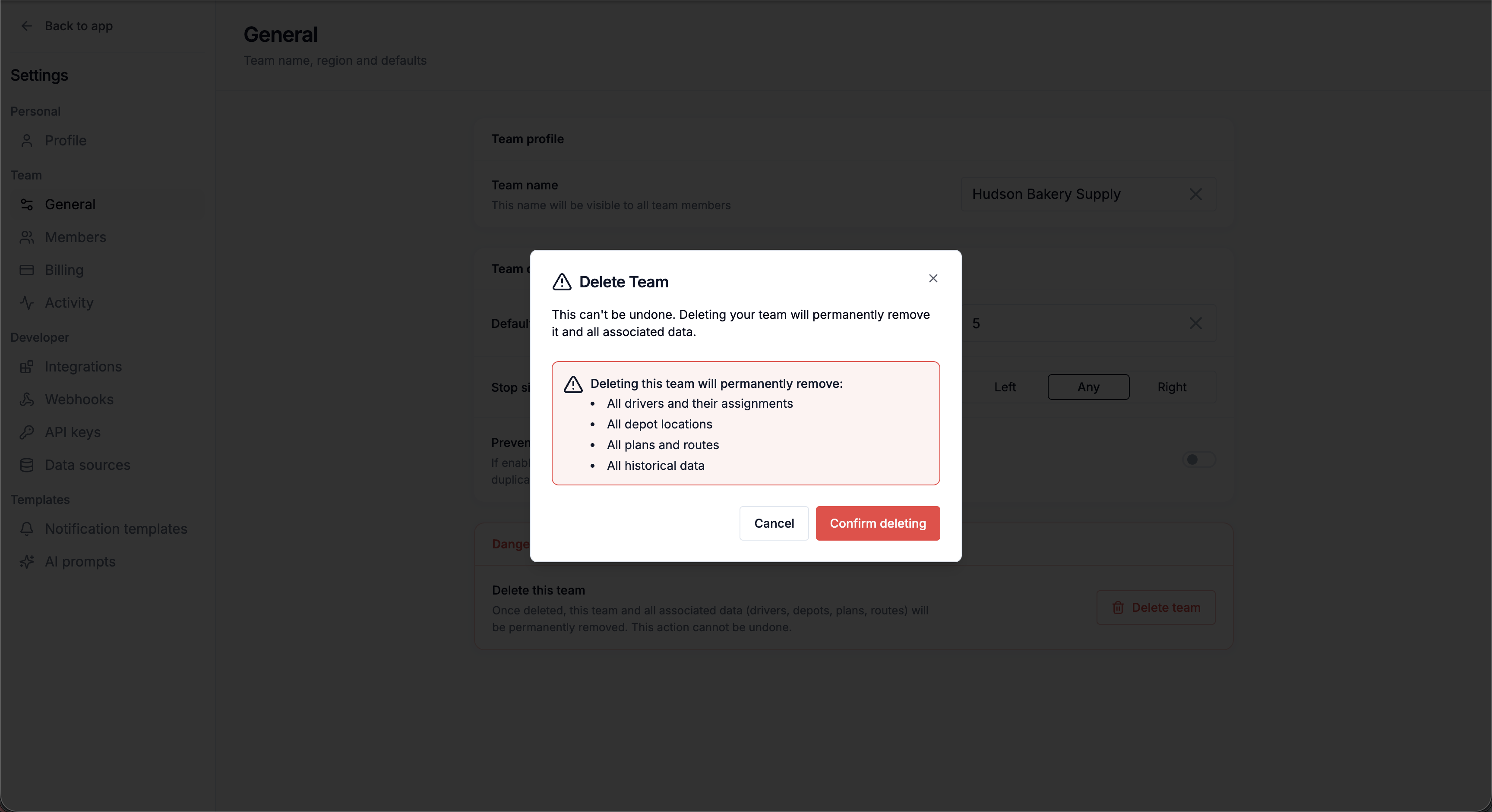
The app makes you look before you leap. Pressing Delete team doesn't delete anything yet — it opens a Delete Team dialog that spells out exactly what's about to disappear, and only Confirm deleting inside that dialog is final.
Open Settings → General and scroll to Danger zone
Press Delete team.
Read the list of what will be removed
All drivers and their assignments, all depot locations, all plans and routes, and all historical data.
Confirm deleting
Press Confirm deleting — the team and all its data are gone immediately. Cancel backs out with nothing changed.
Deleting vs cancelling
Deleting a team is not the same as ending your subscription. If you only want to stop paying, cancel the subscription in the billing portal instead — your data stays intact and you can resubscribe later (Trial, seats, and billing). Delete the team only when you truly want it and its history gone for good.
Not sure which you need? Write to us at info@routerra.io before you delete anything — we can talk it through.