
Trial, seats, and billing
How the 7-day trial works, what a driver seat is, monthly vs annual pricing, and what happens to the app when a subscription lapses.
Routerra Teams pricing is one number: per driver seat, per month. No feature tiers, no add-ons — proof of delivery, notifications, the API, everything is included. This page covers the mechanics.
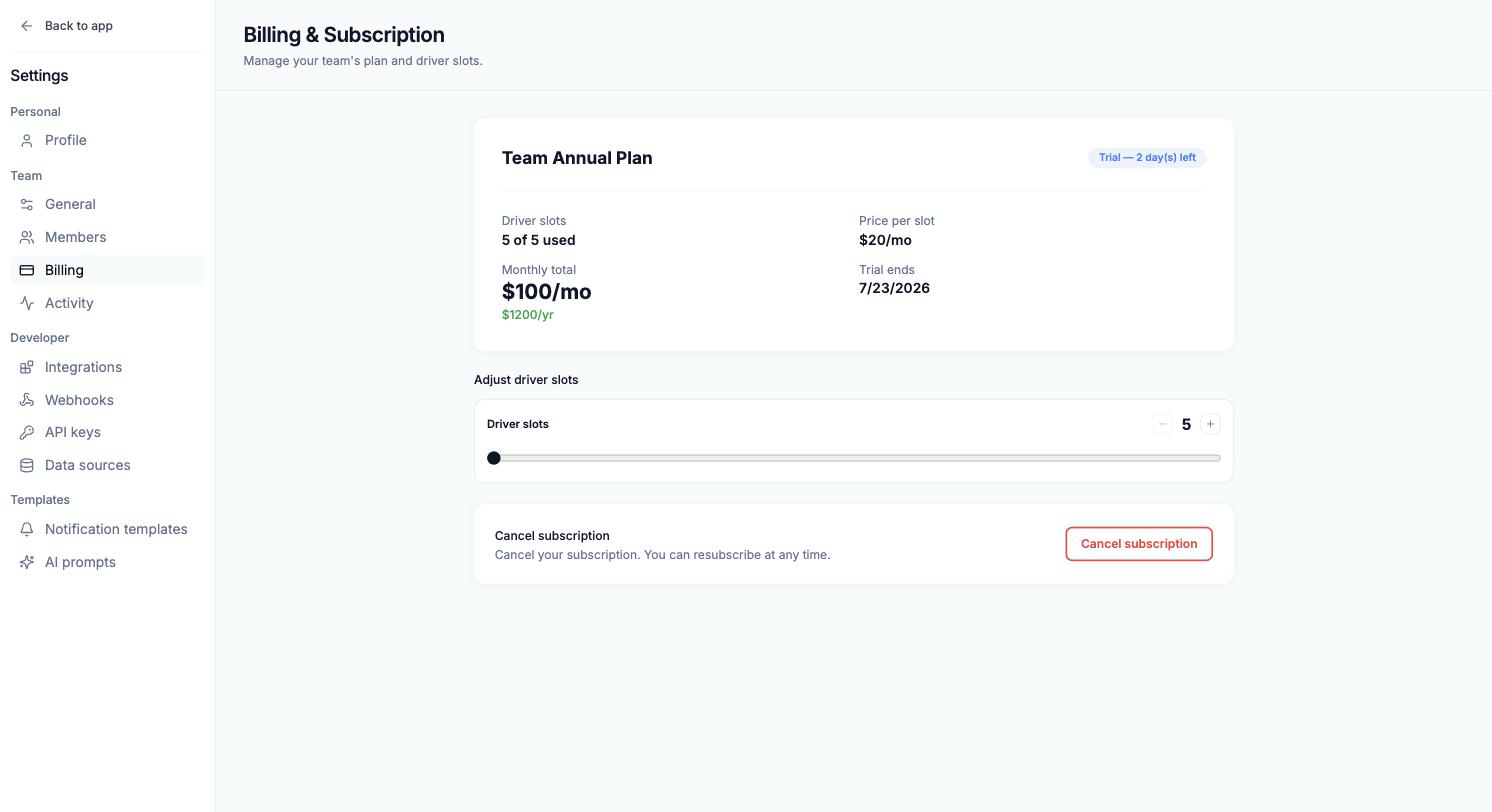
The 7-day trial
- Starts when you choose a plan in the setup wizard, with a card on file.
- Full product, no limitations — set up the fleet, run real routes, dispatch to real drivers.
- Cancel before the trial ends and the card is never charged. Do nothing and the subscription starts on day 8.
What counts as a seat
One seat = one driver who can receive routes in the driver app. In the app you'll also see this called a driver slot.
- Dispatchers are free: Owners and Managers don't take seats.
- Seats follow your roster, not individuals — remove a driver, and their seat frees up for a new hire.
- Adding a driver beyond your seat count prompts an upgrade right there.
Monthly vs annual
Both are per-seat; annual saves about 20%. Switch between them any time in the billing portal — a growing fleet usually starts monthly and goes annual once the roster stabilizes.
Changing seat count
Adjust seats any time in Settings → Billing. Charges are prorated: add a seat mid-cycle and you pay for the remainder of the cycle, not the whole month. The self-serve plan covers up to 20 seats — running more than 20 vehicles, write to info@routerra.io and we'll set you up.
Invoices, cards, cancelling
Manage in billing portal opens the billing portal: update the payment method, view invoices, switch monthly/annual, or cancel. Cancelling stops future charges — the subscription runs until the end of the paid period.
What stops working, and when
| Status | What it means for the team |
|---|---|
| Trial | Everything works; days remaining shown in Settings |
| Active | Everything works |
| Past Due | A charge failed — update the card; a banner warns dispatchers |
| Expired / Cancelled | Existing data stays visible, but creating and optimizing plans is blocked until you resubscribe |
Your data is never deleted by a lapse — resubscribe and the team picks up where it left off.