Courier route planner for multi-drop days

For dense urban rounds — 40 to 80 stops, tight windows, proof due at every door. Plan the day, then send every route to the driver's phone.

Start free trial

$20 per driver seat / month billed annually · $25 billed monthly · plus applicable tax

7-day free trial · card required · cancel anytime

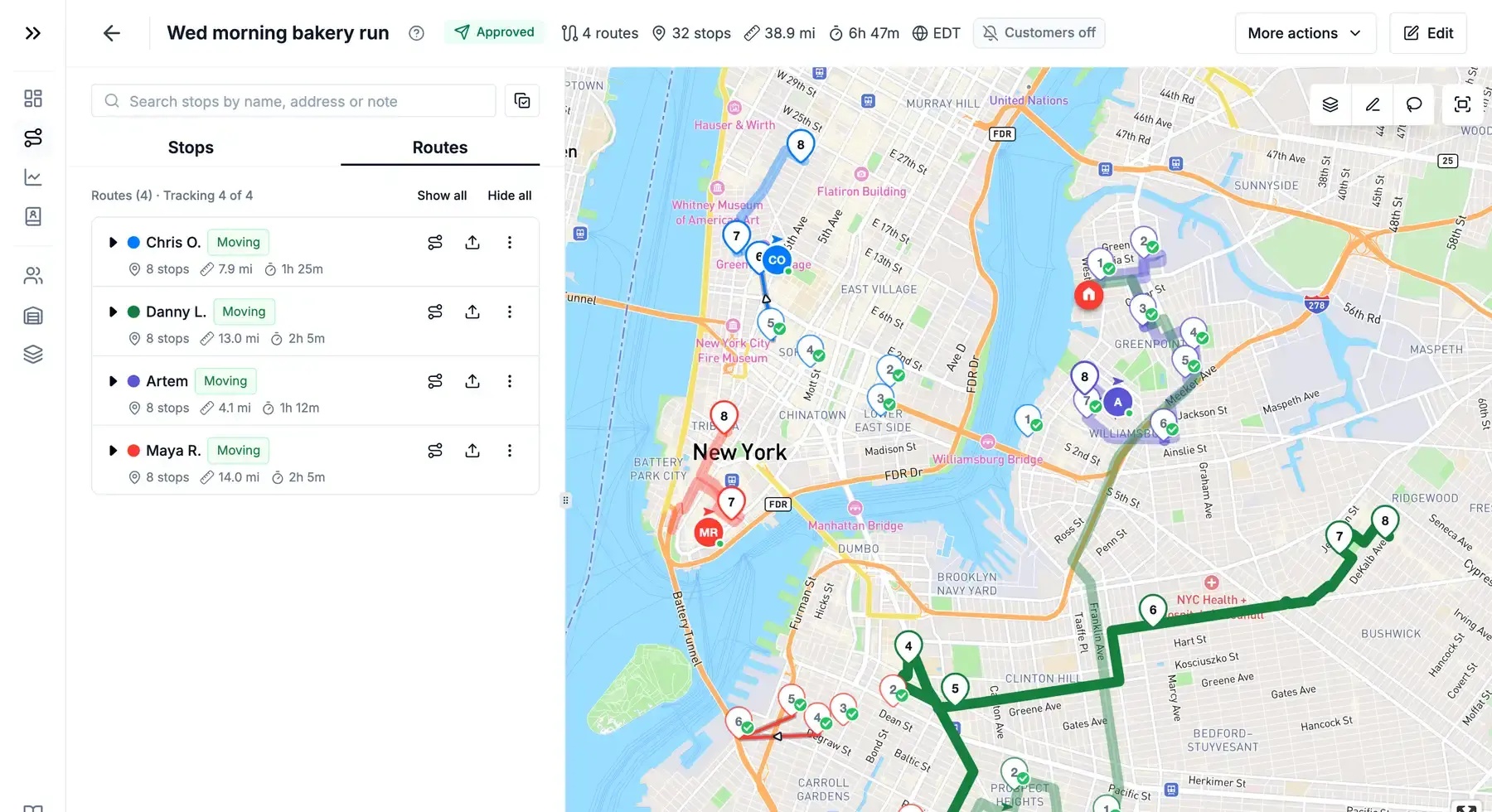
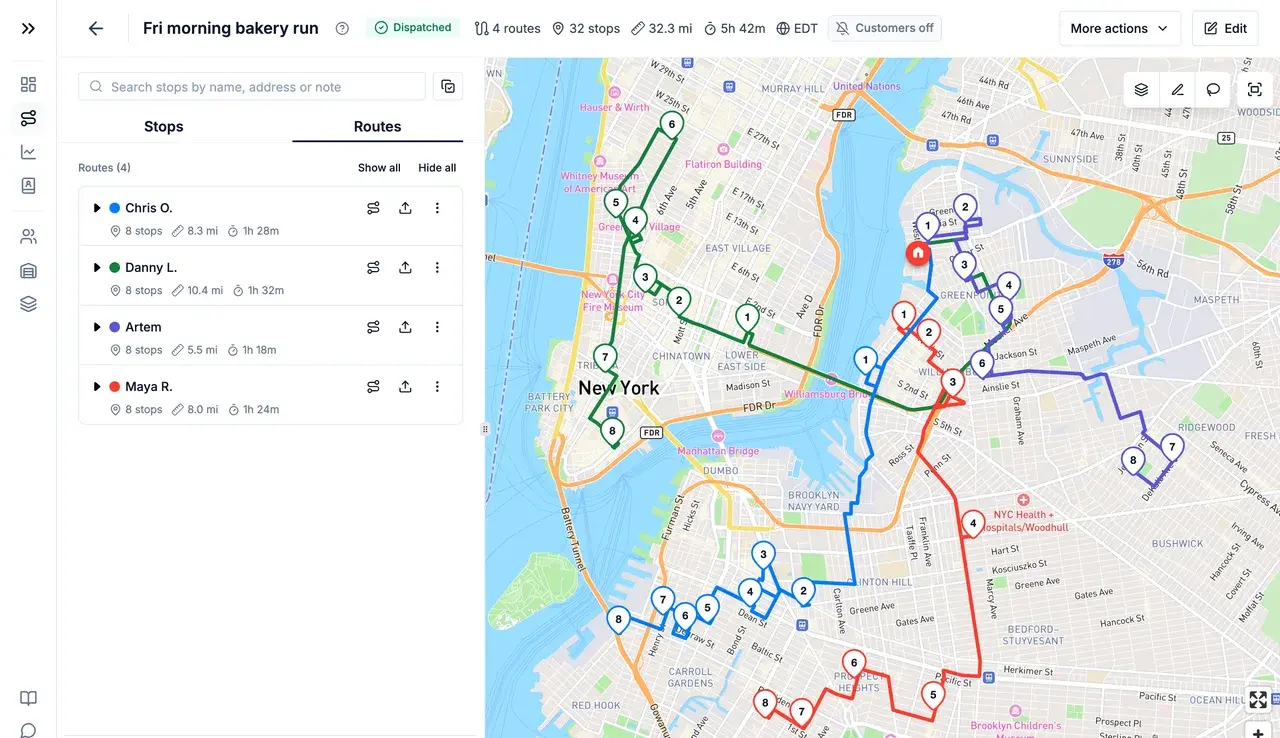
Four optimized routes in different colours across Brooklyn and Manhattan, with the route list on the left
Sound familiar?

A dense round breaks in four places

Multi-drop is not long-haul with more stops. The order of the drops, the windows attached to them, and what fits in the van decide your day.

  1. The order costs you the day

    Forty drops inside two square miles still take all afternoon in the order the orders arrived.

  2. Windows don't sort themselves

    A 7–9 AM slot and a 2–4 PM slot on the same street mean planning around time, not just distance.

  3. The van fills before the list ends

    Weight and volume decide how many drops fit. Ignore capacity and the driver is back at the depot mid-round.

  4. Nothing to show on a disputed drop

    “Delivered” in a spreadsheet is not proof. No photo, no timestamp, no reason — the claim is yours to absorb.

How Routerra handles it

Plan the round, run it, prove every drop

Plan

One list in, balanced routes out

Get the day's drops in however they arrive, then optimize against the constraints that decide the round.

  • Paste a list, import CSV, Excel, or PDF, or photograph a paper manifest
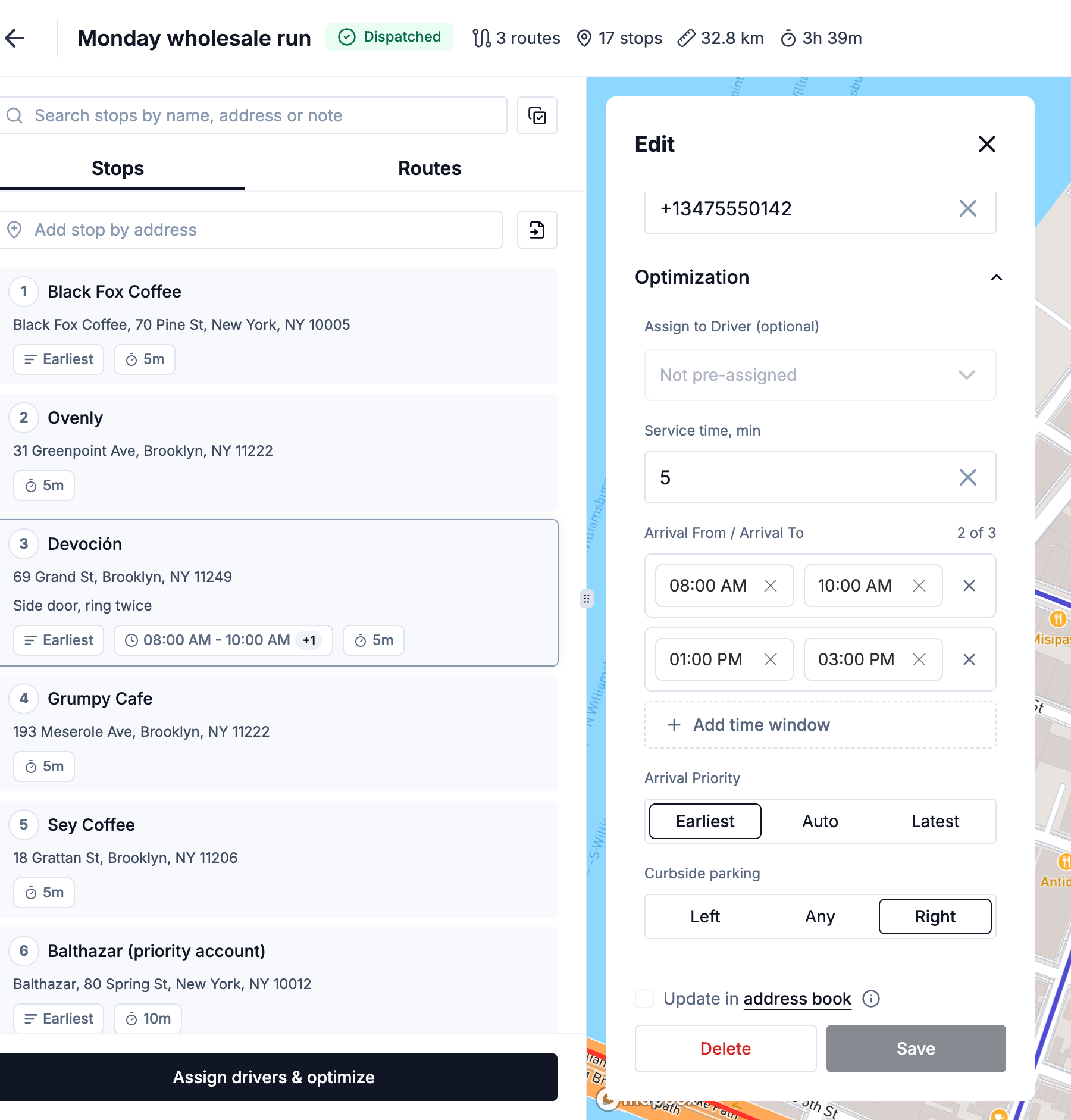
  • Set a time window, service time, priority, and load per stop
  • Balance stops, balance drive time, go fastest, or a balanced mix
  • Hold vehicle capacity, stop limits, and drawn zones as hard rules
More on route optimization 
Stop settings with two arrival windows, service time, arrival priority and curbside parking
Drive

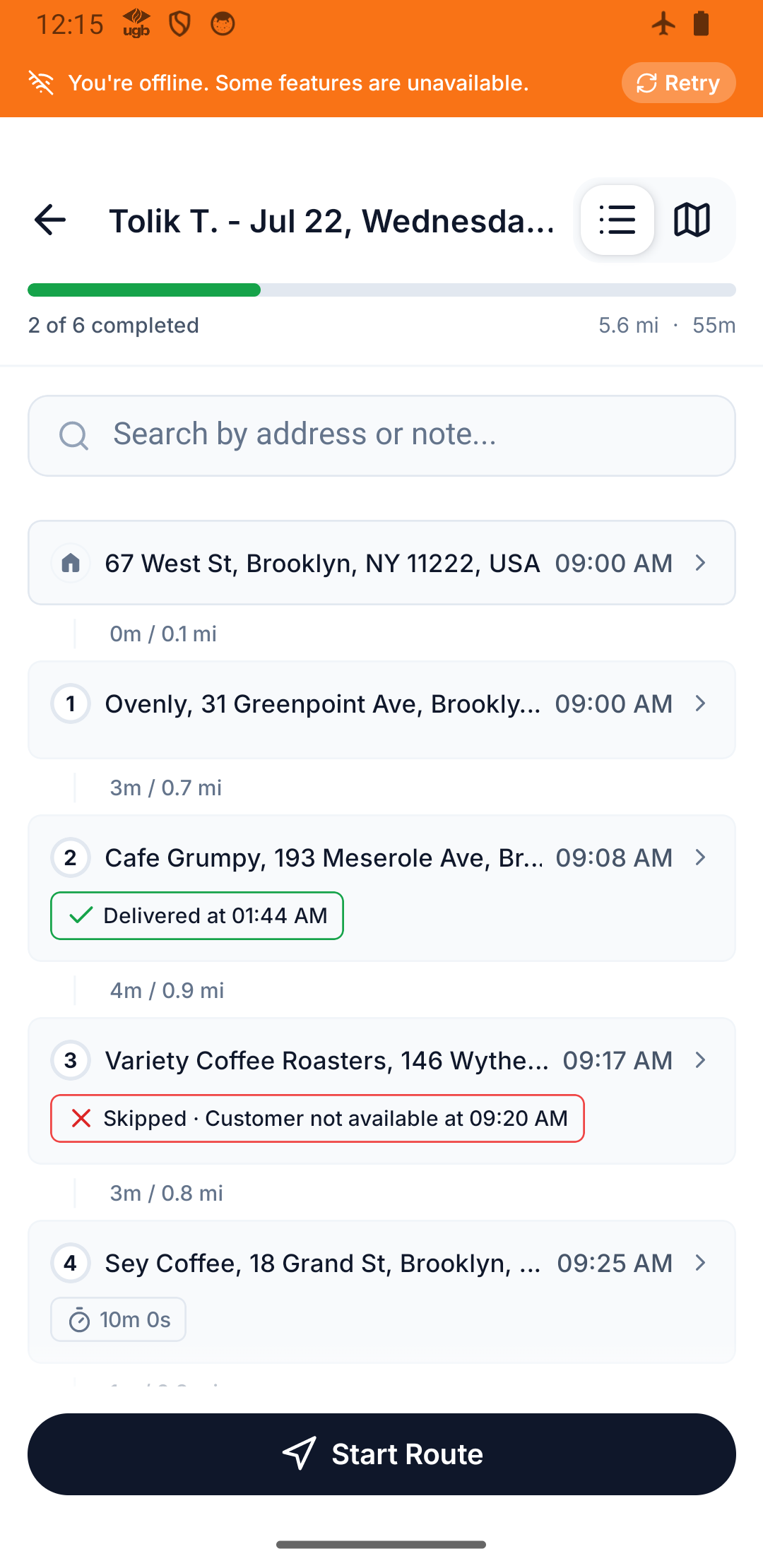
Every route on the phone — signal or not

Loading bays, basements, tower blocks — the app keeps working where the signal doesn't.

  • Offline-first: statuses, notes, and photos queue and sync when signal returns
  • Every stop shows its window, service time, and the note from the order
  • Hand off to Google Maps, Apple Maps, or Waze for the driving itself
  • Mark a drop delivered or not-delivered, with a reason when it fails
More on the driver app 
Driver app showing the offline banner over an active route
Prove

Proof at the door, visible from the desk

Close every drop with something you can forward to a client — while the round is still running.

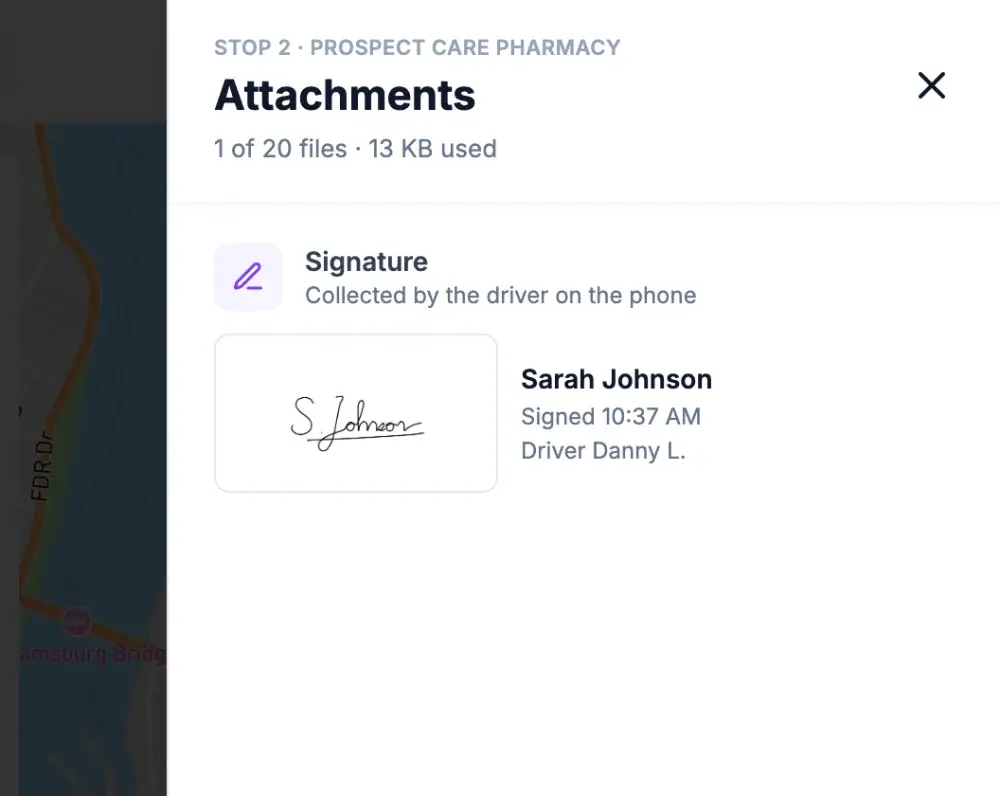
  • Photo, signature and PDF proof of delivery, captured at the door
  • Every attachment visible stop by stop from the dispatcher app
  • Live driver tracking on the plan map, plus a tracking link for each customer
  • Statuses, photos and notes written to the stop the moment they happen
More on proof of delivery 
Stop attachments in the office: the customer's signature with their name
Track

The whole round on one screen while it runs

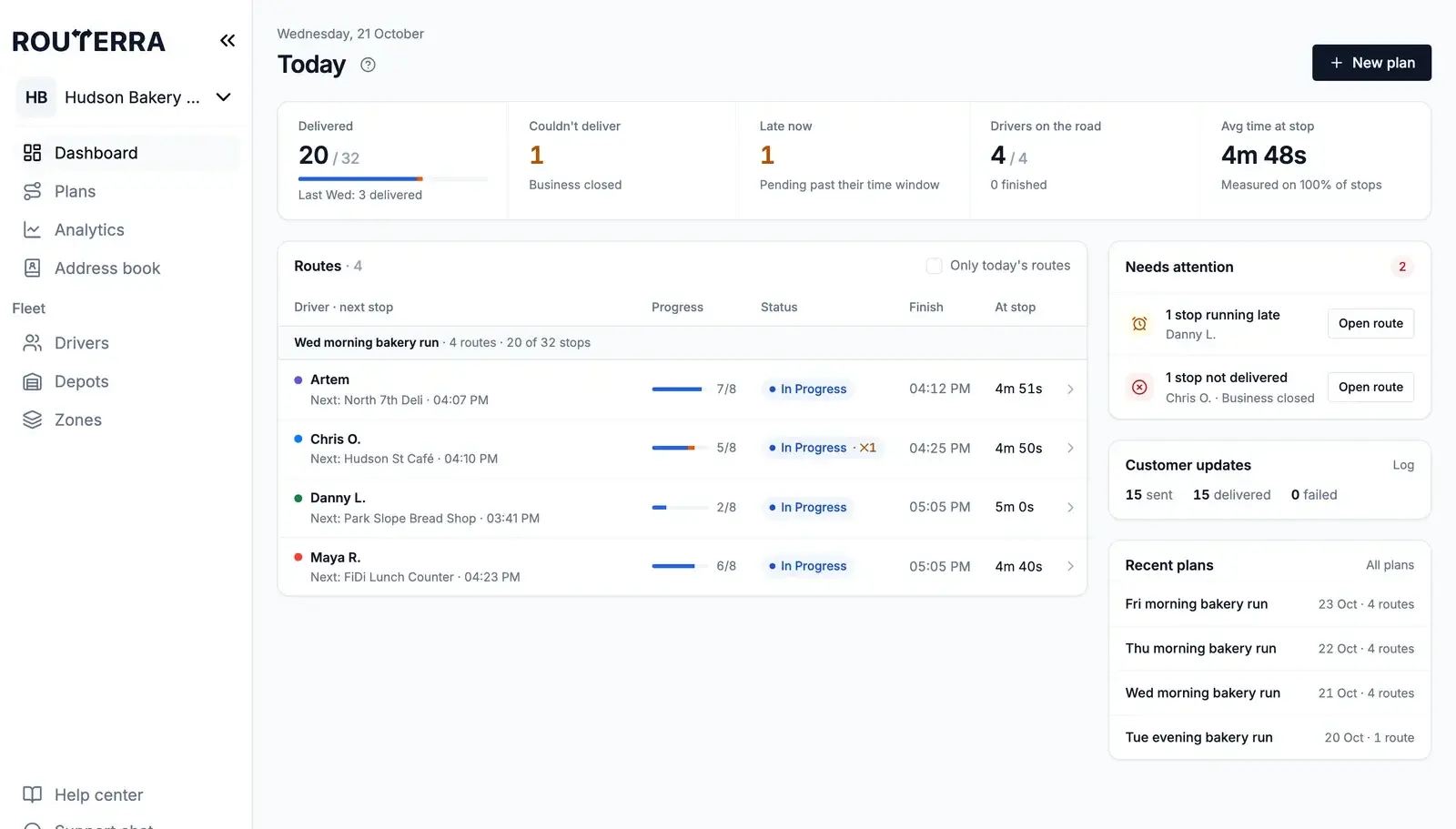
With live driver tracking on, the plan map shows each driver's position, the path they've driven and the stops still ahead. The Today dashboard lists every route's progress — delivered of total, late starts, drops that couldn't be made — with a Needs attention list, so you act while there's still time in the day.

More on live tracking 
Plan map with a driver's live position, the track already driven and the remaining stops
Dashboard with today's numbers, routes grouped by plan and the Needs attention list
What your customer sees

Recipients follow their own drop

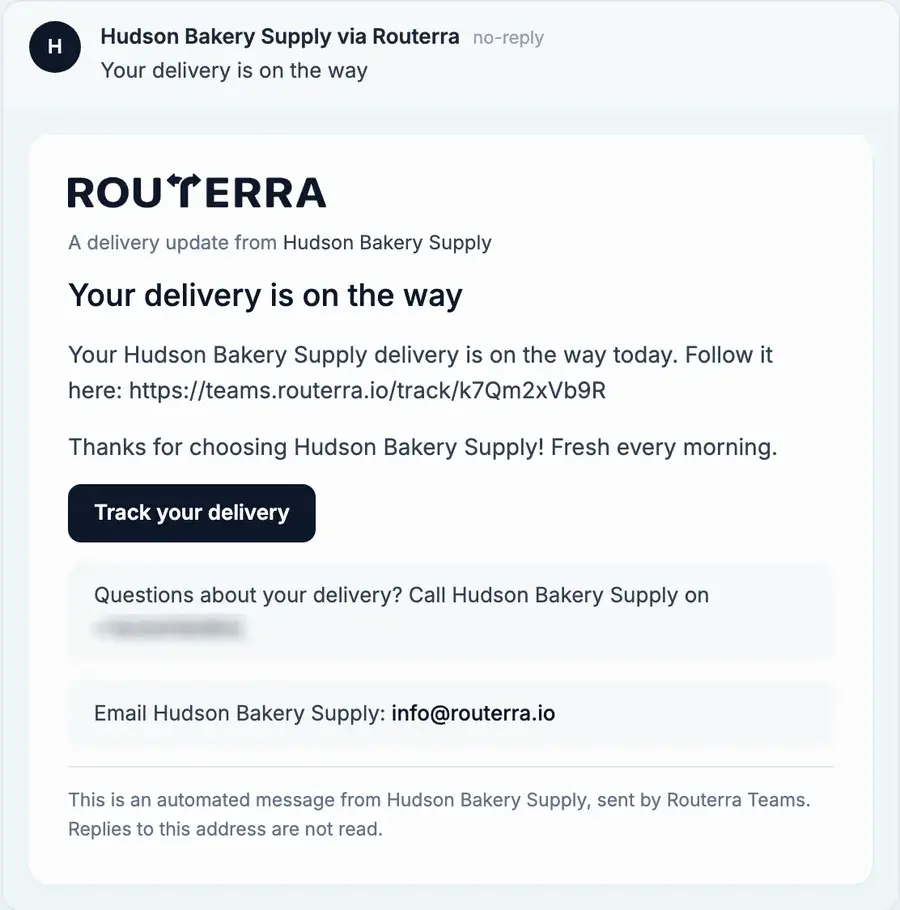
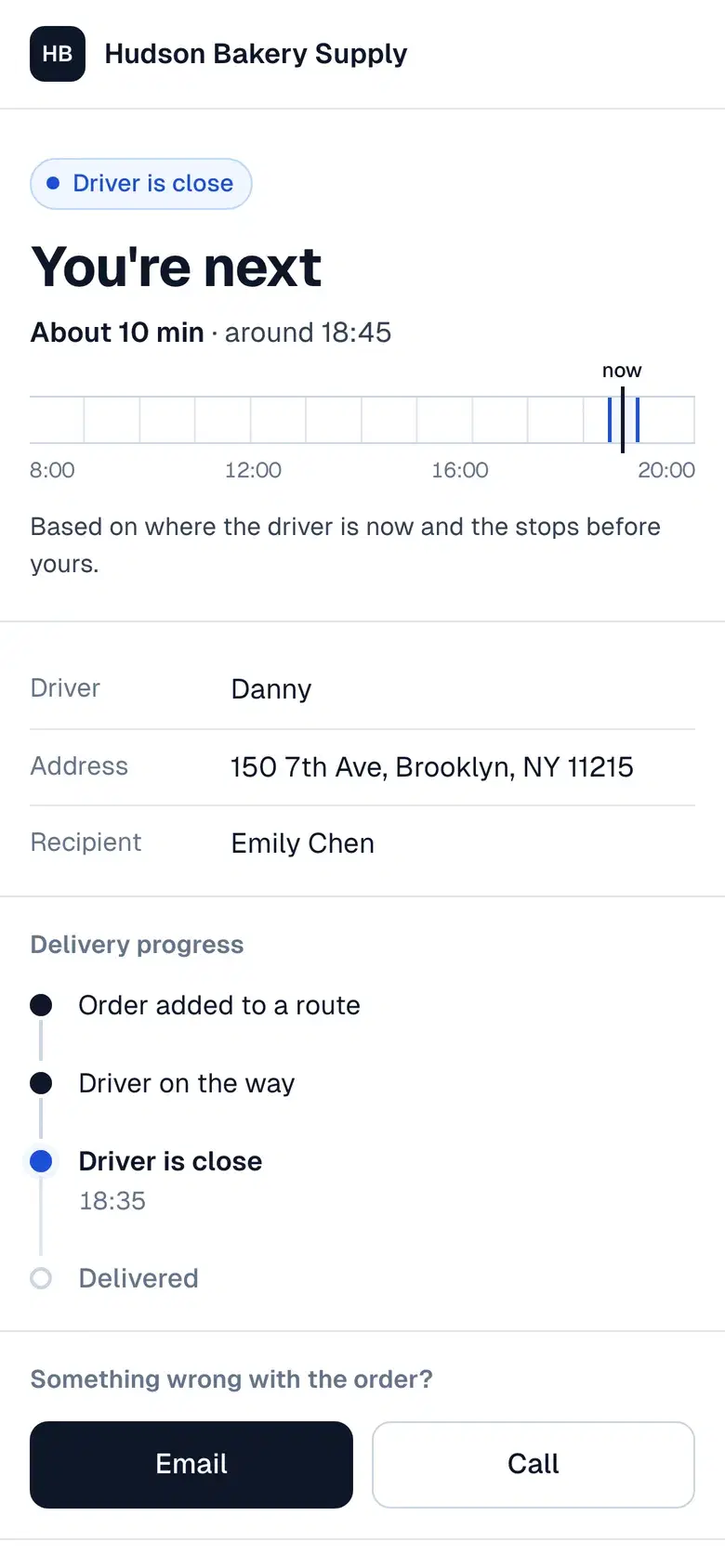
When the driver sets off, each recipient can get an “on the way” email or text with a tracking link to follow the delivery, and another message when it's delivered — or not delivered, with the reason. Texts go through your own Twilio account, so fewer “where is my parcel?” calls reach your desk.

“On the way” email with a Track your delivery button
Customer tracking page on a phone showing the driver's arrival time

What a customer says

“Routerra's team are sooooo helpful. … want to add different color on map for each platform by importing csv files. They helped me build this function up in like 30 mins.”
Nye Z. · CourierG2 review

Set up in an afternoon — we'll help

  1. Start your trial

    Name your team, add your depot and drivers. Your drivers install the free app.

  2. We import your first day

    Send us your spreadsheet or manifest. We set it up with you on a short call.

  3. Routes go out

    Optimize, send to drivers, follow them live. We stay a message away.

Courier route planning questions

It is built for the shape of a courier day: dense stop lists, tight delivery windows, vehicle capacity, and proof due at the door. You build the round in the dispatcher web app, optimize it against those constraints, and send every route to the driver's phone in one click.

Yes. Import the whole day as one list and the optimizer splits it across your drivers — balancing stops, balancing drive time, or going fastest, whichever you choose. You can then reassign any stop to another driver right on its card and re-optimize before you dispatch.

Yes. Set a window on each stop, plus how long the drop takes and how important it is, and the optimizer sequences the round around them instead of around distance alone. Drivers see the window on each stop in the app.

You set the limit. Each vehicle has a capacity and a maximum number of stops, and the optimizer plans inside those limits — so a 60-drop day is split across the vans you actually have rather than crammed into one route.

Everything keeps working. The driver app is offline-first: statuses, notes, and proof-of-delivery photos are saved on the phone and sync automatically the moment signal comes back. Your drivers never have to stop and wait for a connection.

Yes. With live driver tracking on, the plan map shows each driver's live position, the track they've driven, and a tracking status while their route is in progress. Drivers approve location sharing the first time they start a route, and tracking stops when the route is finished. Your customers can follow their own delivery from the tracking link in their notification, and every delivery update still lands as it happens — delivered, or not-delivered with a reason — with proof-of-delivery photos pinned to each stop.

$20 per driver seat per month billed annually, or $25 billed monthly. A seat is a driver who receives routes, self-serve covers 1 to 200 drivers, and every account starts with a 7-day free trial.

One price per driver seat

A seat is a driver who receives routes. Proof of delivery is included, not an add-on.

Routerra Teams

$20per driver / month, billed annually · plus applicable tax

$240 per driver, billed once a year

  • The dispatcher planning web app
  • The offline-first driver app
  • Photo, signature and PDF proof of delivery — no add-on fee
  • Time windows, vehicle capacity, and zone rules
  • Webhooks, the Optimize API, and API keys
  • Add or remove driver seats anytime
Start free trial

7 days free · card required · cancel anytime before day 7 and you won't be charged

More than 200 vehicles?

We'll set up a plan that fits your fleet.

Not sure yet?

See it on your own stops in a short demo.

See pricing details 

Get tomorrow's round planned tonight

Import the drops, optimize around your windows and vans, and send every route to a phone before the shift starts.

7-day free trial · card required · cancel anytime

Customer tracking page on a phone showing the driver's arrival time