Stop building tomorrow's routes by hand

Routerra splits the day's stops across your drivers in one click — respecting delivery windows, vehicle capacity, shifts and zones — so the planning is done before the coffee is.

Start free trial

7 days free · card required, cancel before day 7 to pay nothing · $20/driver/mo billed annually ($240 per driver a year), plus applicable tax

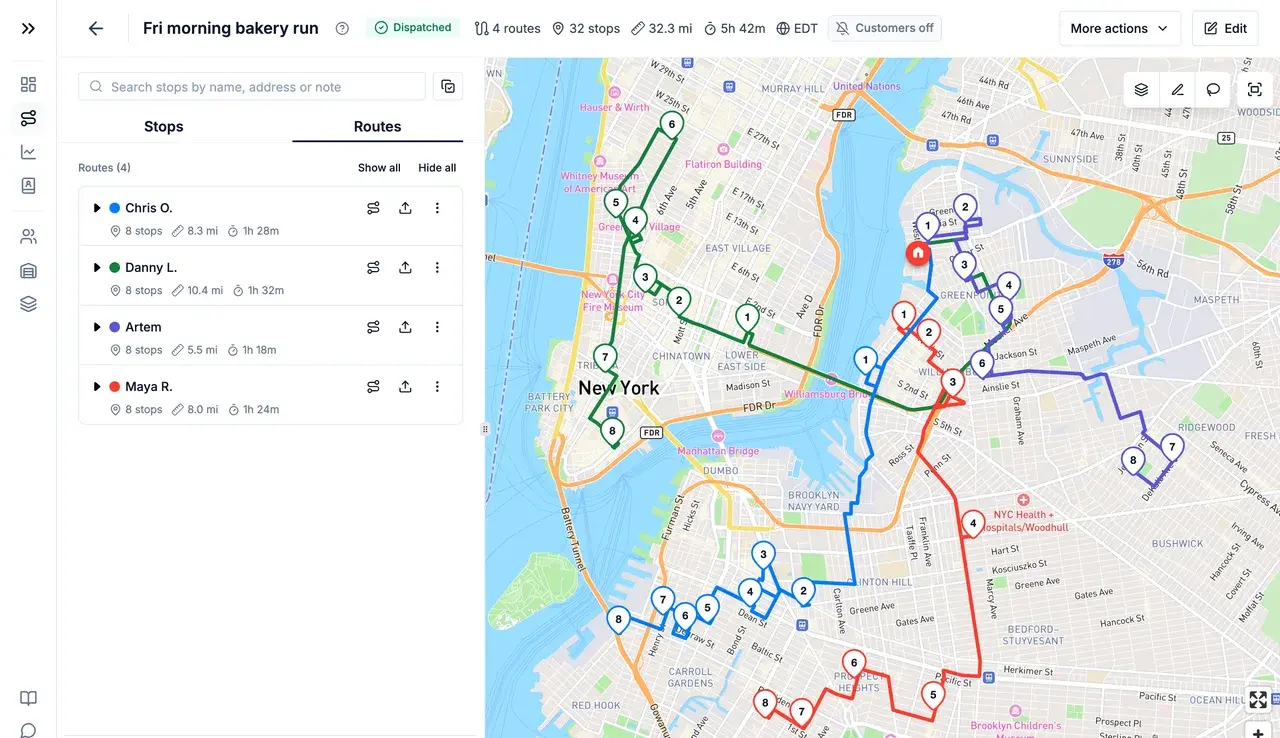
Four optimized routes in different colours across Brooklyn and Manhattan, with the route list on the left
One click

From a list of stops to balanced routes

Tick the drivers who are working today and pick how to split the work: Balance by Stops, Balance by Time, Fastest Overall or Balanced Mix. A few seconds later every driver has a route in driving order, with ETAs and its own colour on the map.

Read the guide 
Your rules

Delivery windows, capacity and shifts — respected

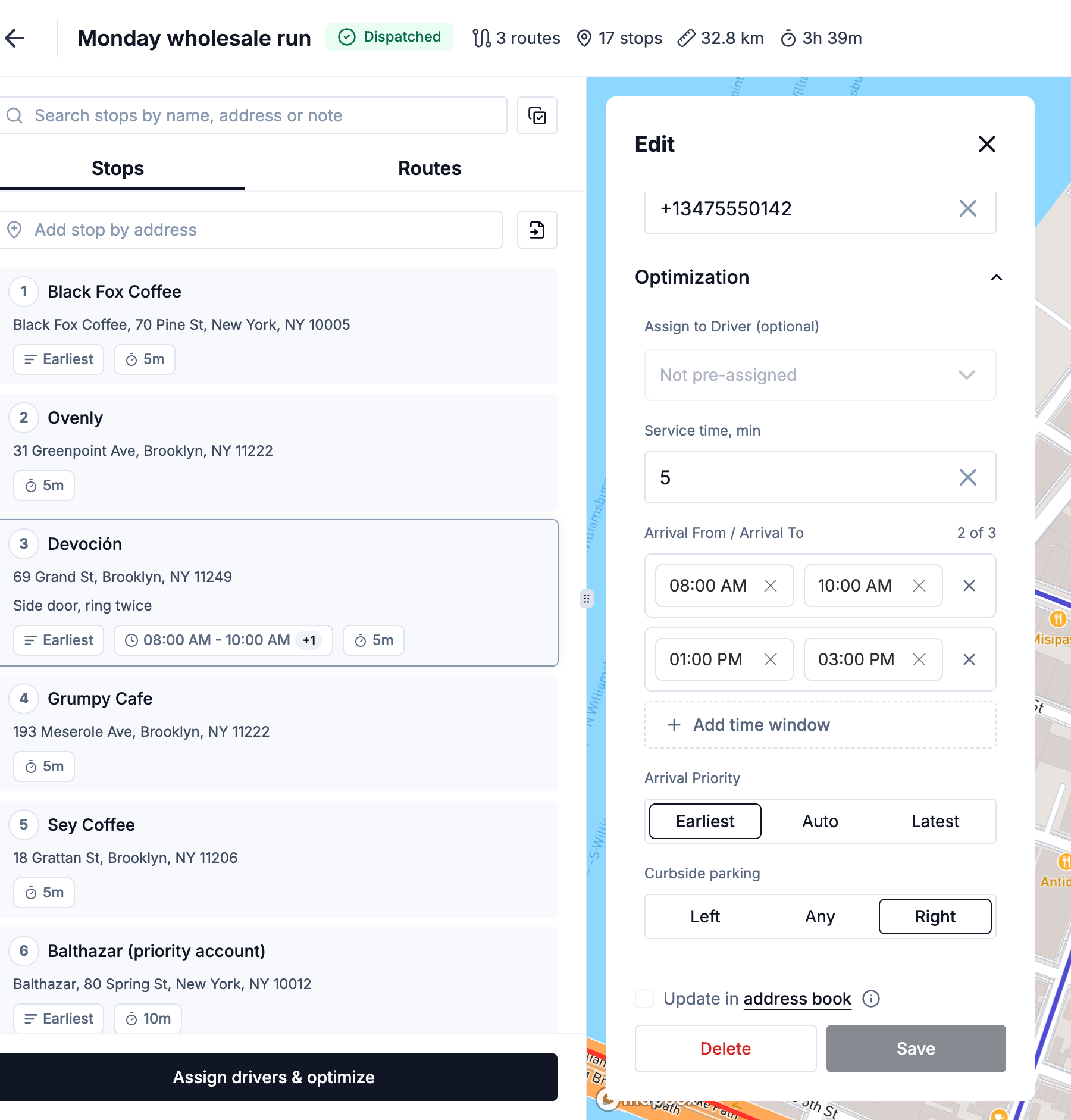
Give a stop up to three arrival windows, a service time and a load; give each driver a vehicle capacity, a stop limit and a shift. The optimizer works inside all of it. A stop that can't fit anywhere goes to Unassigned with the reason, instead of quietly breaking someone's route.

Read the guide 
Stop settings with two arrival windows, service time, arrival priority and curbside parking
Zones & vehicles

The right driver in the right neighbourhood

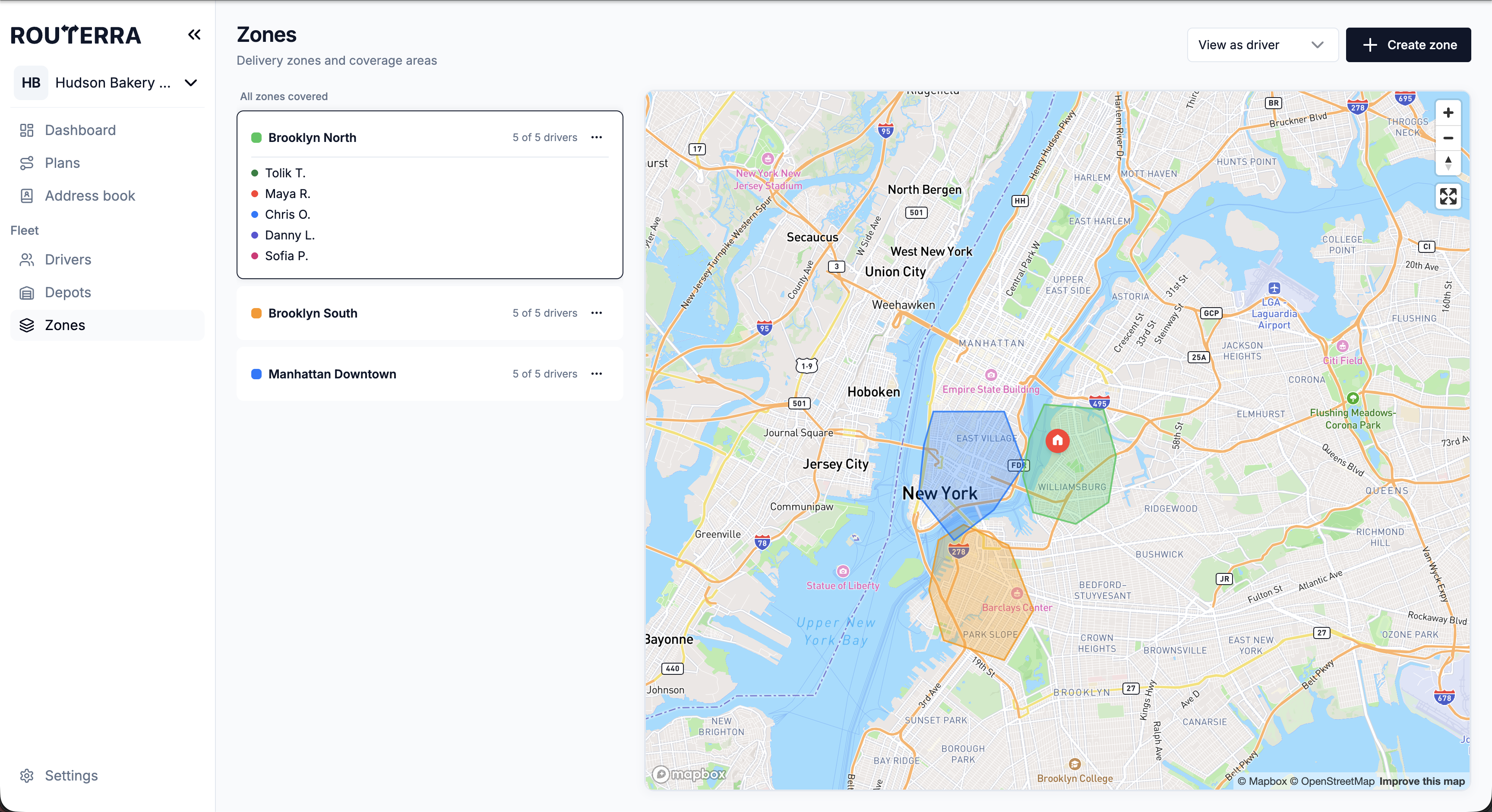
Draw delivery zones on the map and allow or exclude drivers per zone. Set each driver's vehicle — bike, scooter, car, van or truck — and switch on live traffic, or avoid tolls and highways. A mixed fleet just works.

Read the guide 
Three delivery zones drawn over New York with the drivers allowed in each
Import

Get the day in, however it arrives

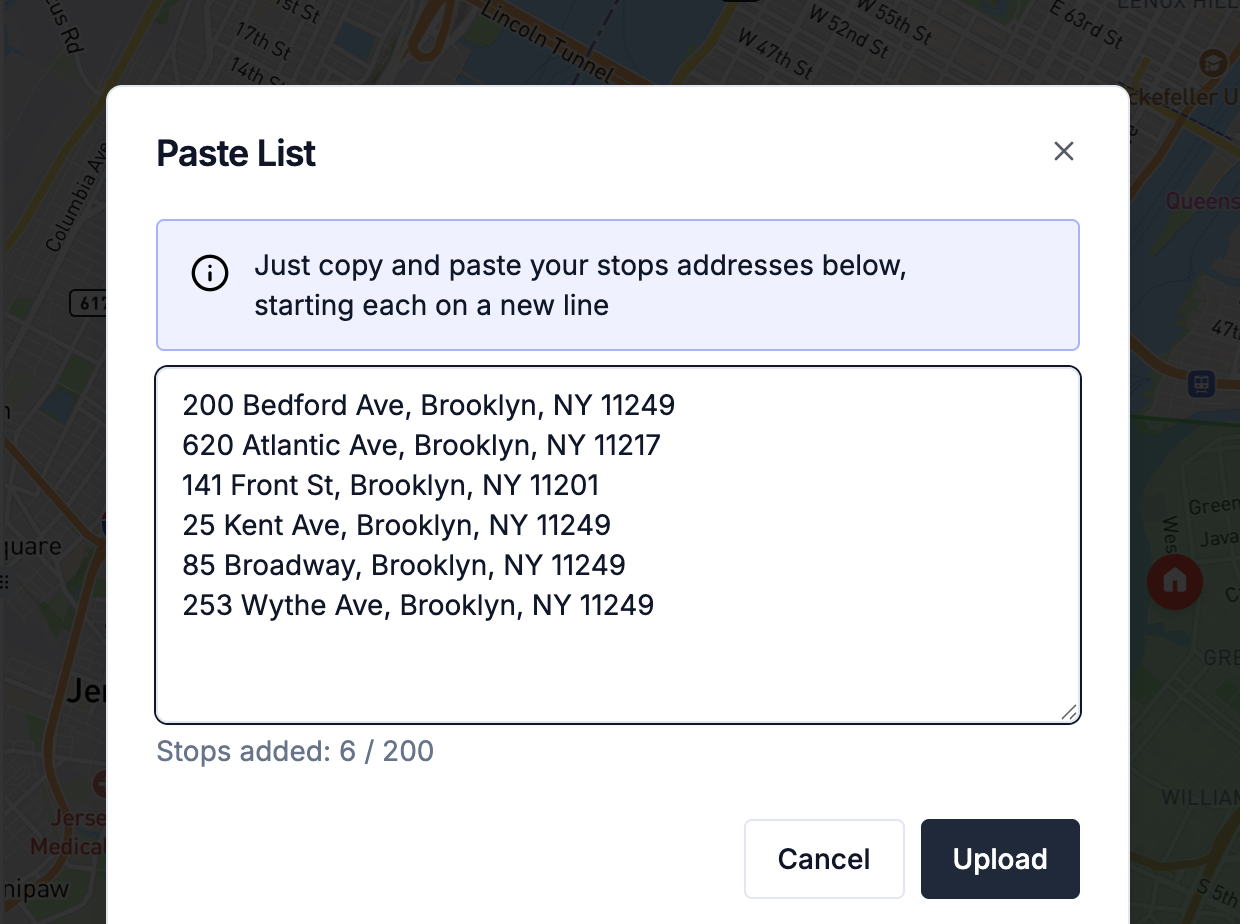
Paste a list of addresses, upload a CSV, Excel or PDF file, snap a photo of a paper manifest, add regulars from your address book, or pull orders from your own system. Time windows in your spreadsheet come along.

Read the guide 
Paste List dialog with six Brooklyn addresses, one per line

What a customer says

“…Between Routerra and Milan's development, this has made a huge difference to [our] time management and customer management.”
Philip, The Melting Pot · Community food delivery · 3 drivers · on Routerra since 2026

Set up in an afternoon — we'll help

  1. Start your trial

    Name your team, add your depot and drivers. Your drivers install the free app.

  2. We import your first day

    Send us your spreadsheet or manifest. We set it up with you on a short call.

  3. Routes go out

    Optimize, send to drivers, follow them live. We stay a message away.

Frequently asked questions

You choose the drivers and one of four distribution strategies each time you optimize: Balance by Stops (equal number of stops), Balance by Time (everyone finishes around the same time), Fastest Overall (shortest total completion time, the recommended default) or Balanced Mix (both stops and time).

Per stop: up to three arrival windows, arrival priority, service time, load, curbside side and a pre-assigned driver. Per driver: vehicle type and capacity, max stops, shift start and end, start and finish locations, and zone restrictions. Per driver you can also plan with live traffic, or avoid tolls and highways.

By default up to 2000 stops per optimization and 250 rows per imported file. Both are raised for your team on request — bigger routes are a conversation, not a different plan. Self-serve covers fleets of up to 200 vehicles; for more, talk to us.

It lands in Unassigned Stops with the reason on its row, for example a window no driver can reach or a vehicle that's full. Loosen the constraint and optimize again, or move it onto a route by hand.

Yes. Move stops to another driver, change a stop's position, hand a whole route to someone else, or reshape the path on the map. Optimizing again is cheap, and delivered and failed statuses survive it.

Only if you let them. A team setting chooses between Follow the plan, Reorder stops, and Reorder and re-optimize. Every change a driver makes shows up for the office, and you can put the planned order back.

One plan. Everything included.

Routerra Teams

$20per driver / month, billed annually · plus applicable tax

$240 per driver, billed once a year

  • Multi-driver optimization
  • Live driver tracking
  • Free driver app, works offline
  • Customer tracking link
  • Email & SMS updates*
  • Photo, signature & PDF proof
  • Zones, time windows, capacity
  • API, webhooks & MCP

* SMS is sent through your own Twilio account.

Start free trial

7 days free · card required · cancel anytime before day 7 and you won't be charged

More than 200 vehicles?

We'll set up a plan that fits your fleet.

Not sure yet?

See it on your own stops in a short demo.

See pricing details