

Import Stops From Anything
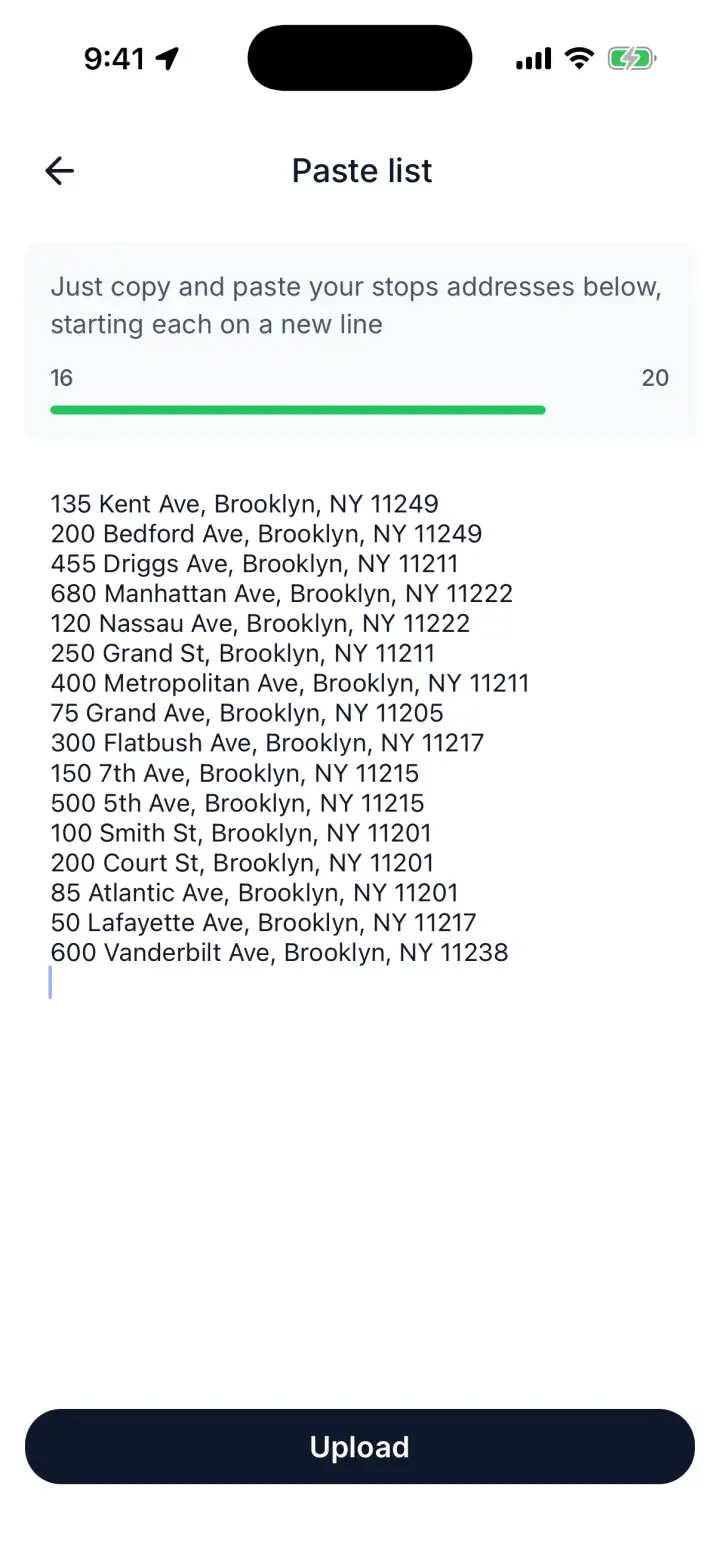
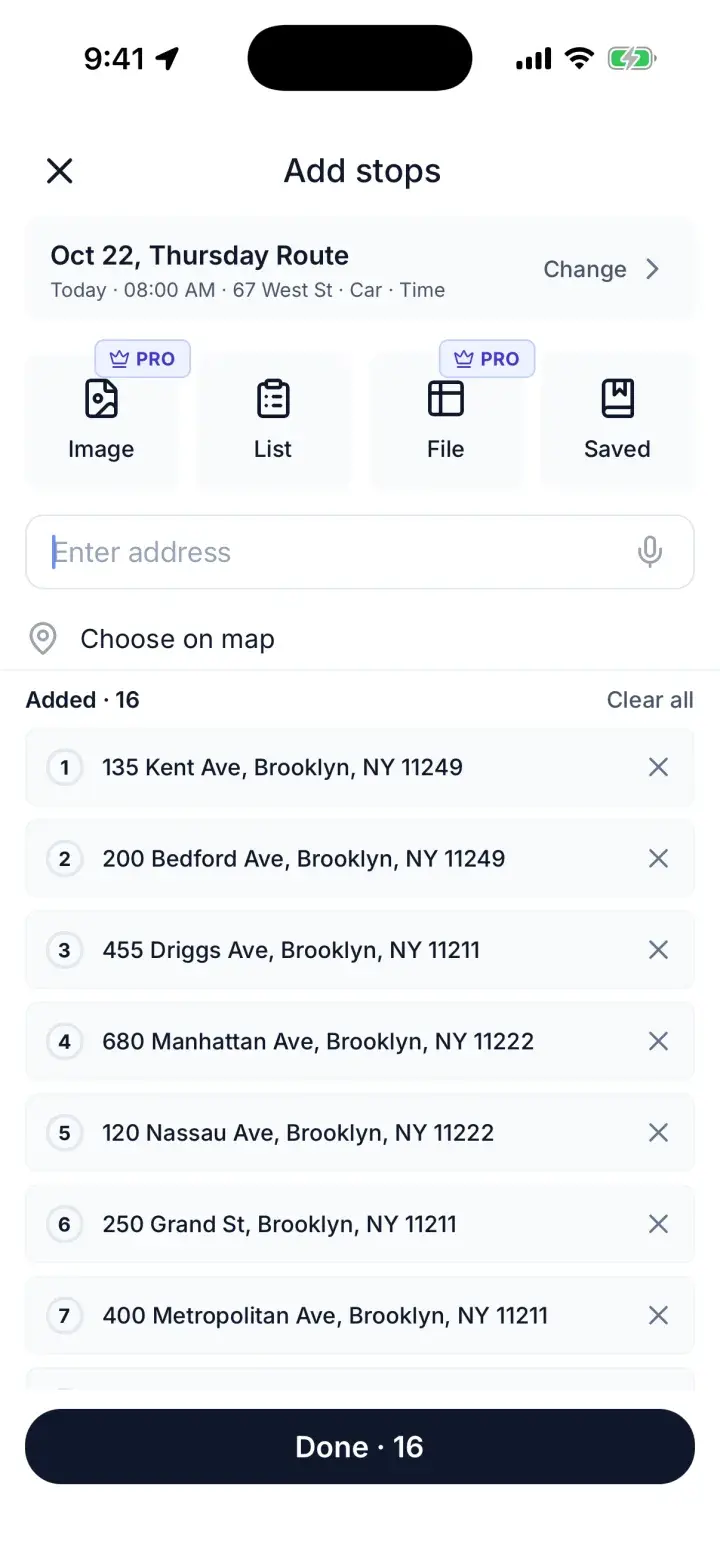
Paste a list, upload a spreadsheet, or snap a photo of package labels. Our AI extracts every address automatically for any format of data.
- List
- File
- Image

Import stops. Optimize with traffic and time windows. Navigate in Google Maps, Waze, or Apple Maps.
Free plan: up to 20 stops per route · No credit card required · Web, iOS and Android
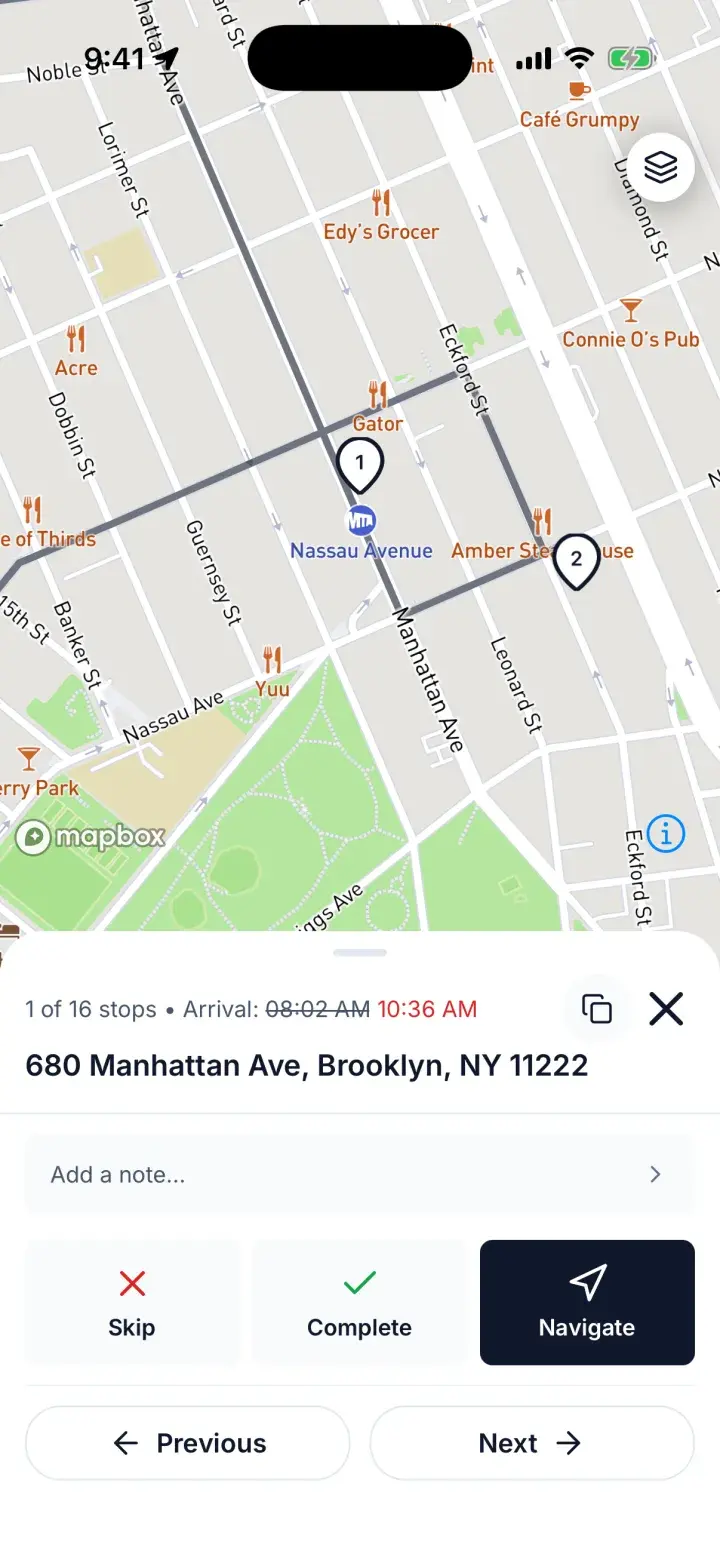
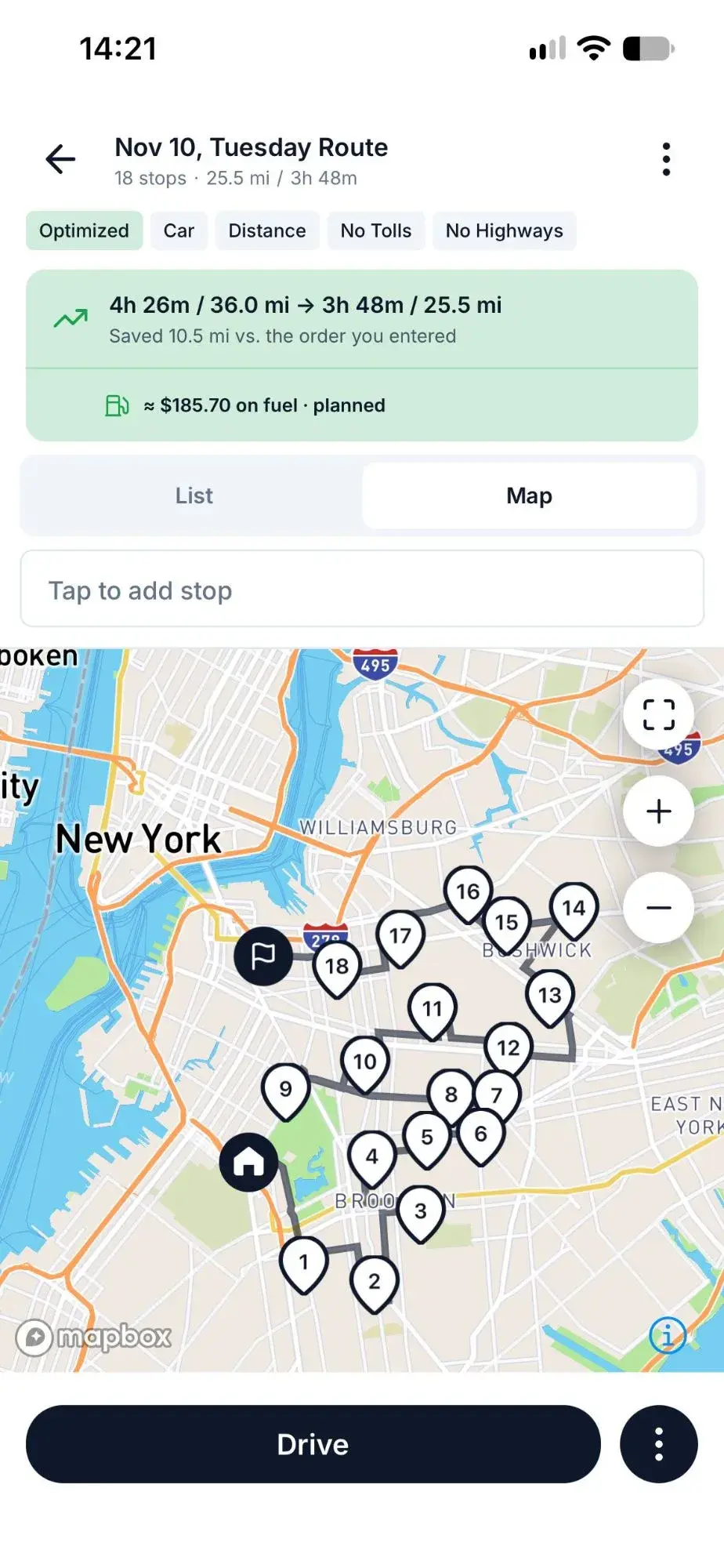
Keep it for driving. Plan the route in Routerra, then open each stop in Google Maps, Waze, or Apple Maps.
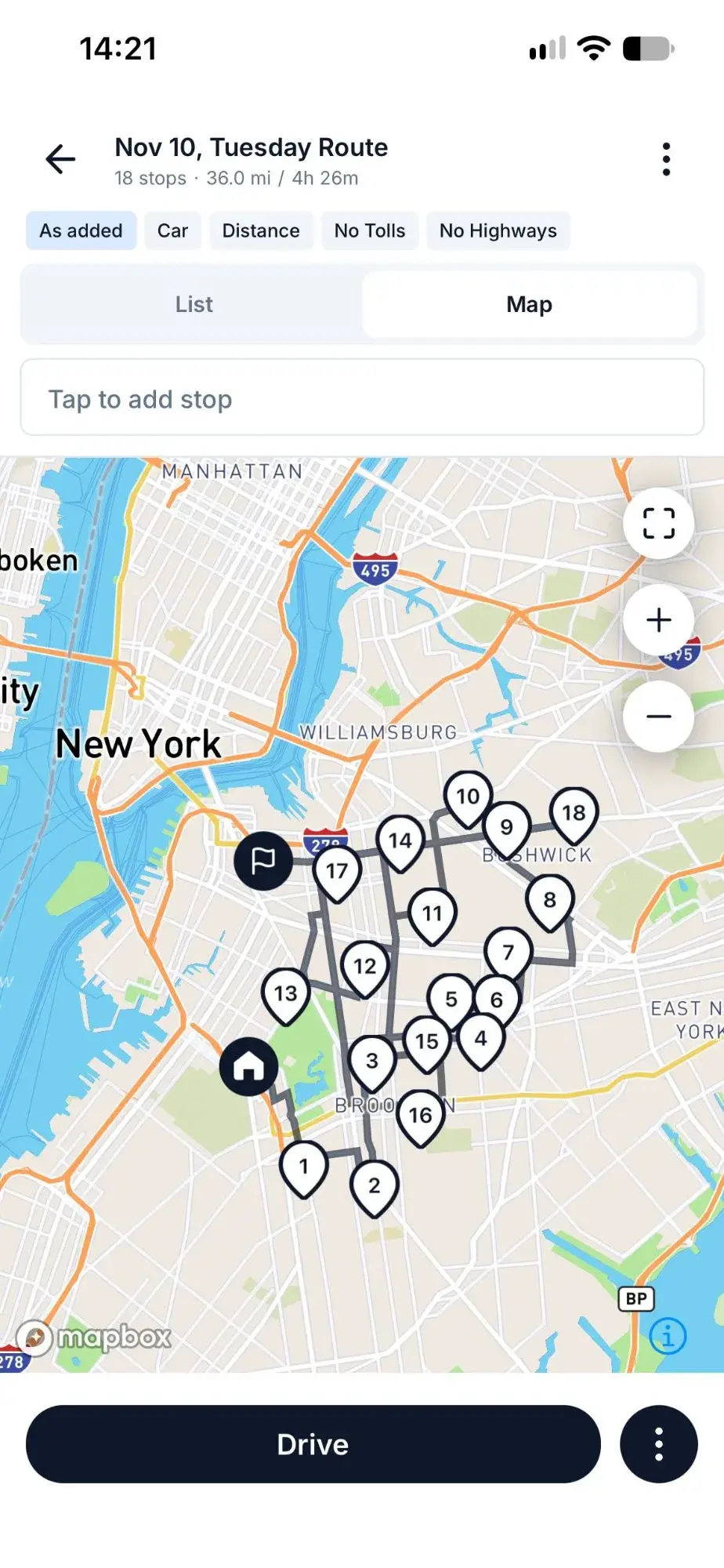
| Planning a multi-stop route | Google Maps | Routerra |
|---|---|---|
| Stops per route | Up to 9 stops plus your start | Up to 1,000 on Pro · 20 on Free |
| Automatic order optimization | No — you drag stops into order yourself | One tap · traffic-aware on Pro |
| Import a list or screenshot of addresses | No — each address is typed in | Paste a list · spreadsheet, photo or screenshot on Pro |
| Delivery status and notes | No | Mark each stop Completed or Skipped, add stop notes |
Google Maps limits: Google Maps Help, “Get directions & show routes”
Paste a list of addresses for free. With Pro, add stops from a spreadsheet or a photo: our AI extracts addresses from manifests and labels.
Optimize your multi-stop route in one tap. Pro adds real-time traffic and time windows.
Send stops to Google Maps, Waze, or Apple Maps. Export to CSV or PDF, or share a route link.
Whether you're a gig driver or running deliveries for your business, Routerra helps you save time and fuel on every route
With Pro, import stops from a screenshot and optimize up to 1,000 stops in seconds — then navigate in Google Maps, Waze, or Apple Maps.
Optimize my Flex routePaste or upload your stop list. Get the fastest multi-stop route with traffic and time windows — save fuel on every run.
Plan faster deliveriesPlan routes on desktop, drive on phone. No dispatcher needed — just import your customer addresses and optimize.
Try for my businessWith Pro, set time windows and service durations per stop. The optimizer builds a route that gets you to every appointment on time.
Schedule my stopsRouterra Teams pairs a dispatcher web app with an offline-first driver app: import stops, optimize with real constraints, dispatch in one click, and see statuses and proof of delivery as they happen.
Paste a list, upload a spreadsheet, or snap a photo of package labels. Our AI extracts every address automatically for any format of data.
Tap optimize and get the fastest stop order. Pro adds real-time traffic and rearranges up to 1,000 stops in seconds.
Step through your route with one tap. Mark deliveries complete, skip stops, and navigate to exact location with your favorite Google Maps, Waze, or Apple Maps.
Every minute spent manually planning routes is money out of your pocket. See exactly how much you're losing — and how much you could save.
Move the slider to match your typical route
Time Saved Daily
23 min
Monthly Savings
$216
Get detailed monthly & annual savings
Support is great, resolved issue I was having with app quick.
…generate a route on my computer and then load the route on my phone.
I put up Real Estate Signs for an entire province in Canada. Routerra allowed me to input, organize and efficiently complete a two week project in just three days.
The best routing platform I've found by far. The customer service and constant drive to improve really set Routerra apart.
Very good at optimising [your] locations into the shortest route.
or $119.99 a year. 1,000 stops per route, AI import and traffic-aware optimization.
USD · local price incl. tax in app stores · tax added at web checkout
On the free plan, paste any address list. Pro adds CSV, XLSX and PDF upload, plus screenshots or photos of your manifest. Routerra extracts the addresses and turns them into stops you can optimize in seconds.
Yes, on Pro. Upload a screenshot of your manifest or a photo of package labels, and Routerra's AI reads the addresses and builds your stop list automatically. You can also use an AI prompt to tell Routerra which information to extract.
Google Maps takes up to 9 stops plus your start and doesn't optimize the order. Routerra optimizes the order for free on routes of up to 20 stops. Pro handles up to 1,000 stops, adds traffic and time windows, and imports stops from spreadsheets or photos. Then navigate each stop in Google Maps, Waze, or Apple Maps.
Yes. Once your route is optimized, tap any stop to open navigation in Google Maps, Waze, or Apple Maps — whichever you prefer. Routerra works on web, iOS, and Android.
Yes, on Pro. Add arrival time windows (arrive between X and Y), service time per stop, and priority rules so the optimizer respects real-world constraints and keeps you on schedule.
Yes. Routerra works on any browser (desktop, laptop, tablet) and has native apps for iOS and Android. Plan your route on a big screen, then open it on your phone and start navigating.
Yes. The free plan lets you optimize routes with up to 20 stops per route and 5 optimizations per day (30 per month) — no credit card required. For professional drivers, Pro is $14.99/month, or $119.99/year, with 1,000 stops and AI-powered imports.
Yes — many Amazon Flex drivers use Routerra to re-optimize their block routes. With Pro, screenshot your itinerary, upload it, and Routerra's AI extracts the addresses and builds an optimized route. Finish your blocks faster and closer to home.
Paste your stop list and see the optimized order in seconds — free, no card required.