
The Route Planner App for Delivery Drivers
A delivery driver needs a route planner app that imports the full stop list in seconds — from a screenshot, photo, or spreadsheet — optimizes the stop order for real traffic, and hands each stop off to Google Maps, Waze, or Apple Maps for navigation. Google Maps alone caps a route at 10 stops and won't reorder them for you; Waze allows just one extra stop. Routerra does all of this on iPhone and Android, free for up to 20 stops per route.
Free for up to 20 stops per route — no credit card. iPhone, Android, and web.


Watch the App Plan a Route
The full walkthrough: stops go in, the order gets optimized, and each stop hands off to your navigation app.
How It Works, on the Actual Screens
Three screens from the app, not mockups: paste your stops, tap Optimize, drive the order.
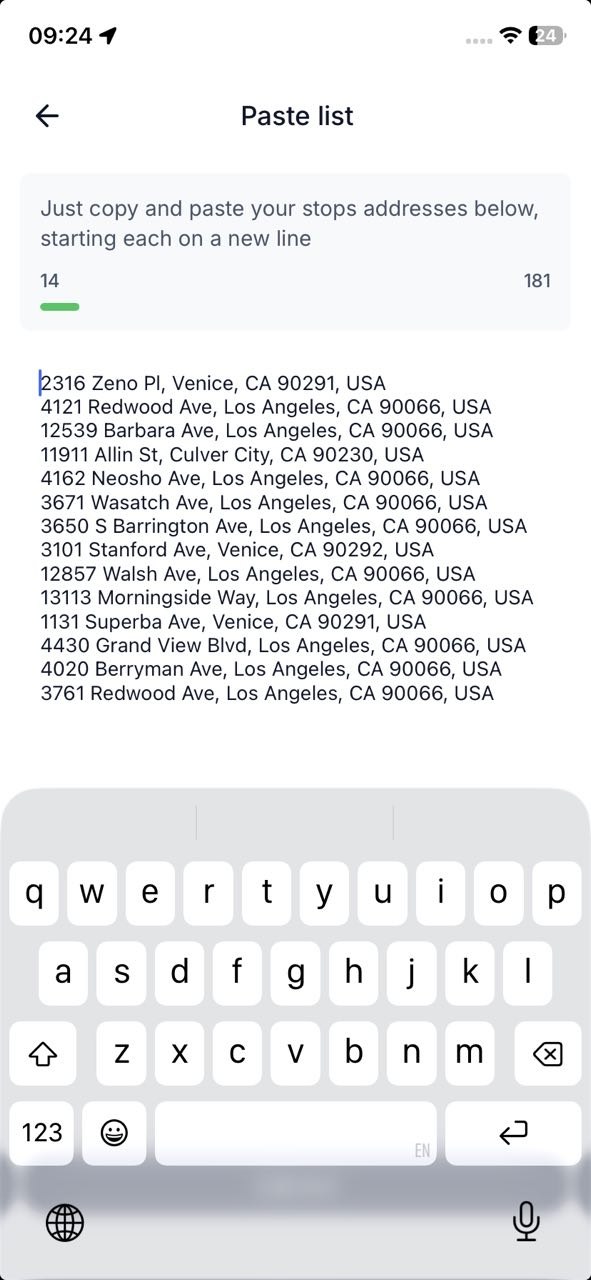
Import your stops
Paste the whole address list straight from a dispatch message — or hand the app a screenshot, photo, or spreadsheet and let AI import pull the stops out.
Tap Optimize
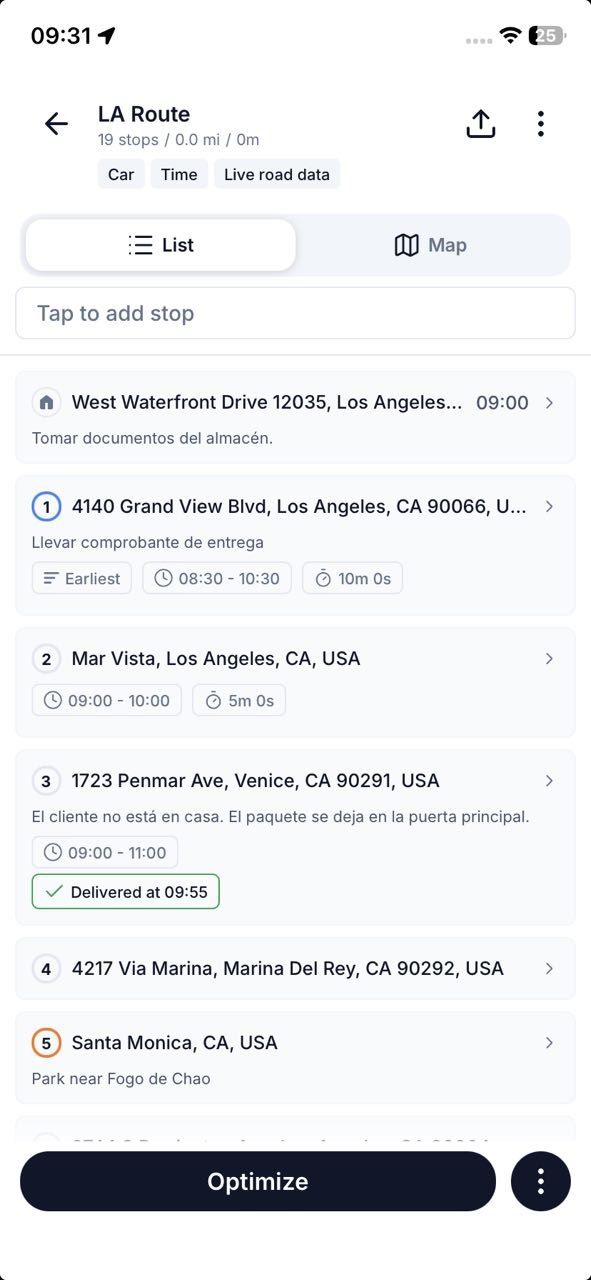
Your stops land in one list with time windows and notes attached. One tap on Optimize reorders them into the fastest drive, traffic included.
Drive the order
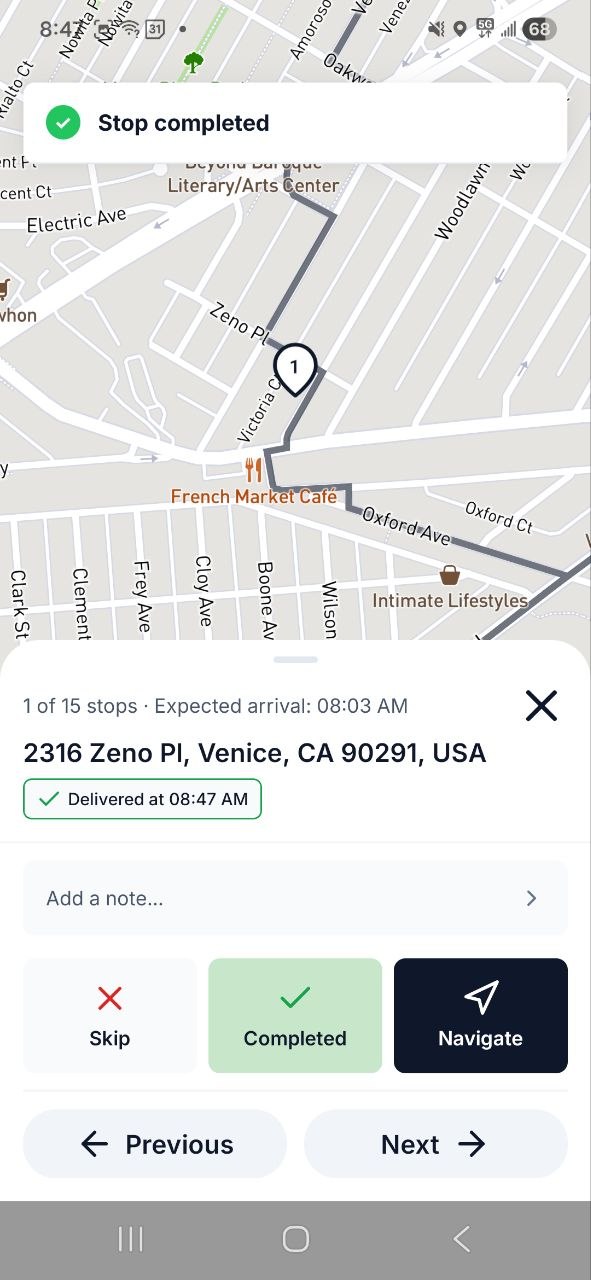
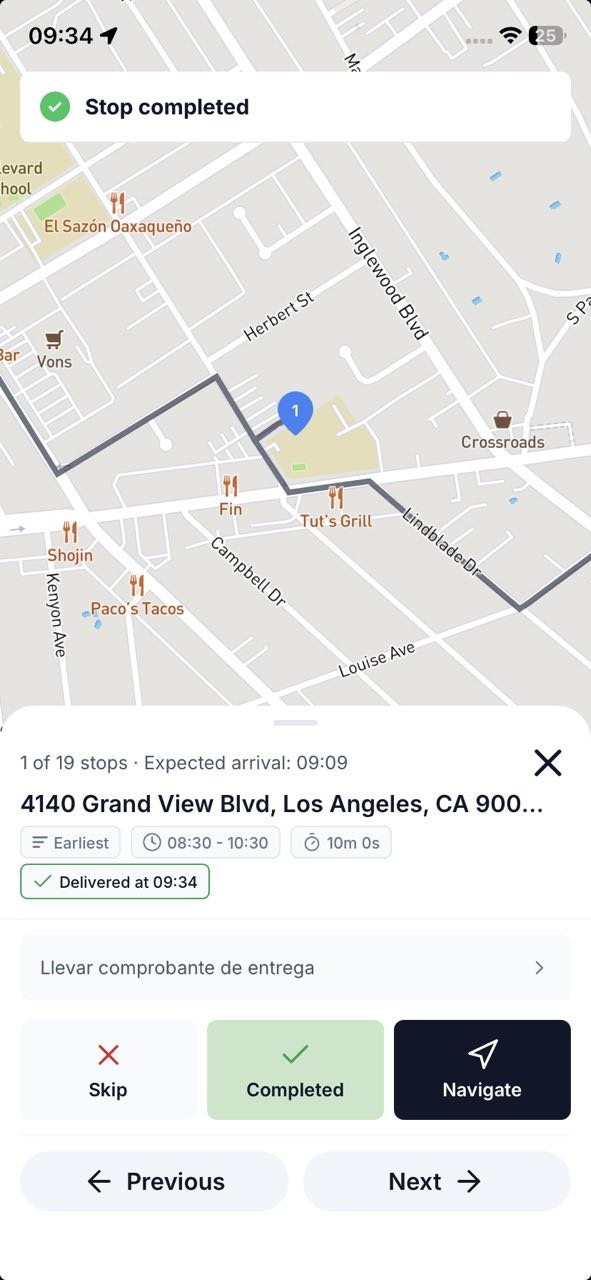
Work down the route stop by stop: Navigate opens Google Maps, Waze, or Apple Maps, and Completed logs the drop and queues up the next one.
What Else a Route Planner App Should Do for You
Beyond import, optimize, and drive — the features that decide whether an app survives a real shift.
Navigate with the app you trust
One tap opens each stop in Google Maps, Waze, or Apple Maps for turn-by-turn navigation. You keep the navigation you already know.
Change plans mid-route
Add, skip, or reorder stops while you're driving. The route adapts when the day doesn't go to plan.
Finish where you want
Set home or the depot as your end point and the optimized order works toward it, instead of stranding you across town.
Free to start
Optimize up to 20 stops per route free. Pro is $14.99/month — or $9.99/month billed annually — when you need 200 stops per route.
Routerra vs Other Routing Apps for Delivery Drivers
Free limits, prices, and platforms for the apps drivers compare most often.
| App | Free plan | Paid plan | Platforms | Stop import | Optimization & navigation |
|---|---|---|---|---|---|
| Routerra | 20 stops per route | Pro $14.99/mo, or $9.99/mo billed annually — 200 stops per route | iPhone, Android, web | Screenshot / photo (AI), CSV, Excel, PDF, paste, type | Traffic-aware optimization; opens stops in Google Maps, Waze, or Apple Maps |
| Circuit (now Spoke) | 10 stops per route | $20/mo | iOS, Android | Manual stop entry in the app | Automatic optimization; integrates with Google Maps and Waze |
| RoadWarrior | 8 stops | Pro $14.99/mo — up to 120 stops per route | iOS, Android | Manual stop entry, device syncing | Automatic optimization |
| RouteXL | 20 stops | €35/mo (100 stops), €70/mo (200 stops) | Web browser only — no mobile app | Address list on the website | Basic optimization; mid-route changes limited to skipping stops |
| Google Maps | Free — but max 10 destinations per route, including start | None | iOS, Android, web | Manual, one address at a time | No automatic stop-order optimization — you drag stops yourself |
| Apple Maps | Free — multi-stop routes cap out around 15 stops | None | iPhone | Manual, one address at a time — no bulk import | No automatic stop-order optimization |
Competitor free limits and prices as published in our route planner comparison — see the full breakdown in Best Route Planners for Delivery Drivers.
The Full Feature List
Every Routerra feature and the plan it ships in, stated plainly. Where something works through another app or has a limit, the note says so.
- Free & Pro
Route Optimization
One tap reorders your stops into the fastest drive.
- Free & Pro
Multi-Stop Planning
Up to 20 stops per route on Free, up to 200 on Pro.
- Free & Pro
Address Book
Save up to 1,000 recurring stops for reuse.
- Free & Pro
Drive Mode
Stop-by-stop driving screen with Navigate, Complete, and Skip on every stop.
- Free & Pro
Turn-by-Turn Navigation
Via hand-off: each stop opens in Google Maps, Waze, or Apple Maps — not an in-app engine.
- Free & Pro
Offline Mode
Planned routes keep working when there's no signal.
- Free & Pro
Route Export & Sharing
Export CSV or PDF, or share a route link.
- Free & Pro
Bulk List Import
Paste a list of addresses and add them all at once.
- Free & Pro
Route Statistics
See total distance, drive time, and stop count for every route.
- Free & Pro
Route Reversal
Reverse your stop order in one tap — great for return trips.
- Free & Pro
Duplicate Route
Copy any route to reuse it the next day with the same stops.
- Free & Pro
Dark Mode
A dark theme on mobile for comfortable night driving.
- Free & Pro
Voice Input
Add stops by voice on mobile — speak addresses hands-free.
- Free & Pro
Bulk Stop Actions
Select multiple stops to complete, skip, or delete them at once.
- Pro
Time Windows
Set arrival windows per stop — the optimizer plans around them.
- Pro
Stop Priority
Mark stops as high-priority so they're served first.
- Pro
Bulk Import (CSV / Excel / PDF)
Upload a spreadsheet and your stops land in one list.
- Pro
OCR Import (Photos & Camera)
Snap labels or screenshots; the addresses are read for you.
- Pro
AI-Powered Stop Extraction
AI pulls addresses out of pasted text, manifests, and images.
- Pro
Saved AI Prompts
Save and reuse AI prompts for faster repeat imports.
- Pro
Split Route
Divide a long route into smaller sub-routes — web only.
- Pro
Traffic-Aware Optimization
Real-time traffic is factored into the optimized order.
- Teams
Proof of Delivery
Drivers capture photos and notes at each stop. Not part of Free or Pro.
- Teams
Live Progress Tracking
Status-based: you see stops complete in real time, not a GPS dot on a map.
- Teams
Customer Notifications
Automatic SMS and email updates to your customers.
- Teams
Multi-Driver Dispatch
Plan for the whole fleet and send each driver their route.
- Teams
API & Webhooks
REST API plus signed webhooks for your own systems.
- Teams
Data Source
Connect your own system and pull stops directly into a plan.
- All plans
Web, iOS & Android Apps
The web app runs at app.routerra.io; native apps on both stores.
- All plans
Multi-Language Support
Available in English, Spanish, Portuguese, French, German, Italian, Polish, and Ukrainian.
Route Planner App Questions, Answered
Plan Your Next Route in Minutes
Get the app, import your stops, and drive the optimized order — free for up to 20 stops per route.
Driving Amazon Flex? See the Flex route optimizer.