
Finish Amazon Flex Blocks Faster — and Get Home Closer
Upload screenshots from your Amazon Flex stop list. Routerra extracts the addresses, optimizes the stop order, and helps you avoid zigzags, backtracking, and unpaid miles.
No credit card needed · Works with iPhone and Android



Amazon Flex Routes Often Waste Your Time
The Flex app gives you a suggested route, but real drivers know the stop order is not always the fastest way to finish a block.
Backtracking between stops
You deliver near one neighborhood, then get sent across town, then back again.
Last stop far from home
Your block ends, but your unpaid drive home is still 20–40 minutes.
Manual reordering is stressful
At the station, you do not have time to manually compare every stop.
More miles, less profit
Extra driving means more fuel, more wear, and lower earnings per hour.
How It Works
Optimize Your Amazon Flex Route in 30 Seconds
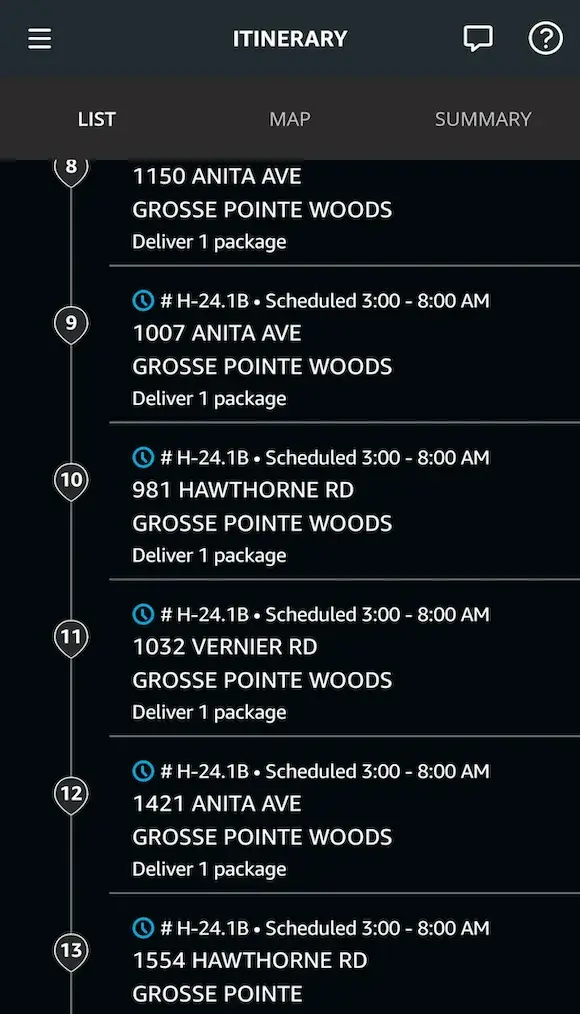
Take Flex stops screenshots
Screenshot your itinerary or stop list before you leave the station.
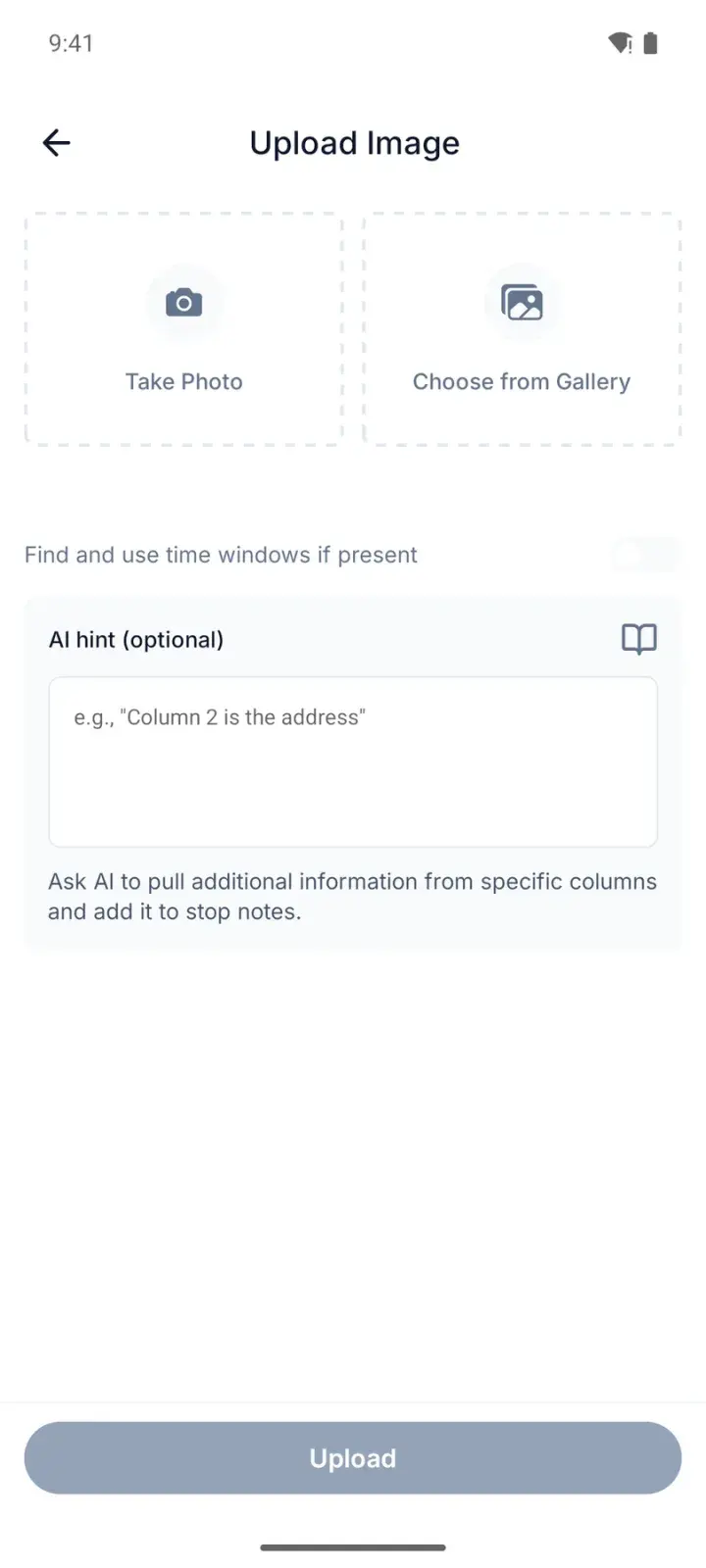
Upload to Routerra
Routerra reads the addresses from your screenshots using AI import.
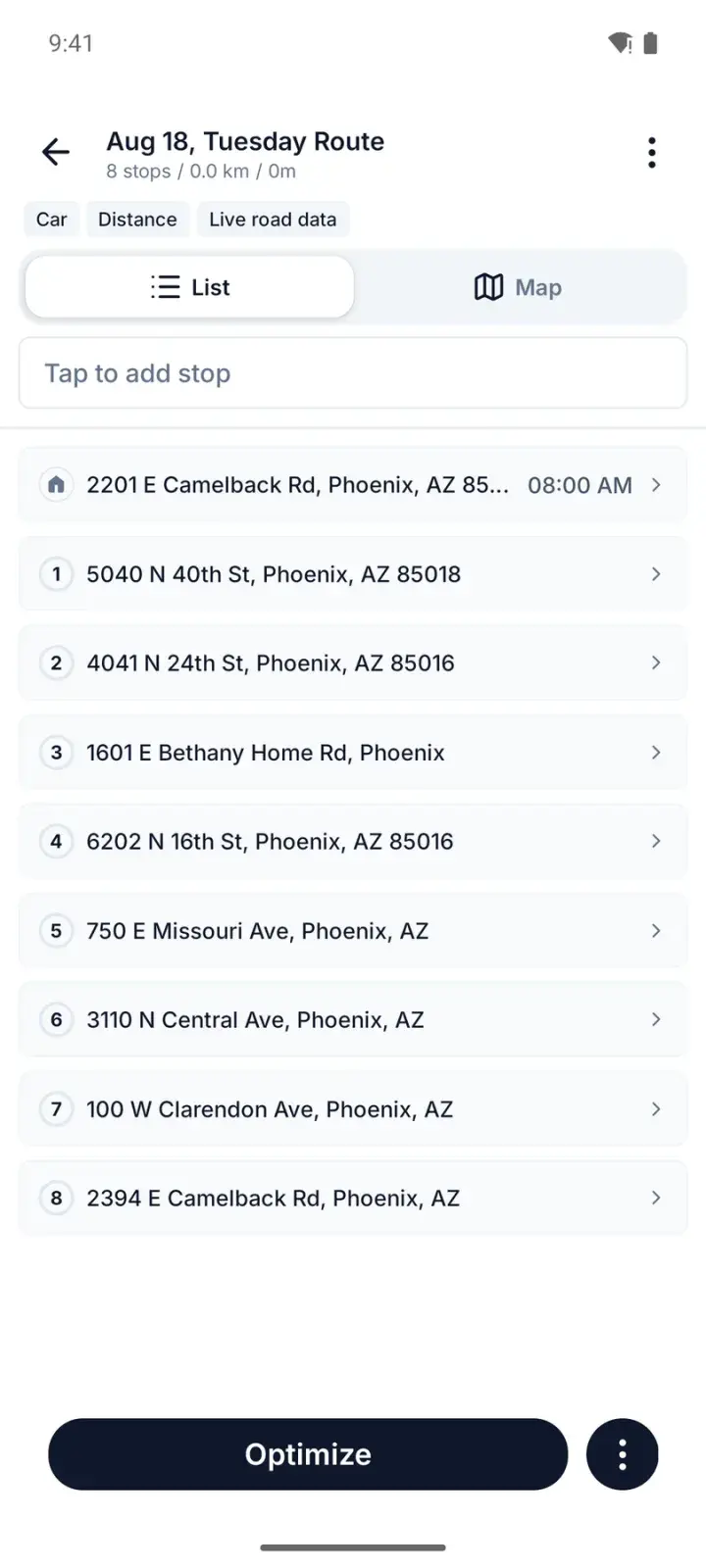
Review and optimize
Check the extracted stops, set your start/end location, and optimize the route order.
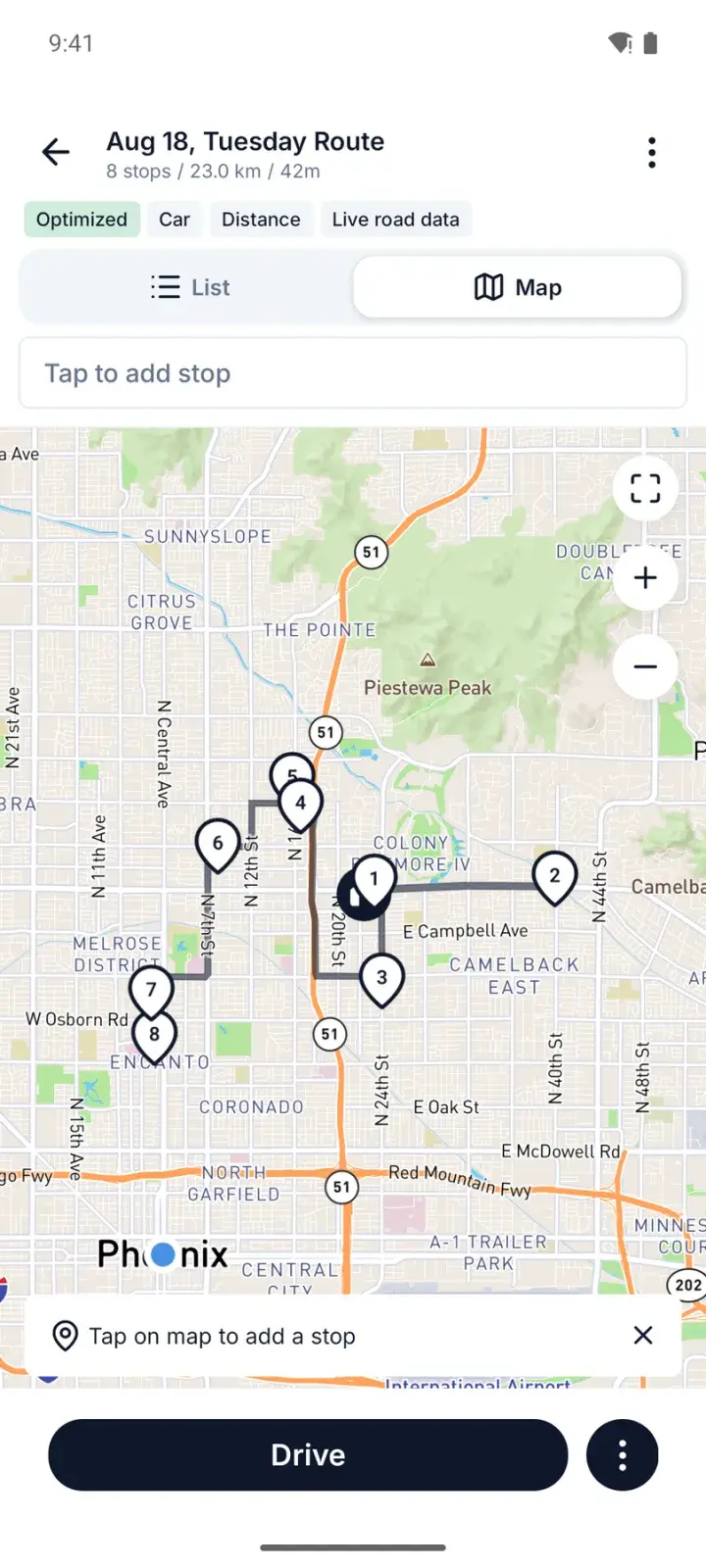
Drive the smarter order
Follow Routerra's optimized sequence while completing deliveries in the Amazon Flex app.
Optional: add notes for AI import if your screenshot format needs extra instructions.
See How a Flex Route Gets Optimized
Watch how a Flex driver can go from screenshots to an optimized stop order before leaving the station.
Why Flex Drivers Love Routerra
Save time on every block
Drivers report saving 30–60 minutes by reducing backtracking and unnecessary miles.
Finish closer to home
Set your preferred end location so the optimized order moves you toward home.
Reduce fuel and wear
Fewer wasted miles means lower fuel cost and less wear on your car.
Less station stress
Import screenshots instead of manually typing stops or guessing the best order.
Works with your navigation app
Use Routerra alongside Google Maps, Waze, or Apple Maps for turn-by-turn directions.
Free to start
Try it on the free plan before upgrading — or grab a $5 day pass for a single block.
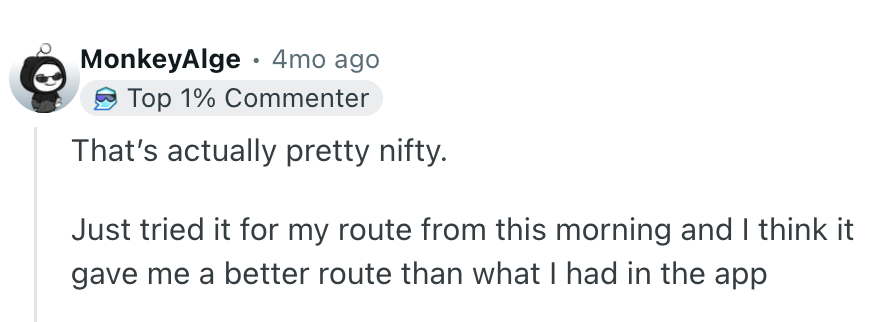
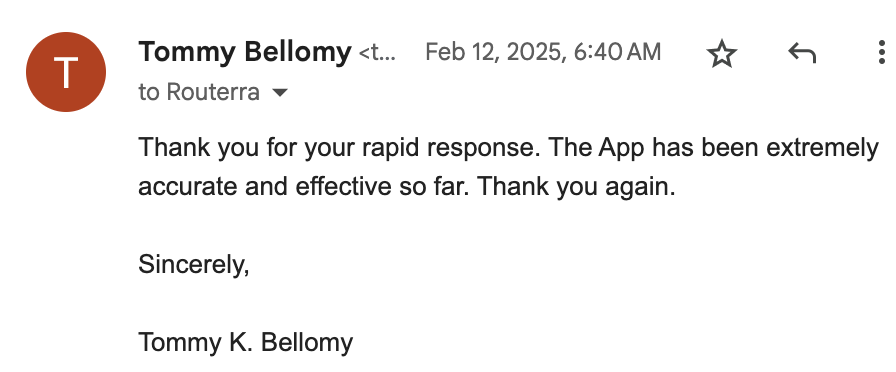
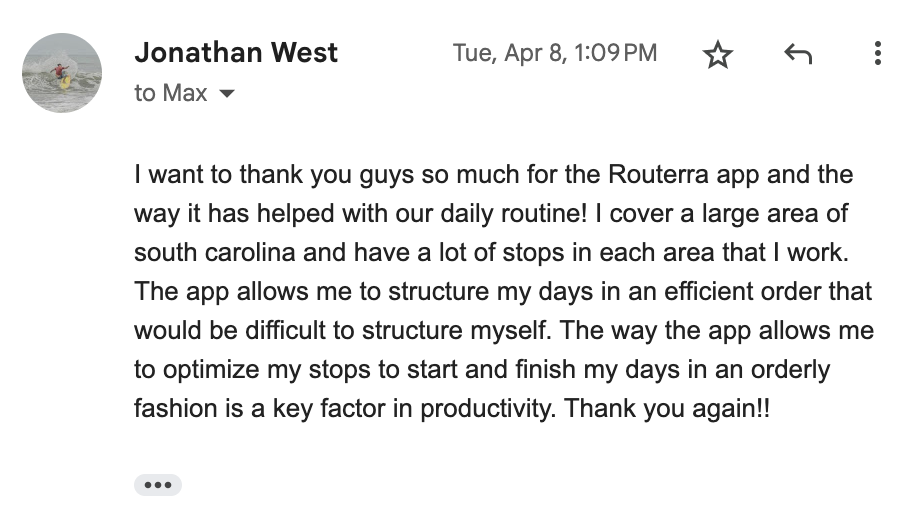
What Drivers Say
Amazon Flex Route vs. Optimized Routerra Route
| Amazon Flex suggested order | Routerra optimized order |
|---|---|
Suggested sequence from Flex app | Reorders stops for a more efficient drive |
Can create backtracking | Reduces zigzags and repeat driving |
May end far from home | Can optimize toward your preferred endpoint |
Hard to manually compare stops | Screenshot import extracts stops quickly |
Built for delivery execution | Built for route planning before you drive |
The Full Feature List
Every Routerra feature and the plan it ships in, stated plainly. Where something works through another app or has a limit, the note says so.
- Free & Pro
Route Optimization
One tap reorders your stops into the fastest drive.
- Free & Pro
Multi-Stop Planning
Up to 20 stops per route on Free, up to 200 on Pro.
- Free & Pro
Address Book
Save up to 1,000 recurring stops for reuse.
- Free & Pro
Drive Mode
Stop-by-stop driving screen with Navigate, Complete, and Skip on every stop.
- Free & Pro
Turn-by-Turn Navigation
Via hand-off: each stop opens in Google Maps, Waze, or Apple Maps — not an in-app engine.
- Free & Pro
Offline Mode
Planned routes keep working when there's no signal.
- Free & Pro
Route Export & Sharing
Export CSV or PDF, or share a route link.
- Free & Pro
Bulk List Import
Paste a list of addresses and add them all at once.
- Free & Pro
Route Statistics
See total distance, drive time, and stop count for every route.
- Free & Pro
Route Reversal
Reverse your stop order in one tap — great for return trips.
- Free & Pro
Duplicate Route
Copy any route to reuse it the next day with the same stops.
- Free & Pro
Dark Mode
A dark theme on mobile for comfortable night driving.
- Free & Pro
Voice Input
Add stops by voice on mobile — speak addresses hands-free.
- Free & Pro
Bulk Stop Actions
Select multiple stops to complete, skip, or delete them at once.
- Pro
Time Windows
Set arrival windows per stop — the optimizer plans around them.
- Pro
Stop Priority
Mark stops as high-priority so they're served first.
- Pro
Bulk Import (CSV / Excel / PDF)
Upload a spreadsheet and your stops land in one list.
- Pro
OCR Import (Photos & Camera)
Snap labels or screenshots; the addresses are read for you.
- Pro
AI-Powered Stop Extraction
AI pulls addresses out of pasted text, manifests, and images.
- Pro
Saved AI Prompts
Save and reuse AI prompts for faster repeat imports.
- Pro
Split Route
Divide a long route into smaller sub-routes — web only.
- Pro
Traffic-Aware Optimization
Real-time traffic is factored into the optimized order.
- Teams
Proof of Delivery
Drivers capture photos and notes at each stop. Not part of Free or Pro.
- Teams
Live Progress Tracking
Status-based: you see stops complete in real time, not a GPS dot on a map.
- Teams
Customer Notifications
Automatic SMS and email updates to your customers.
- Teams
Multi-Driver Dispatch
Plan for the whole fleet and send each driver their route.
- Teams
API & Webhooks
REST API plus signed webhooks for your own systems.
- Teams
Data Source
Connect your own system and pull stops directly into a plan.
- All plans
Web, iOS & Android Apps
The web app runs at app.routerra.io; native apps on both stores.
- All plans
Multi-Language Support
Available in English, Spanish, Portuguese, French, German, Italian, Polish, and Ukrainian.