Every meal box and grocery order, inside its delivery window

Routes for scheduled deliveries — meal prep, catering, supermarket orders — that respect each customer's window and each van's space, with a tracking link for the customer and a photo at the door.

Start free trial

7 days free · card required, cancel before day 7 to pay nothing · $20/driver/mo billed annually ($240 per driver a year), plus applicable tax

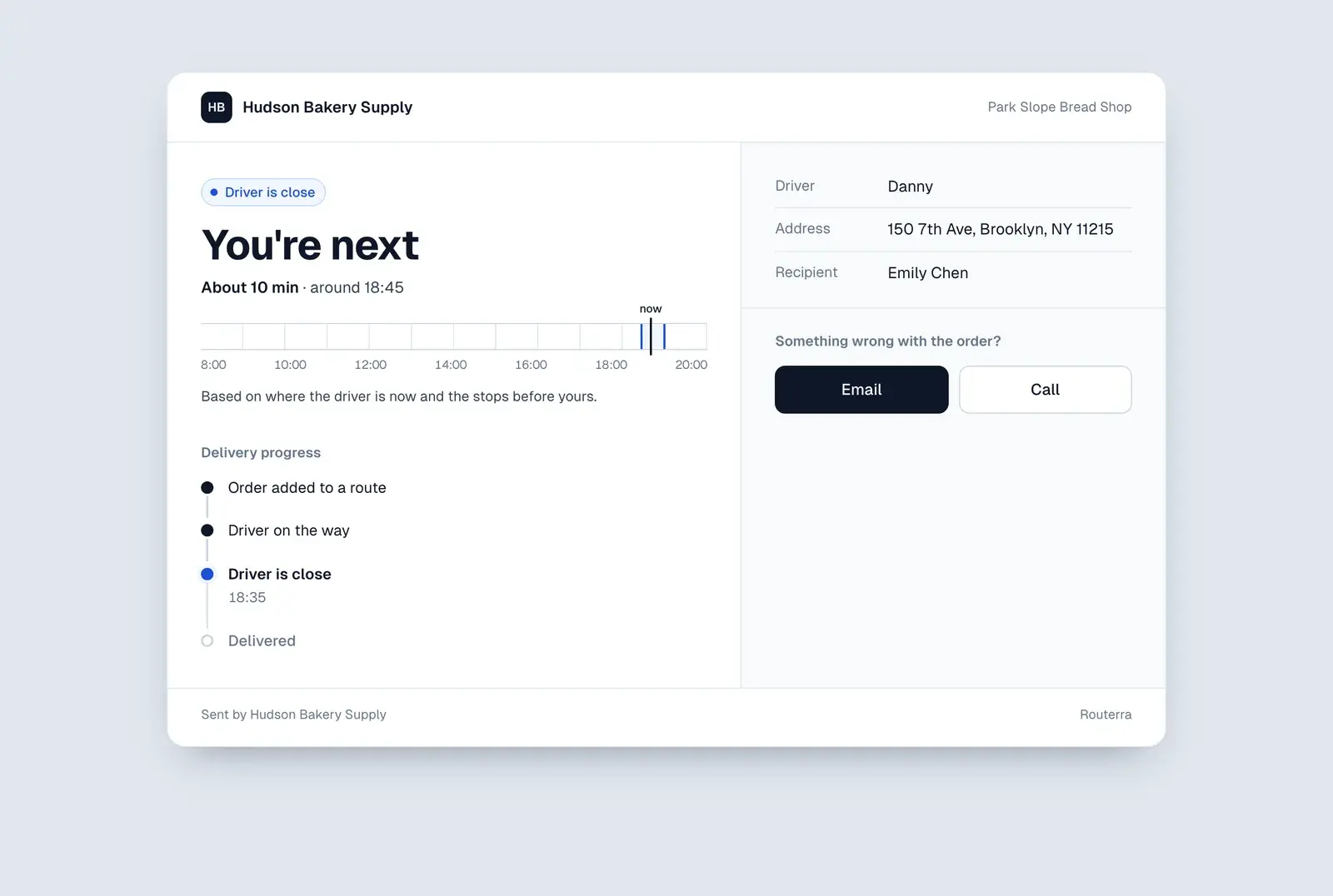
Customer tracking page on a phone showing the driver's arrival time
Sound familiar?

What makes scheduled food delivery hard

  1. Windows that really matter

    Chilled food can't wait on a doorstep, and a catering order that arrives after the event is useless. Every customer has a time that works — and it's different for each one.

  2. Vans that fill up first

    Coolers and crates run out of room. Split the day by stop count alone and somebody's order doesn't fit in the van.

  3. “When will it be here?”

    Customers plan around the delivery and call when they don't know. Every call is time away from packing the next order.

How Routerra handles it

Scheduled routes that keep food on time

Time windows

Up to three windows per stop

Set when each customer can receive — 10:00–12:00, or two windows around a lunch break. The optimizer builds every route to arrive inside them and flags any stop whose arrival time lands outside.

More on route optimization 
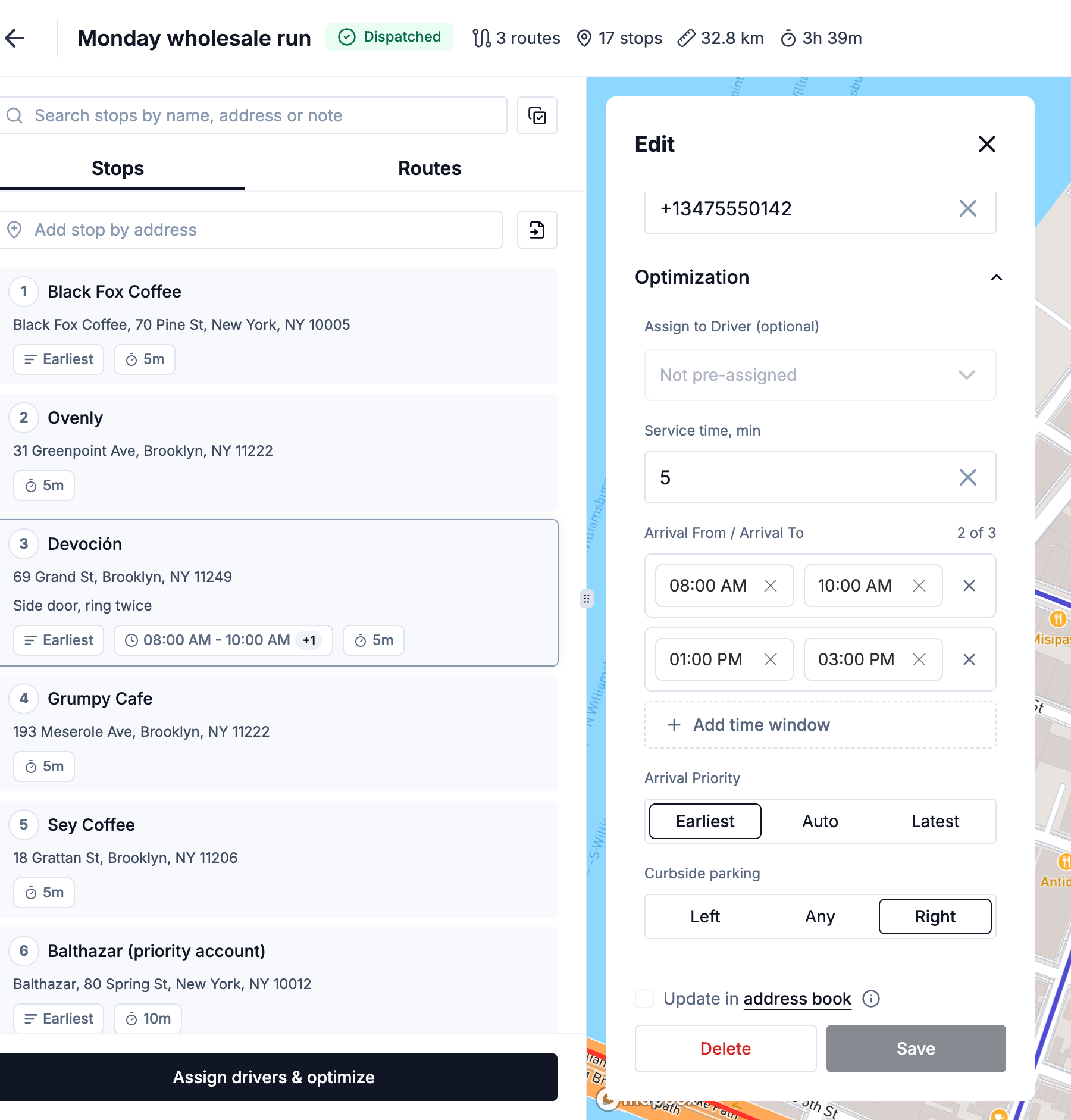
Stop settings with two arrival windows, service time and arrival priority
Capacity

No van loaded past what it holds

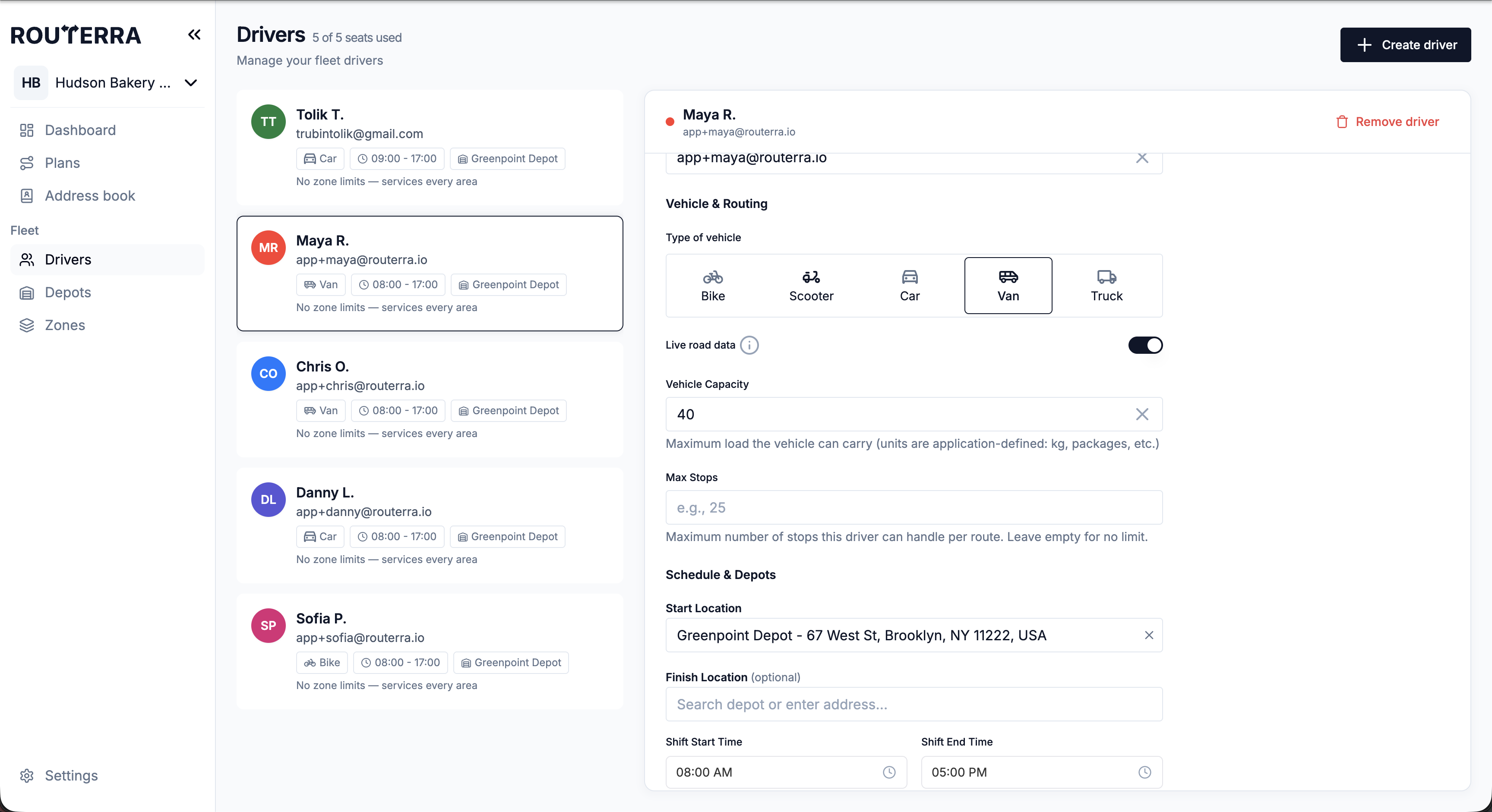
Give each stop a load — boxes, crates, cooler space — and each driver a vehicle capacity, a stop limit and a shift. Routes are split so none goes over; an order that can't fit is flagged instead of squeezed in.

More on route optimization 
Driver settings with vehicle type, capacity, max stops, start location and shift times
Customer updates

An “on the way” message with a live tracking link

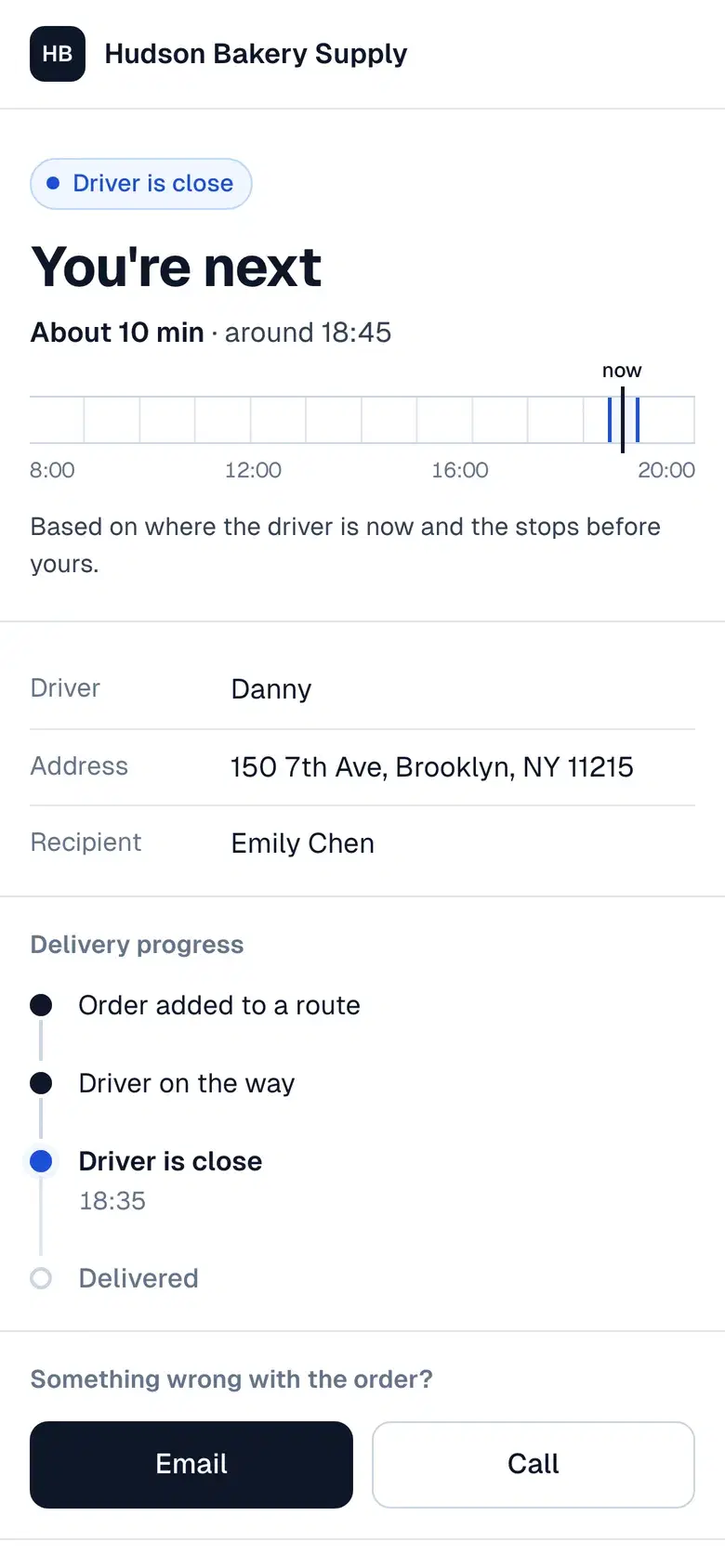
When the driver sets off, customers get an email or text with a link to their delivery. The page shows the arrival window, then “You're next” when the driver is close, plus a way to reach you. Texts go through your own Twilio account.

More on customer notifications 
Tracking page saying “You're next”, about 10 minutes away, with the delivery progress
Photo proof

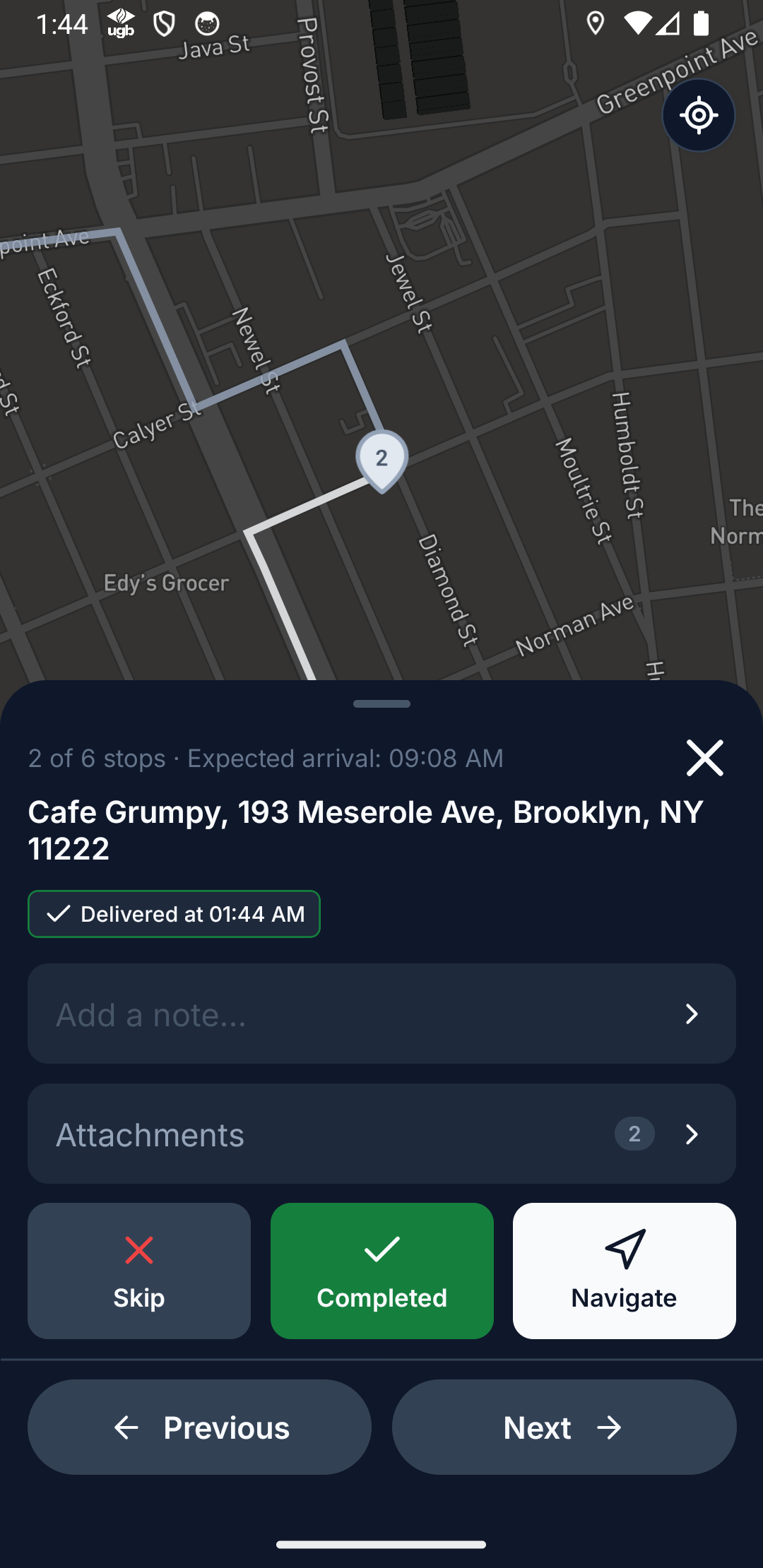
A photo of every doorstep drop

Drivers close each stop with a photo of where the order was left, and a note if needed. It's on the stop in the office as soon as the phone syncs — and on hand when a customer says it never came.

More on proof of delivery 
Driver app at a stop with Add a note, Add attachments and Delivered

What a customer says

“…Between Routerra and Milan's development, this has made a huge difference to [our] time management and customer management.”
Philip, The Melting Pot · Community food delivery · 3 drivers · on Routerra since 2026

Set up in an afternoon — we'll help

  1. Start your trial

    Name your team, add your depot and drivers. Your drivers install the free app.

  2. We import your first day

    Send us your spreadsheet or manifest. We set it up with you on a short call.

  3. Routes go out

    Optimize, send to drivers, follow them live. We stay a message away.

Frequently asked questions

No. Routerra plans scheduled routes: you know today's or tomorrow's orders, add them to a plan and send each driver an optimized route. It suits meal-prep subscriptions, catering, grocery and supermarket deliveries — not dispatching single orders the minute they're placed.

Yes, up to three — for example 9:00–11:00 or 14:00–16:00. On a routed stop, the window the driver is expected to arrive in is marked Planned.

Set a load on each stop and a vehicle capacity on each driver, in whatever unit you count — boxes, crates, cooler space. The optimizer splits stops so no route goes over and flags anything that can't fit.

No. They get an email or a text with a link that opens in any browser. Email works out of the box; texts go through your own Twilio account, billed by Twilio with no markup from us.

No. Save them in the address book with their pin, contact, windows and notes, and pull them into any plan. Or duplicate last week's plan to a new day and adjust what changed.

By default, one optimization handles up to 2000 stops and one uploaded file up to 250 rows. If your days are bigger, tell us and we raise the limits for your team.

One plan. Everything included.

Routerra Teams

$20per driver / month, billed annually · plus applicable tax

$240 per driver, billed once a year

  • Multi-driver optimization
  • Live driver tracking
  • Free driver app, works offline
  • Customer tracking link
  • Email & SMS updates*
  • Photo, signature & PDF proof
  • Zones, time windows, capacity
  • API, webhooks & MCP

* SMS is sent through your own Twilio account.

Start free trial

7 days free · card required · cancel anytime before day 7 and you won't be charged

More than 200 vehicles?

We'll set up a plan that fits your fleet.

Not sure yet?

See it on your own stops in a short demo.

See pricing details