Fewer “where's my order?” calls

Routerra emails or texts each customer when the driver sets off, when the order is delivered, and when it couldn't be — with a link to follow the delivery. You write the messages once.

Start free trial

7 days free · card required, cancel before day 7 to pay nothing · $20/driver/mo billed annually ($240 per driver a year), plus applicable tax

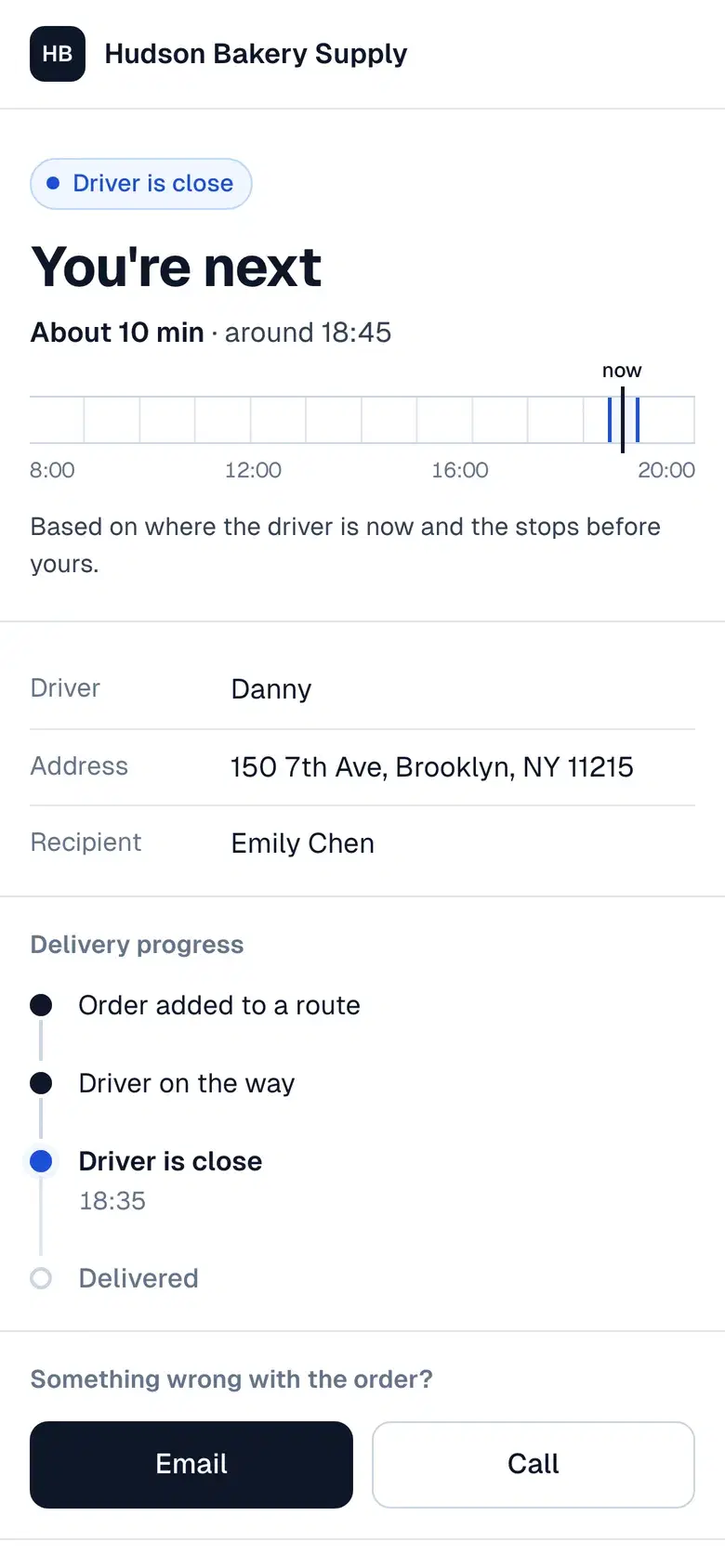
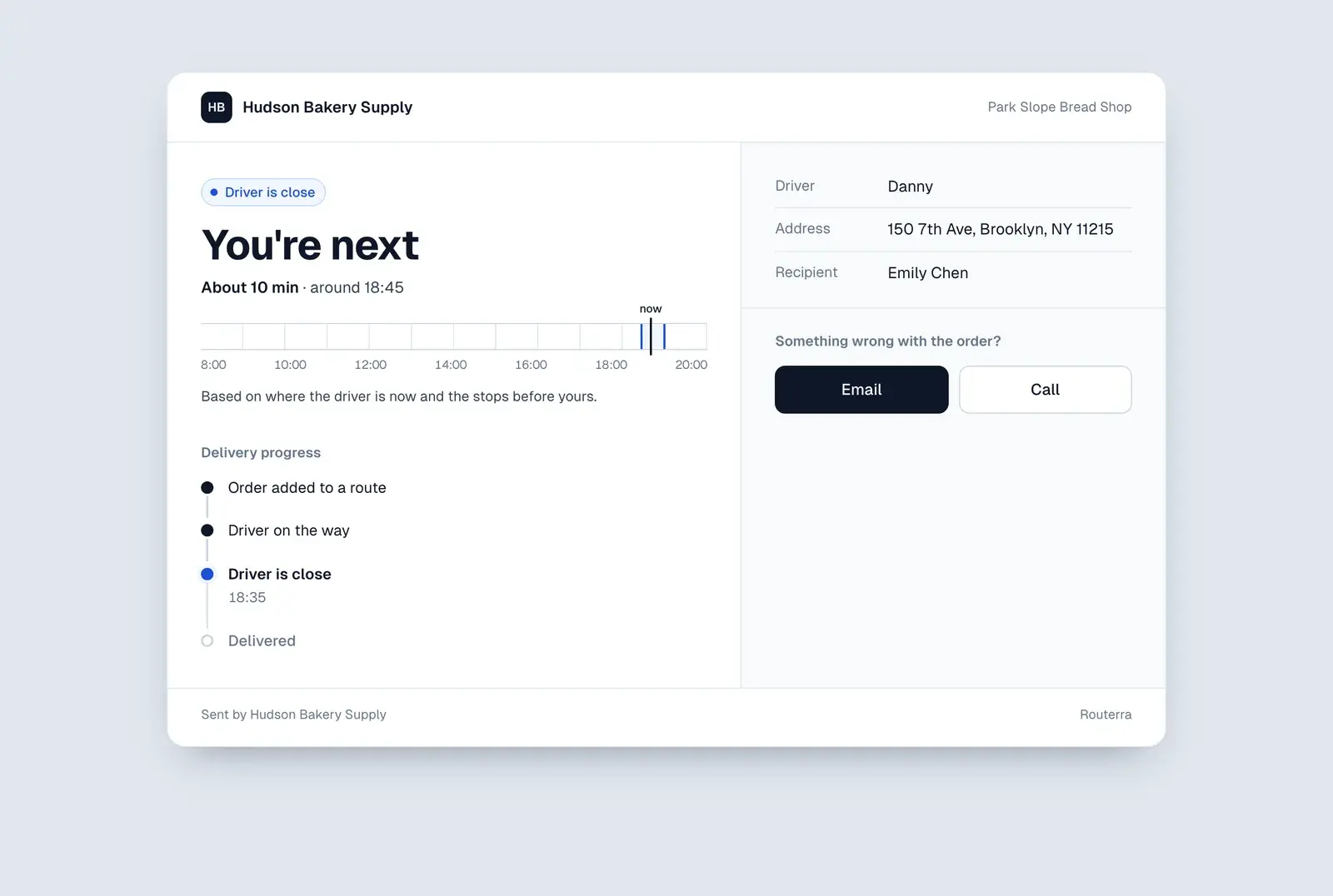
Customer tracking page: “You're next — about 10 minutes”, the driver's name and the delivery progress
Three updates

On the way, Delivered, Not delivered

Customers hear from you when the driver starts the route, when their stop is delivered, and when it couldn't be — with the reason. With texts on, they also get one when the driver is close. Write each message in your own words, drop in placeholders like the ETA window or the driver's name, add your logo and support contacts, and send yourself a test first.

Read the guide 
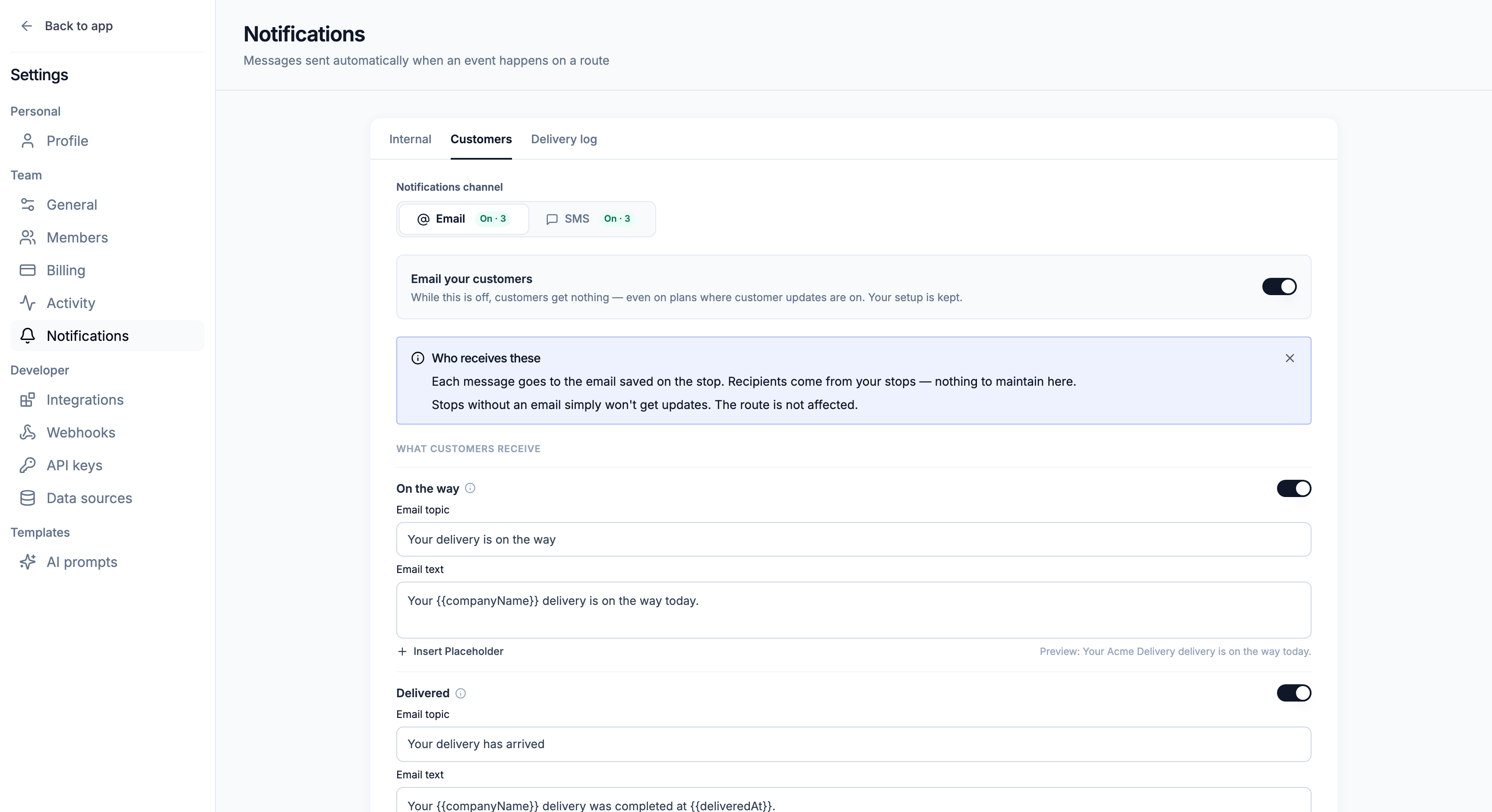
Customer notifications switched on, with a Messages table: email and SMS switches for On the way, Delivered and Not delivered, and Driver is close by SMS only
No lists to maintain

Email out of the box, SMS through your own Twilio

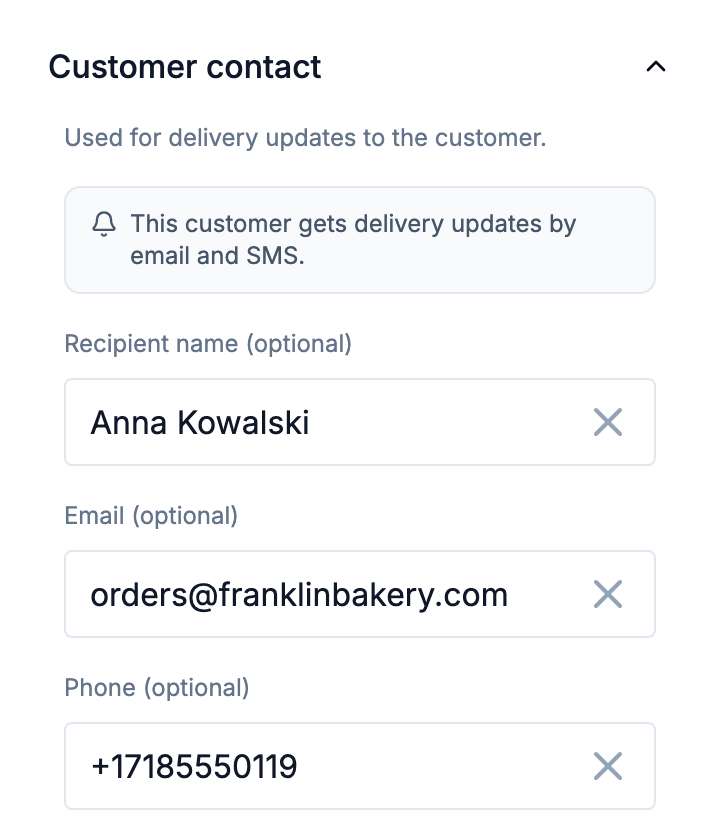
Messages go to the email or phone saved on each stop, and address-book entries bring it along. Email works from day one. Texts go through your own Twilio account, so Twilio bills you directly with no markup from us — and a customer who replies STOP gets no more texts.

Read the guide 
Stop's customer contact: recipient name, email and phone, with “This customer gets delivery updates by email and SMS”
Message log

Every message on record

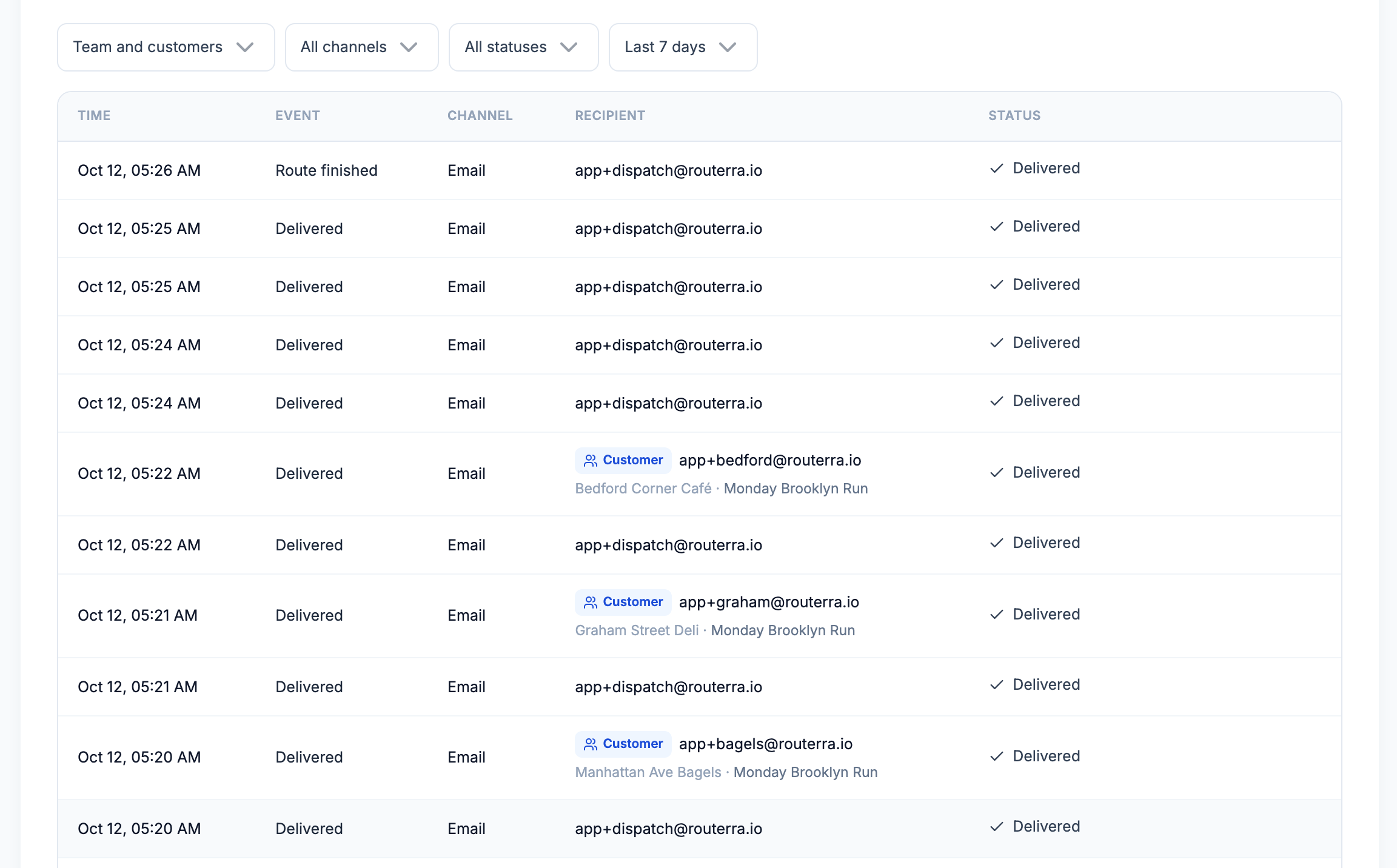
Each email and text — tests included — lands in the message log with its event, recipient and status, next to the updates your own team receives. When a customer says they never heard from you, you can check.

Read the guide 
Message log listing sent emails with time, event, channel, recipient and status
What your customer sees

A message they understand, a link they can open

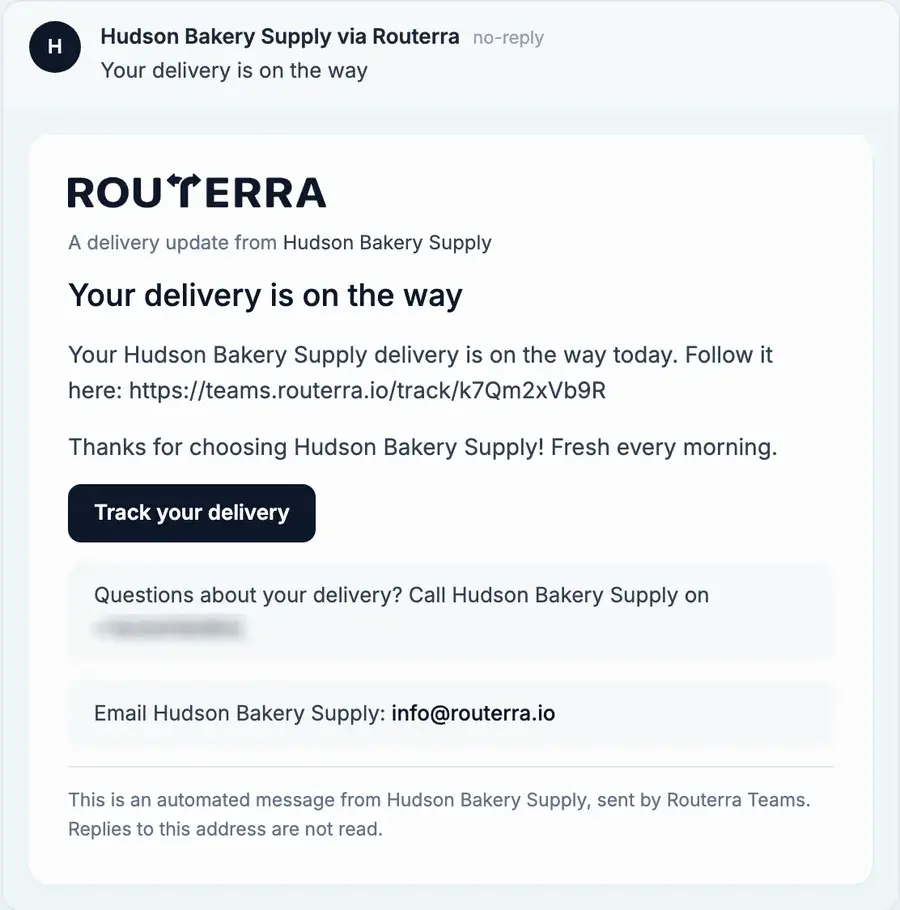
The email carries your team's name and logo and a tracking link. The page shows the arrival time, how far along the delivery is, and how to reach you.

“On the way” email with a Track your delivery button
Customer tracking page on a phone showing the driver's arrival time

What a customer says

“It's really helping us a lot with our daily logistics. It optimizes our delivery times, and it's simple and friendly to use. And support always answers whenever we ask or need it.”
Martín · wholesale distributor, Argentina (translated)Capterra review

Set up in an afternoon — we'll help

  1. Start your trial

    Name your team, add your depot and drivers. Your drivers install the free app.

  2. We import your first day

    Send us your spreadsheet or manifest. We set it up with you on a short call.

  3. Routes go out

    Optimize, send to drivers, follow them live. We stay a message away.

Frequently asked questions

Routerra doesn't charge for them. SMS goes through your own Twilio account, so Twilio bills you directly at its own rates with no markup. Email notifications are included and need no setup beyond switching them on.

Whoever's email or phone number is saved on the stop. There's no separate recipient list: stops without a contact simply don't get updates, and the route isn't affected. Phone numbers need a country code.

Yes. Each update has its own subject and text, with placeholders such as the recipient's name, the ETA window, the driver's name, the delivery time or the reason a stop was skipped. Emails can carry your logo, a signature and your support phone and email.

A customer who replies STOP goes on your do-not-message list and gets no more texts from you. You can remove them from the list later. Email updates are separate: remove the email from the stop if they shouldn't get those either.

They're sent as “your team via Routerra” from a no-reply address, so customers know who they're from. Add your support phone and email so customers can reach you directly.

Yes. Every message, including tests, appears in the message log with its status. Tests go only to the addresses or numbers you enter, never to customers.

One plan. Everything included.

Routerra Teams

$20per driver / month, billed annually · plus applicable tax

$240 per driver, billed once a year

  • Multi-driver optimization
  • Live driver tracking
  • Free driver app, works offline
  • Customer tracking link
  • Email & SMS updates*
  • Photo, signature & PDF proof
  • Zones, time windows, capacity
  • API, webhooks & MCP

* SMS is sent through your own Twilio account.

Start free trial

7 days free · card required · cancel anytime before day 7 and you won't be charged

More than 200 vehicles?

We'll set up a plan that fits your fleet.

Not sure yet?

See it on your own stops in a short demo.

See pricing details