Every bouquet delivered — with a photo to prove it

Plan the day's deliveries in minutes, send each recipient a tracking link, and get a photo from the door — on an ordinary Tuesday and on Valentine's Day.

Start free trial

7 days free · card required, cancel before day 7 to pay nothing · $20/driver/mo billed annually ($240 per driver a year), plus applicable tax

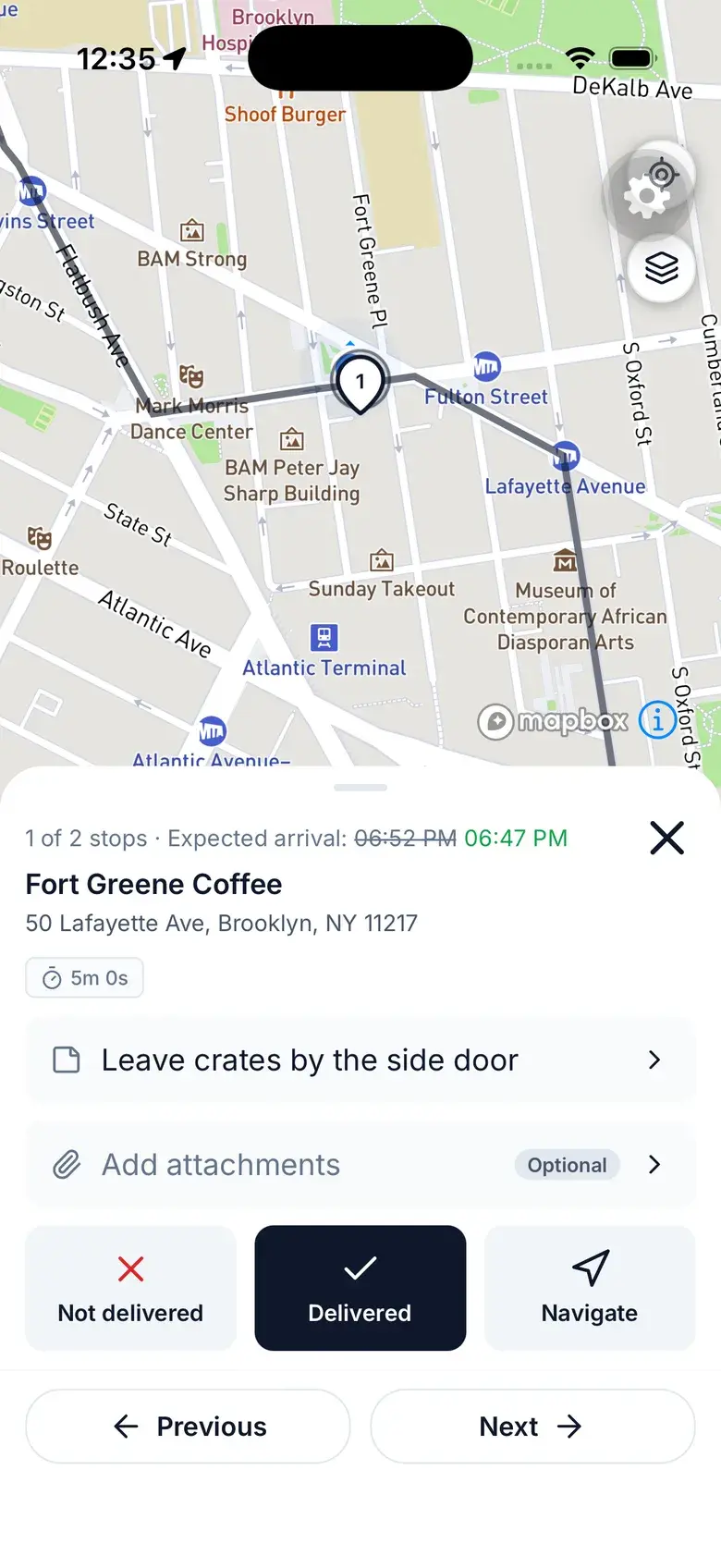
Driver app at a stop with the delivery note, Not delivered, Delivered and Navigate
Sound familiar?

What flower delivery runs into

  1. The sender wasn't there

    The person who paid isn't the person who received the flowers. When they ask whether the bouquet arrived, “the driver says so” isn't much of an answer.

  2. Peak days

    Valentine's Day and Mother's Day bring a pile of extra orders, extra drivers and addresses all over town — all on the same morning.

  3. Orders keep changing

    Late orders, a new address, a recipient who won't be home until six. A route planned at 8:00 is out of date by 10:00.

How Routerra handles it

Flower delivery that keeps up on the busiest days

Photo proof

A photo from every door

Drivers close each stop with a photo of the hand-off or of where the flowers were left, plus a note if needed. If they can't deliver, they pick a reason. You see it on the stop as soon as the phone syncs, so you can answer the sender with a picture.

More on proof of delivery 
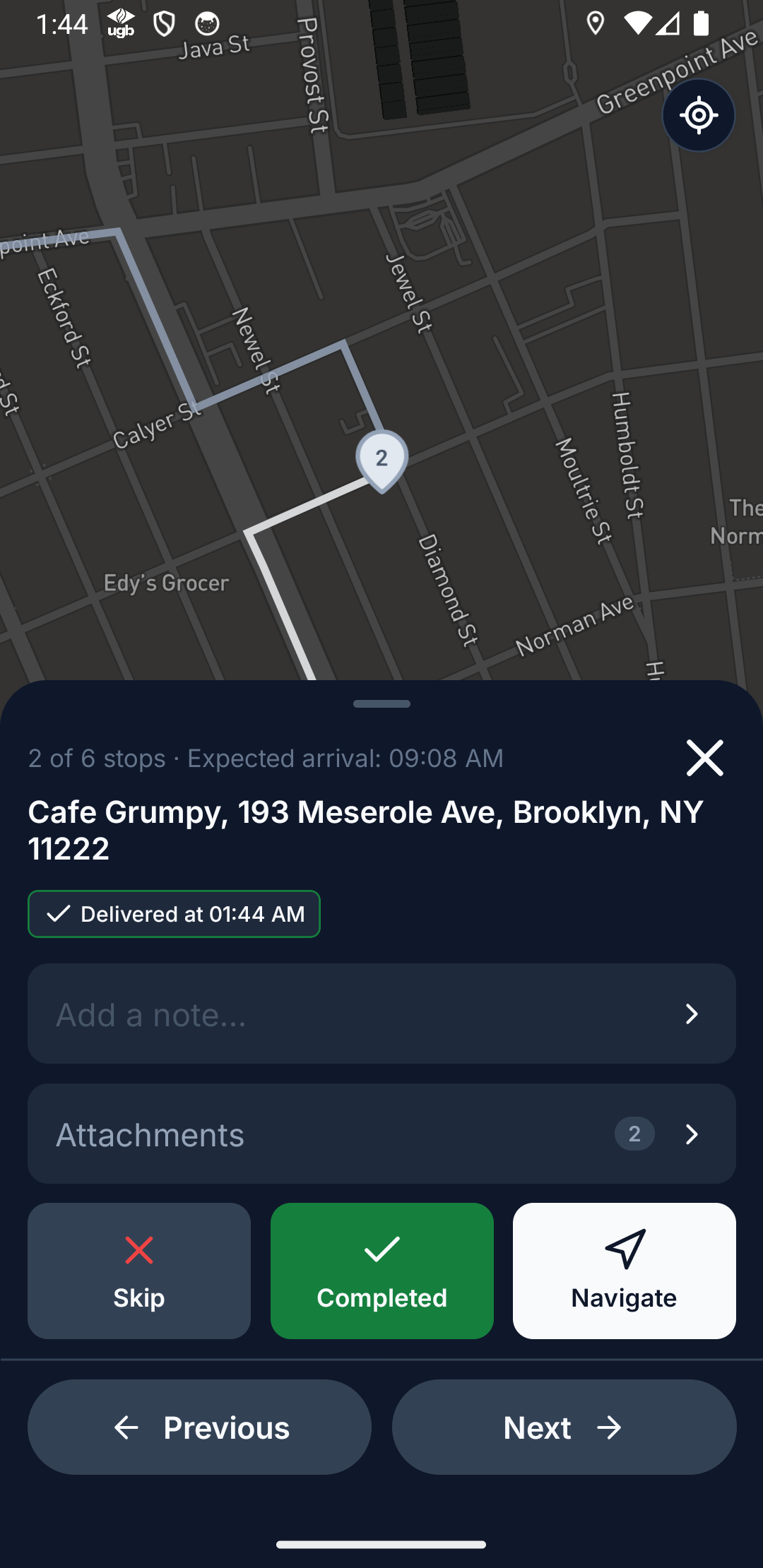
Driver app at a stop with Add a note, Add attachments and Delivered
Recipient updates

A tracking link for the person receiving them

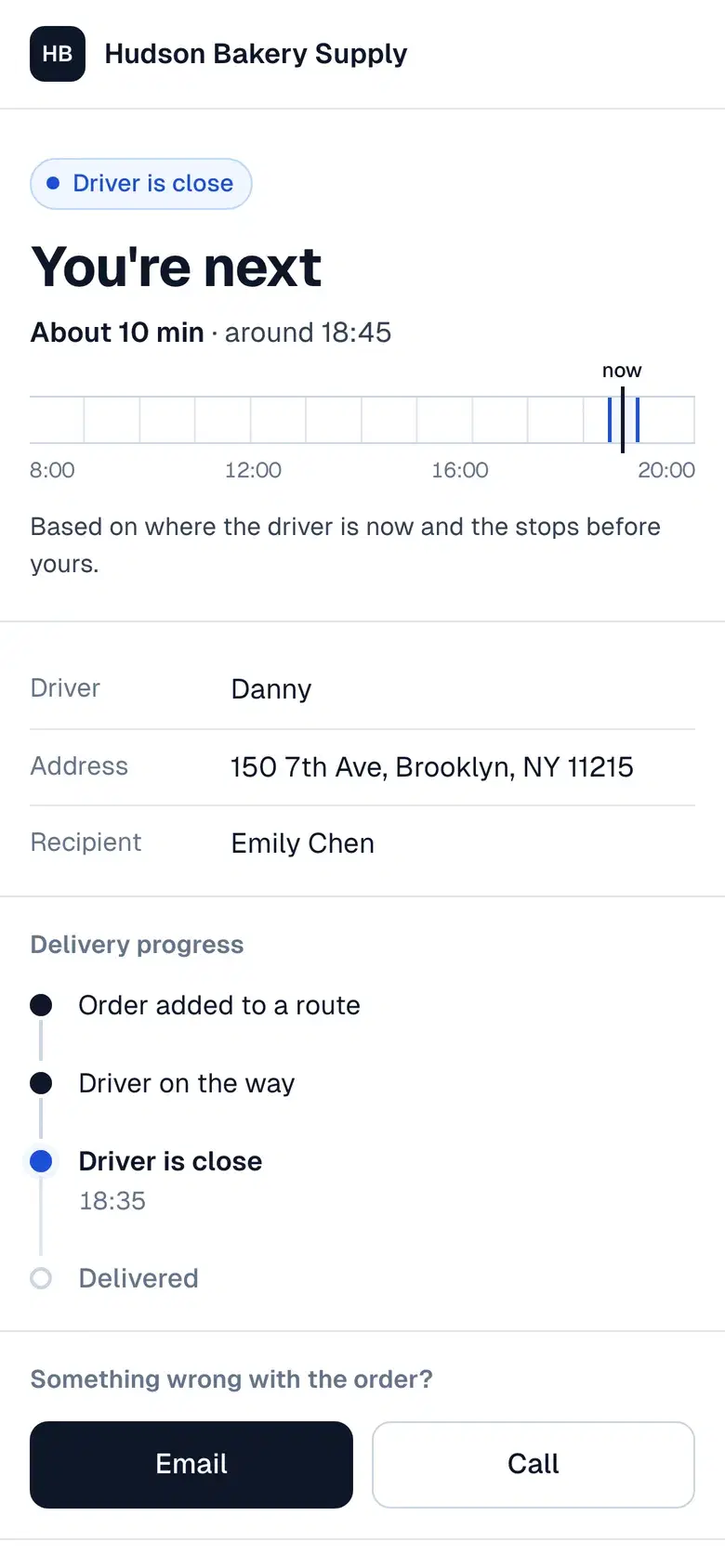
Put the recipient's phone or email on the stop and they get an “on the way” message when the driver sets off, with a link showing the arrival window and progress. Email works out of the box; texts go through your own Twilio account.

More on customer notifications 
Customer tracking page on a phone showing the driver's arrival time
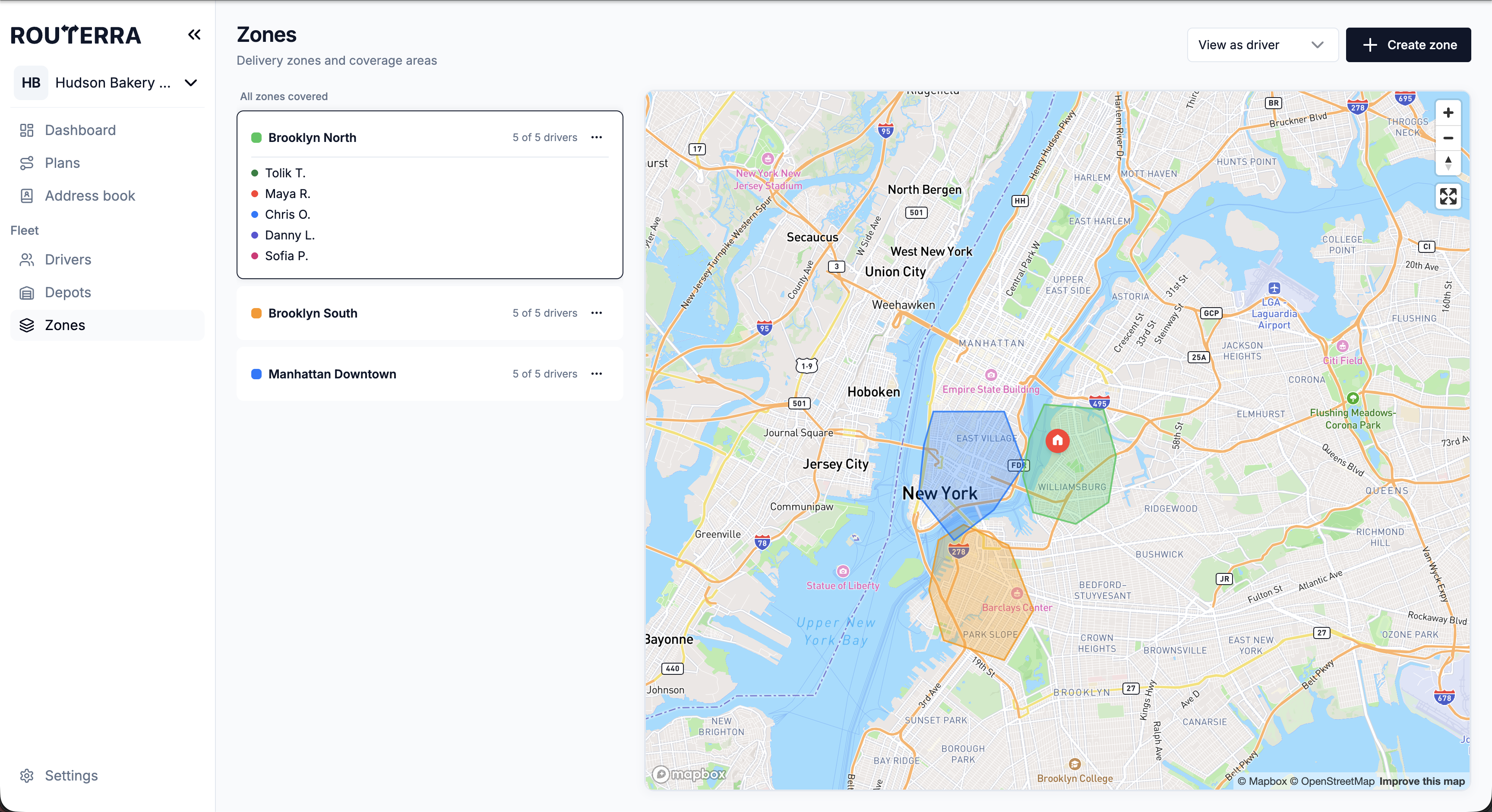
Zones

Split the city for peak days

Draw delivery zones on the map and allow or exclude drivers per zone, so each extra driver on Valentine's Day works their own part of town. Coverage warnings point out areas no driver is allowed into.

More on route optimization 
Three delivery zones drawn over New York with the drivers allowed in each
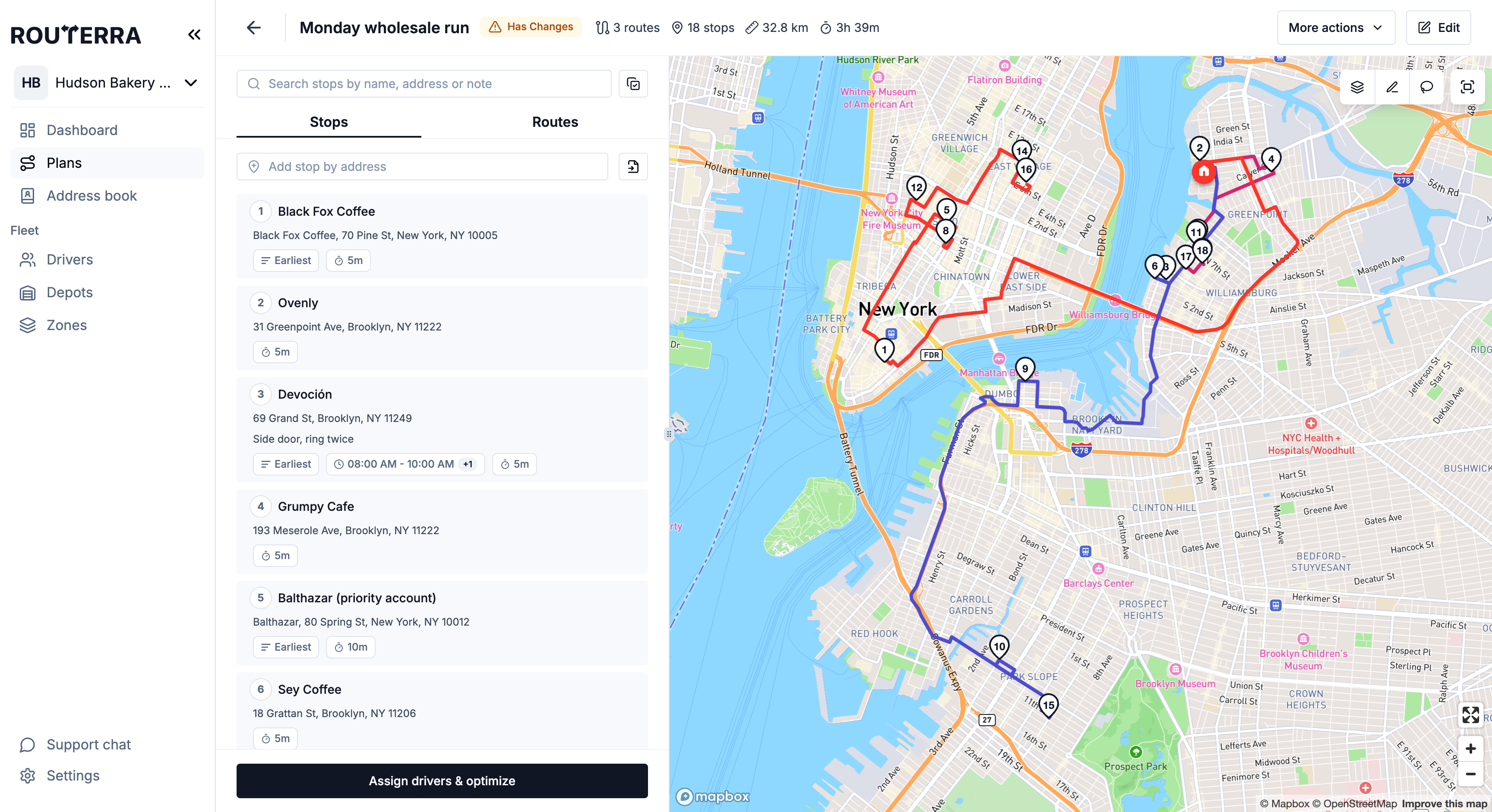
Changes

Late orders without starting over

Add a stop to a plan that's already out, move stops between drivers, re-optimize and send again. Drivers keep their current routes until the new ones arrive, and stops already delivered keep their status.

More on route optimization 
A dispatched plan showing the Has Changes status after an edit

Set up in an afternoon — we'll help

  1. Start your trial

    Name your team, add your depot and drivers. Your drivers install the free app.

  2. We import your first day

    Send us your spreadsheet or manifest. We set it up with you on a short call.

  3. Routes go out

    Optimize, send to drivers, follow them live. We stay a message away.

Frequently asked questions

No. They get an email or a text with a link that opens in any browser. Only stops with an email or phone number get updates, so add the recipient's details, not the sender's.

Add the extra drivers for the day, draw zones if you want each one to cover part of town, import the orders and optimize. One optimization handles up to 2000 stops by default — if your peak day is bigger, tell us ahead of time and we raise it for your team.

Yes. Add the stop to the plan and either move it to one driver — re-optimizing just their route — or re-optimize the whole plan and send it again. Stops already delivered keep their status.

The driver marks the stop Not delivered with a reason, such as Customer not available, and can add a photo. It appears on your dashboard under Needs attention right away, and the recipient can be told automatically.

Yes. Notes and files you add in the office travel with the stop, and the driver sees them in the app, read-only.

One plan. Everything included.

Routerra Teams

$20per driver / month, billed annually · plus applicable tax

$240 per driver, billed once a year

  • Multi-driver optimization
  • Live driver tracking
  • Free driver app, works offline
  • Customer tracking link
  • Email & SMS updates*
  • Photo, signature & PDF proof
  • Zones, time windows, capacity
  • API, webhooks & MCP

* SMS is sent through your own Twilio account.

Start free trial

7 days free · card required · cancel anytime before day 7 and you won't be charged

More than 200 vehicles?

We'll set up a plan that fits your fleet.

Not sure yet?

See it on your own stops in a short demo.

See pricing details