
What's new in Routerra Teams
What we shipped in Routerra Teams each month, from the dispatcher web app to the driver app. Each entry links to the help article that shows how to use it.
- New
Customer delivery updates, a tracking page and live GPS
September brought your customers into the loop and put your drivers on the map in real time.
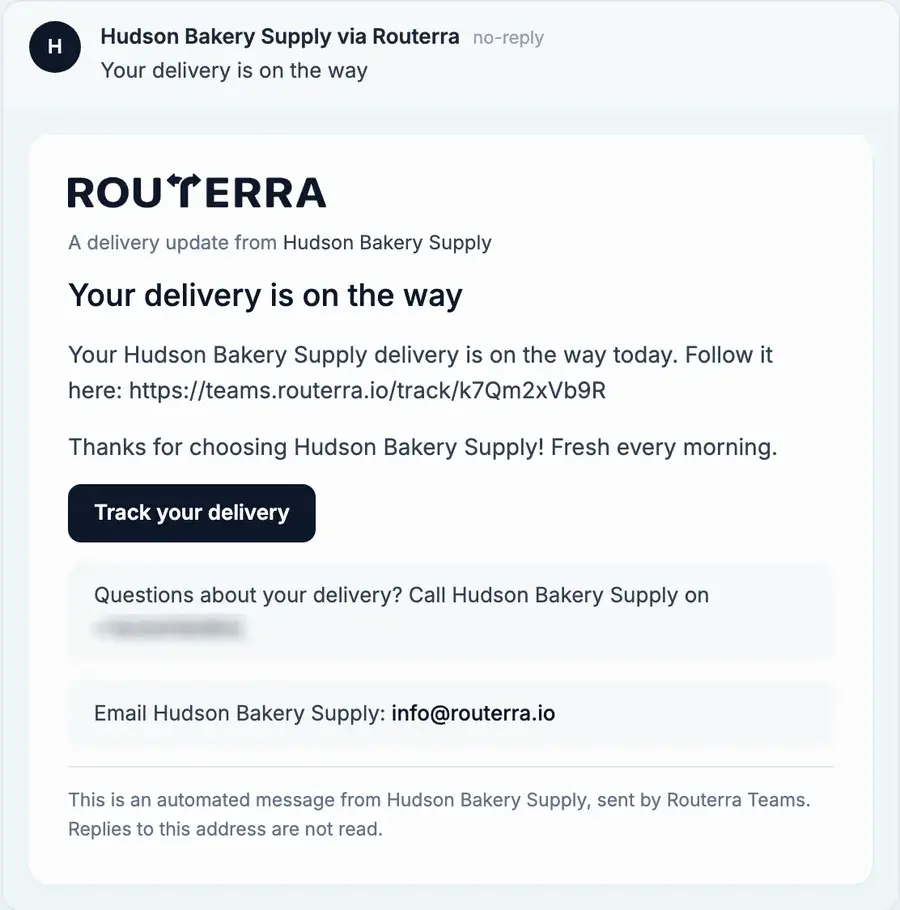
- Delivery updates for your customers
- A tracking page for every delivery
- Live driver positions, plan versus actual
- Select stops with a lasso, then move or edit them
- Drivers can reorder, you can restore
- PDF import and search by name
- NewImproved
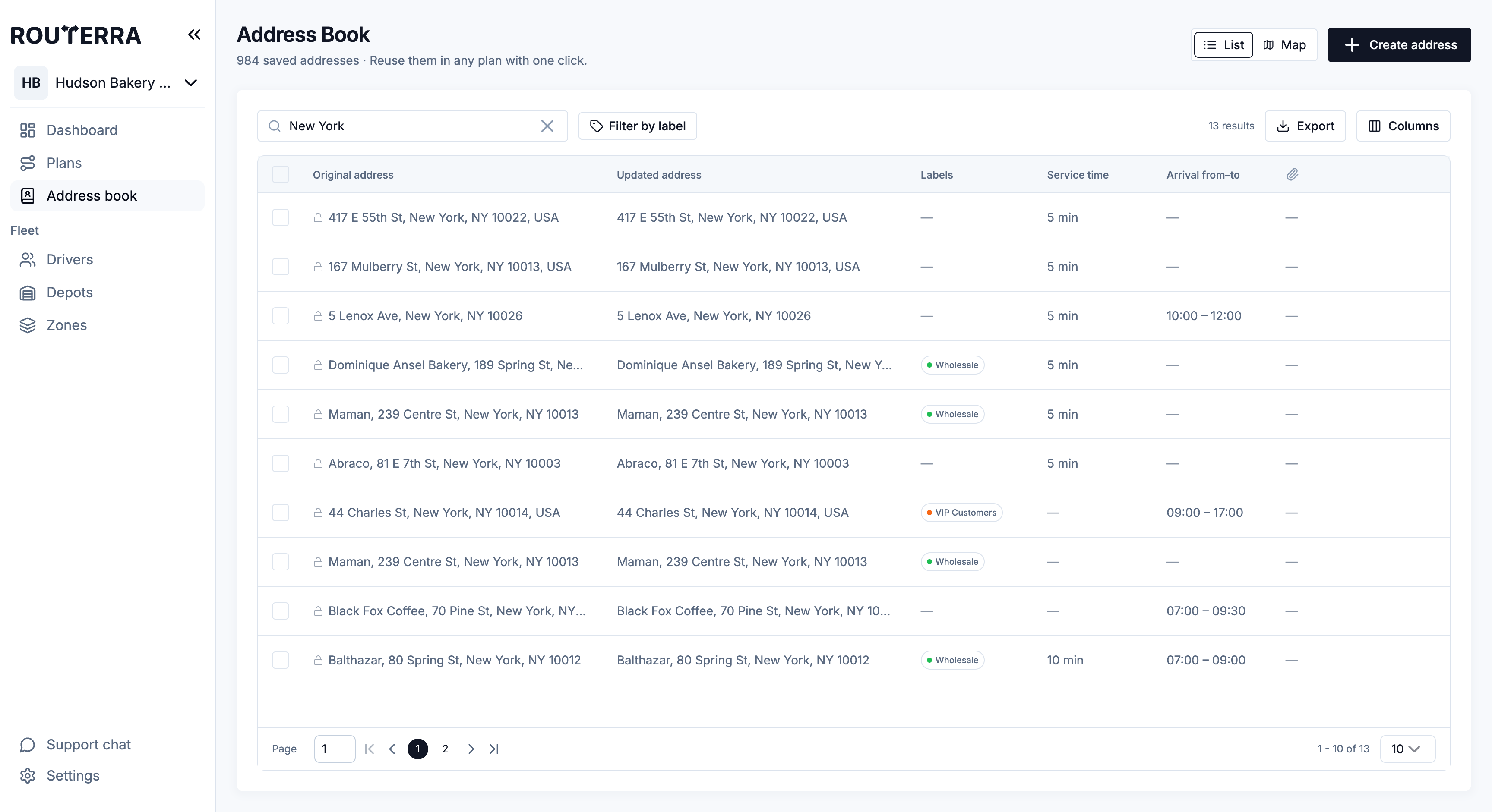
Address book map, text messages and driver swaps
August gave the address book a map of its own and made it easier to change a plan after it was built.
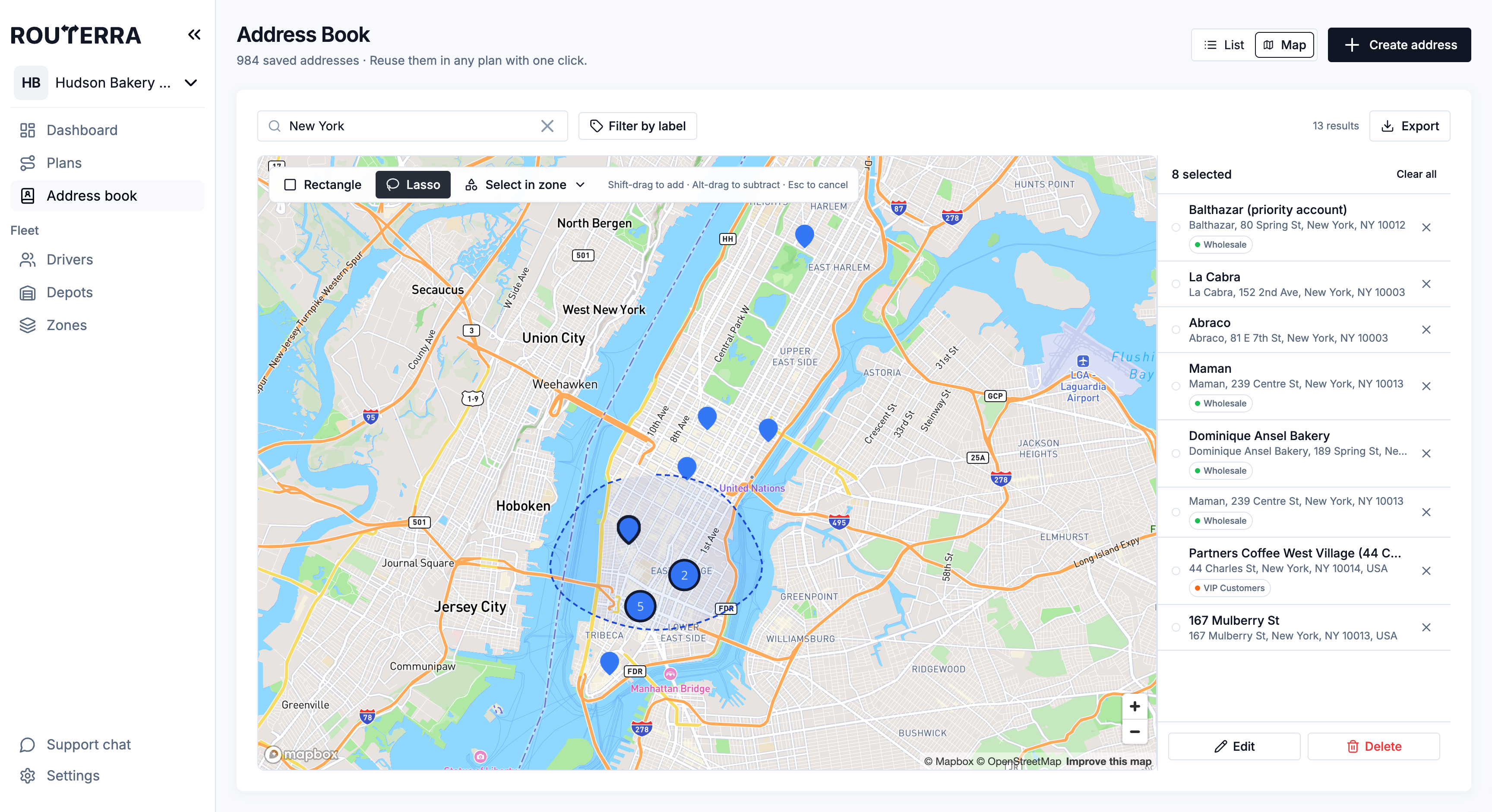
- The address book on a map
- Export the address book
- Notifications by email and text
- Reassign or swap a route's driver
- Map layers and route visibility
- Easier zone editing
- NewImproved
New fleet pages, attachments and a Today's Routes dashboard
July rebuilt the pages you set up once and the page you open every morning.
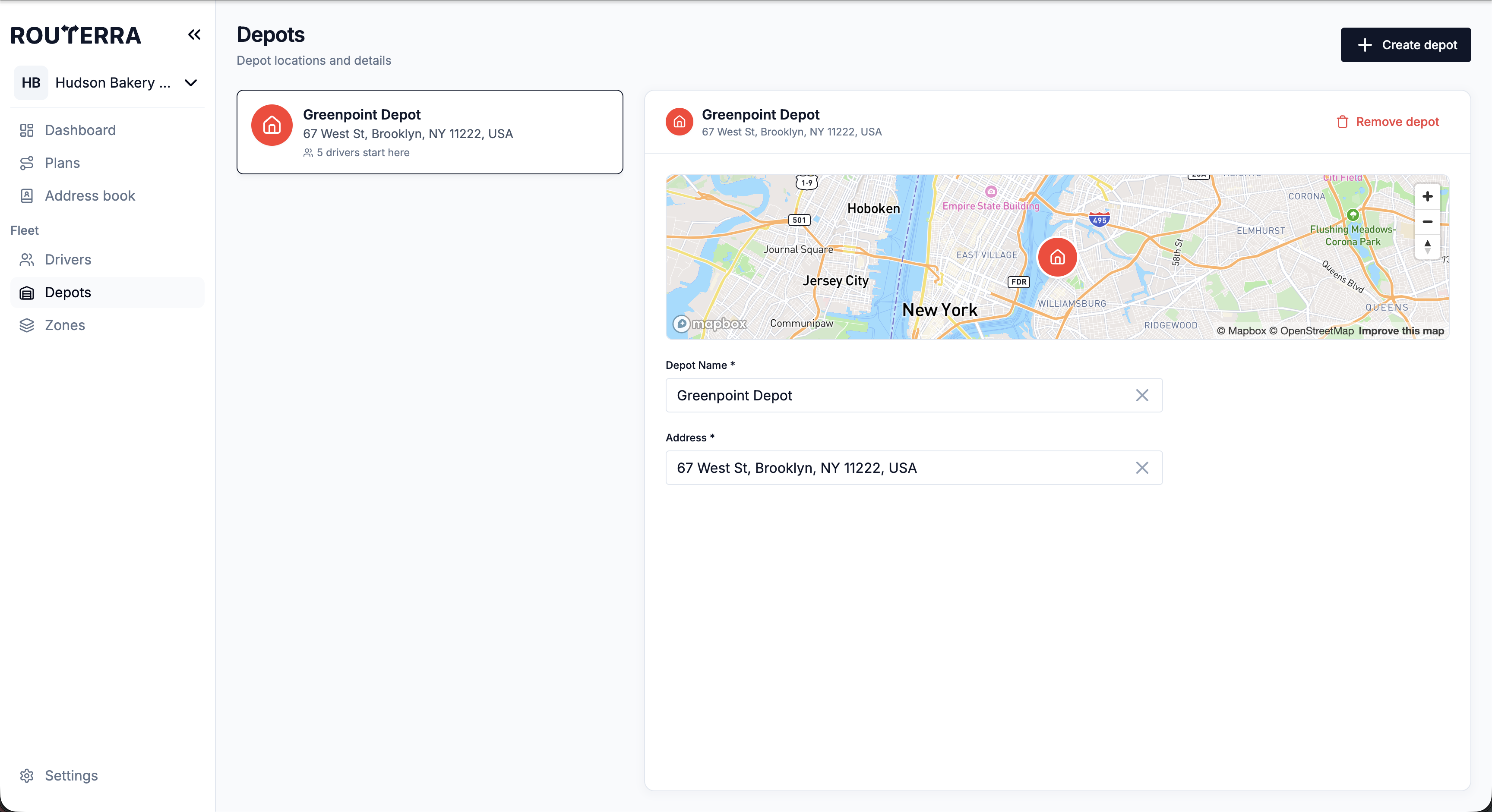
- Drivers, Depots and Zones in split view
- Attachments on stops and saved addresses
- A dashboard built around today's routes
- Up to three arrival windows per stop
- Refreshed settings
- A new setup flow for new teams
- ImprovedFixed
Import problems in plain sight and a calmer Refine mode
June was a month of polish: fewer silent failures and a plan page that is easier to work in.
- Plans say when an import failed
- A calmer Refine mode
- Stop markers stay where you drop them
- Unnamed stops show their address
- NewImproved
Driver colours on the map and a busier address book
May made the plan map easier to read at a glance and put the team address book to work in more places.
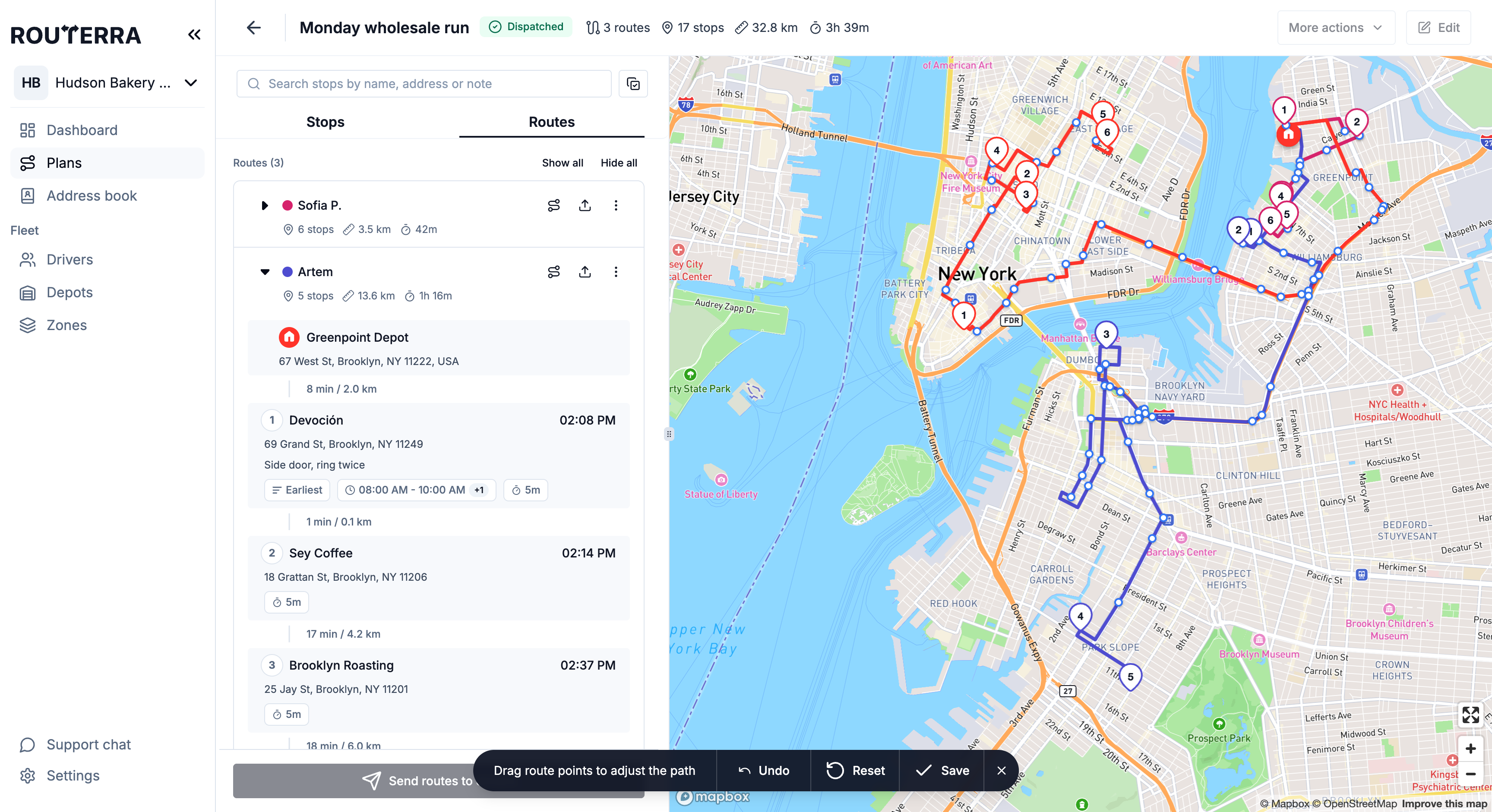
- Stops wear their driver's colour
- Saved addresses in the address search
- Stop edits can update the address book
- Clear messages at the stop limit
- A tidier address book
Plan, dispatch and track your team's deliveries
Start free trial7-day free trial · card required · cancel anytime