
Address book map, text messages and driver swaps
August gave the address book a map of its own and made it easier to change a plan after it was built.
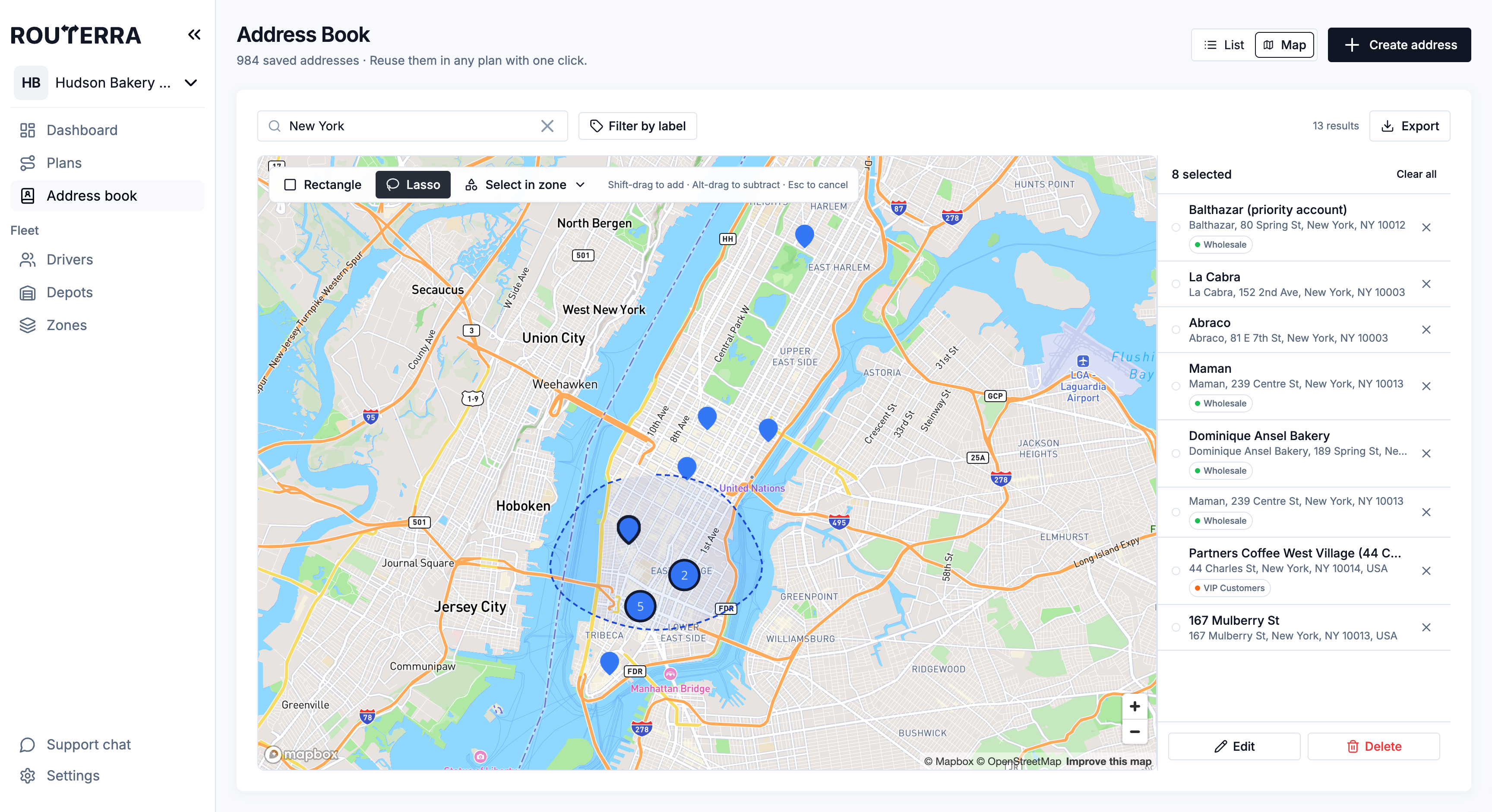
The address book on a map
Switch the address book to Map to see every saved address as a pin, grouped into clusters when zoomed out. Add labels to group customers, filter by label, select several addresses and edit them together.
Export the address book
Download the whole address book, or only the addresses you selected, as XLSX or CSV, and choose which columns go in the file.
Notifications by email and text
Notifications moved to one team-wide setup with email and SMS. Texts go through your own Twilio account, you can send yourself a test, and a log shows every message that went out.
Reassign or swap a route's driver
Hand a built route to another driver without re-optimizing the plan. If that driver already has a route in the plan, the two can simply swap. See reassign routes.
Map layers and route visibility
A Layers button on the plan map holds zones and the other map layers, and each route can be shown or hidden on its own — or all at once.
Easier zone editing
While reshaping a zone, click a corner and press Backspace or Delete to remove it.
How it works, step by step: Address book: labels, map, bulk edit in the help center.