
New fleet pages, attachments and a Today's Routes dashboard
July rebuilt the pages you set up once and the page you open every morning.
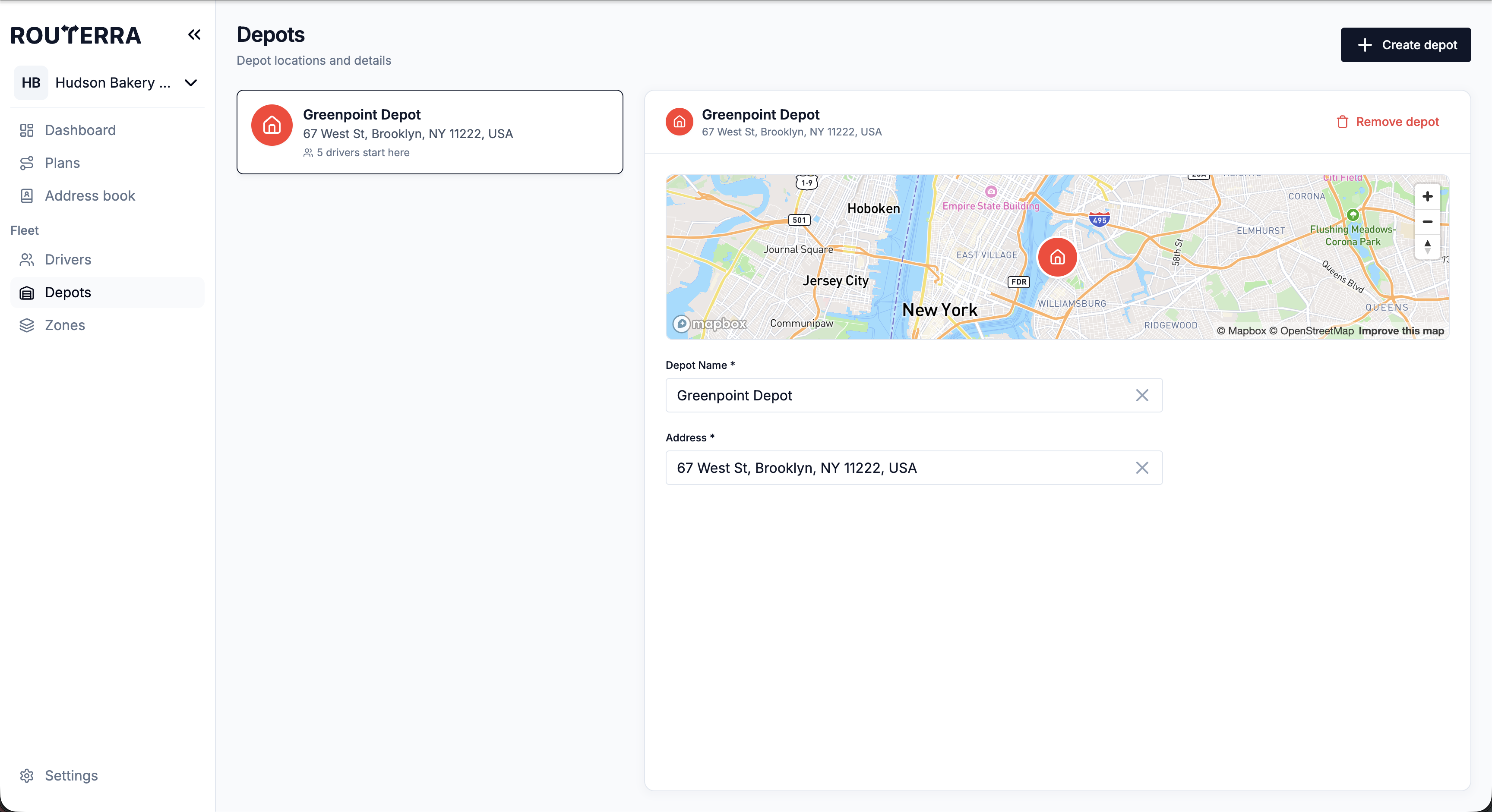
Drivers, Depots and Zones in split view
The fleet pages now show the list on the left and the details on the right. Edit a driver or a depot right there, without a pop-up, and set on a map-first Zones page which drivers may serve each zone.
Attachments on stops and saved addresses
Upload files to a stop from the office and open them full screen. Files attached to an address book entry — a gate code, a photo of the loading dock — show up on every stop at that address.
A dashboard built around today's routes
The dashboard now opens on today's routes: how far each driver has got, what's next and when they'll finish. Routes left open from earlier days are listed too, so you can close them.
Up to three arrival windows per stop
A stop can have more than one window, such as 9–11 or 2–4 for a shop that closes for lunch. The optimizer picks the window that fits the route. See stop settings.
Refreshed settings
Every settings page now looks and saves the same way: one header, grouped panels and a save bar that appears when you have unsaved changes. API keys and AI prompts got the same treatment.
A new setup flow for new teams
New teams get a redesigned setup flow with a language picker, and the address book, Drivers and Depots pages explain what to add when they are still empty.
How it works, step by step: Depots in the help center.