Know where every driver is — without calling them

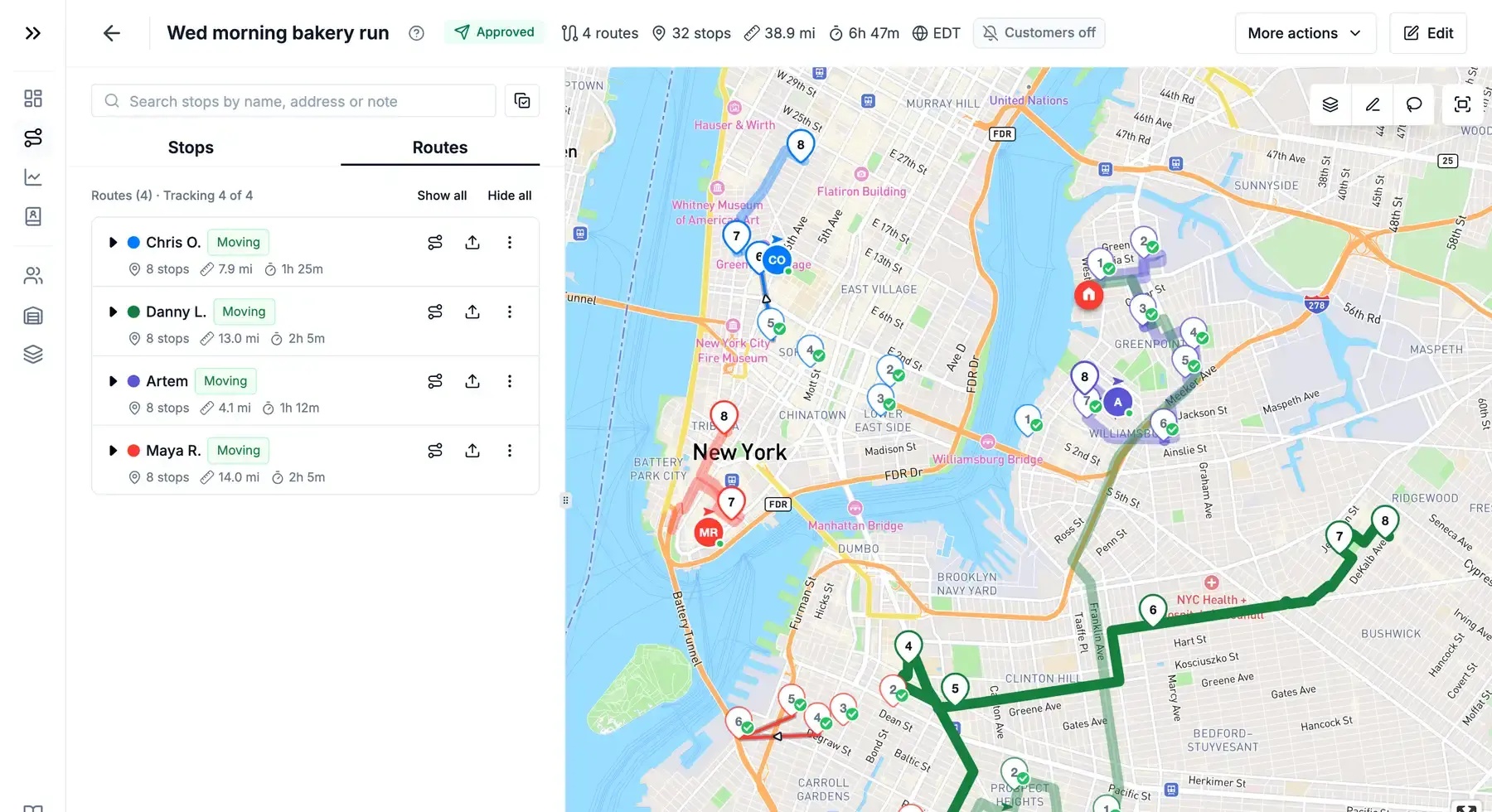
While routes are on the road, the plan map shows each driver's live position, the track they've driven and which stops are done. Your customers follow their own delivery from a link.

Start free trial

7 days free · card required, cancel before day 7 to pay nothing · $20/driver/mo billed annually ($240 per driver a year), plus applicable tax

Plan map with a driver's live position, the track already driven and the remaining stops
Live map

Every driver on one map, every 15 seconds

Each driver is a puck in their route's colour, with an arrow while they move and the path they've driven behind them. Positions refresh about every 15 seconds. Delivered stops fade, failed ones get a ring and each driver's next stop is highlighted.

Read the guide 
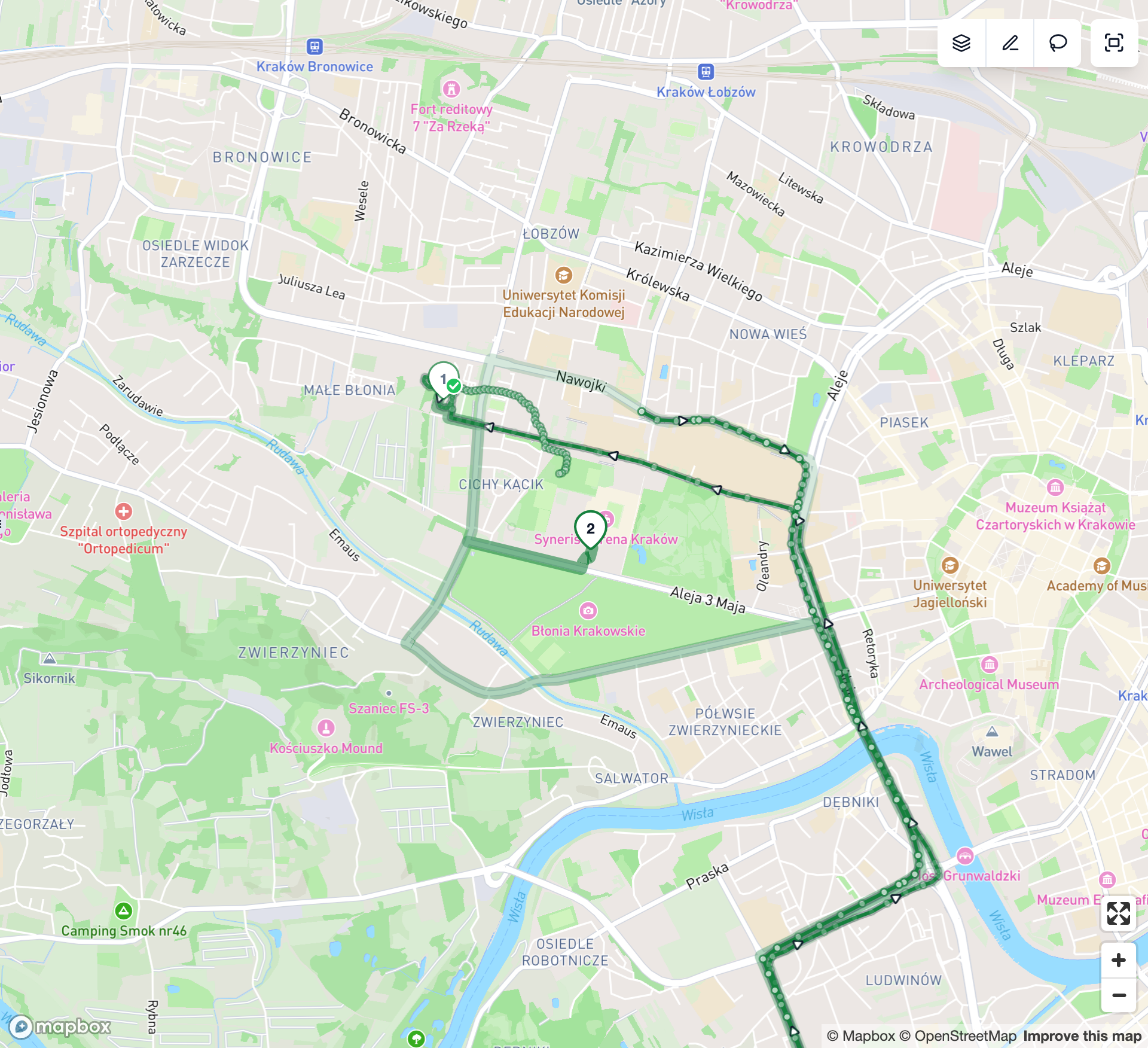
A driver's recorded track drawn on the map in the route's colour
Plan vs actual

See how the day went against the plan

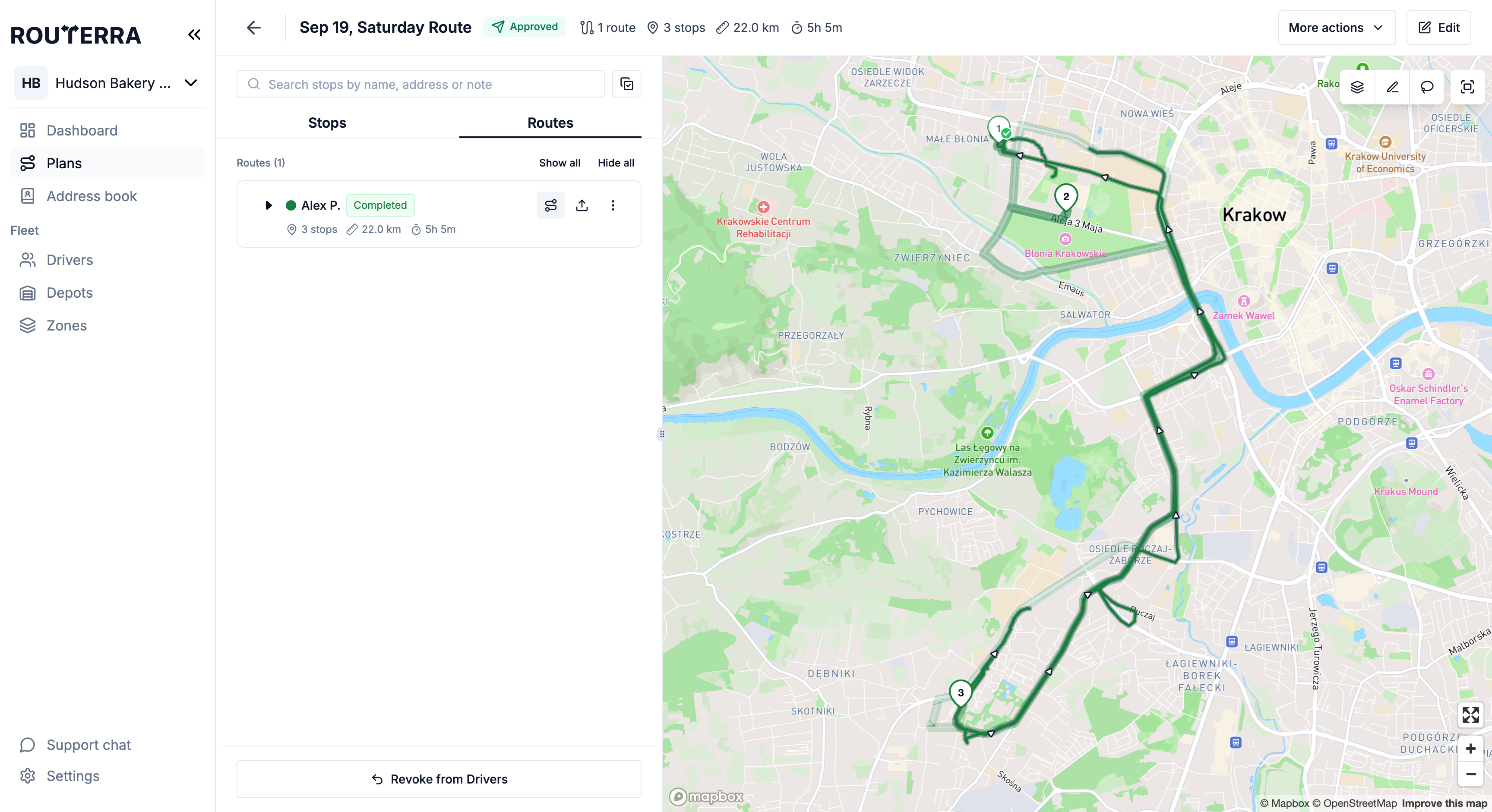
Focus on one route and switch between Live — what's been driven, what's still ahead — and Compare, which draws the planned route and the recorded track together once the route is finished.

Read the guide 
Compare view: the planned route as a band with the recorded track drawn over it
Dashboard

The stops that need you, at a glance

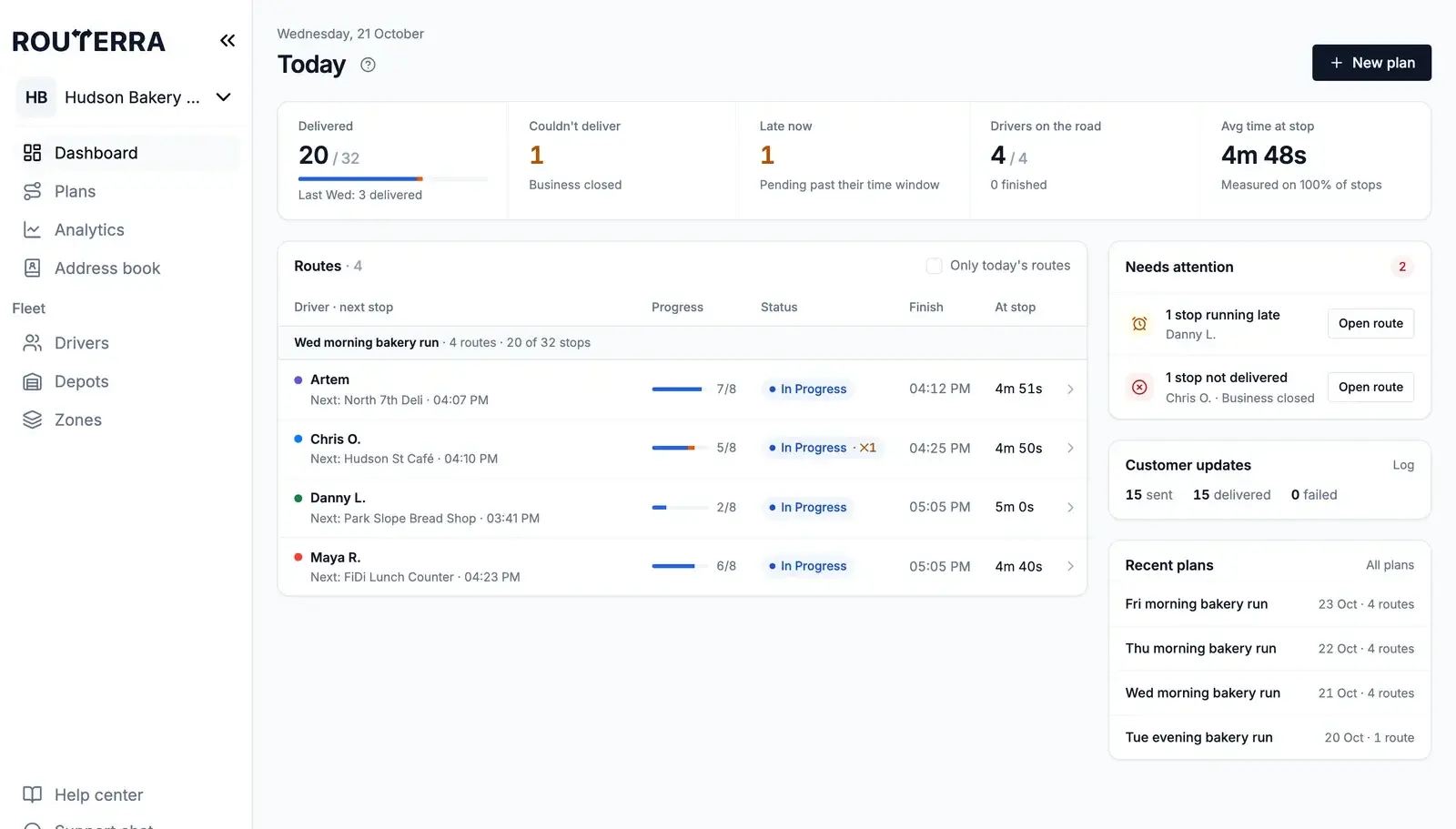
One panel sums up the day: delivered against the same weekday last week, couldn't deliver, late now, drivers on the road and time at stop. Next to the routes, grouped by plan, Needs attention lists what to act on — a driver who hasn't started, late or failed stops. For the longer view, Analytics shows the success rate, why stops failed and how each driver did.

Read the guide 
Dashboard with today's numbers, routes grouped by plan and the Needs attention list
Fair to drivers

Tracking only while a route is running

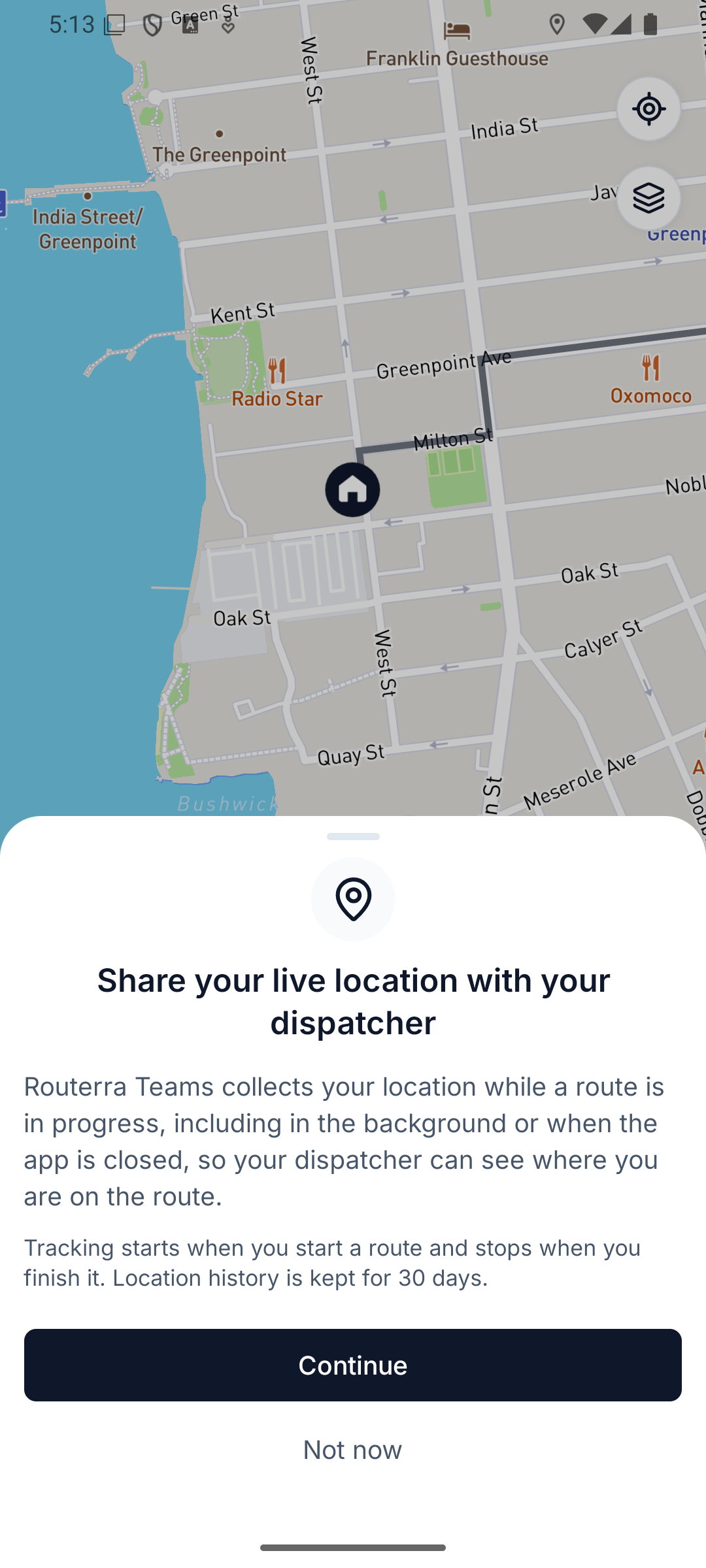
Drivers see what's shared and approve it the first time they start a tracked route. Tracking starts with the route and stops when it's finished, and recorded locations are deleted after 30 days. In a dead zone the phone keeps recording and the track fills in when it reconnects.

Read the guide 
Driver app explaining that location is shared with the dispatcher only while a route is in progress
What your customer sees

Customers follow their own delivery

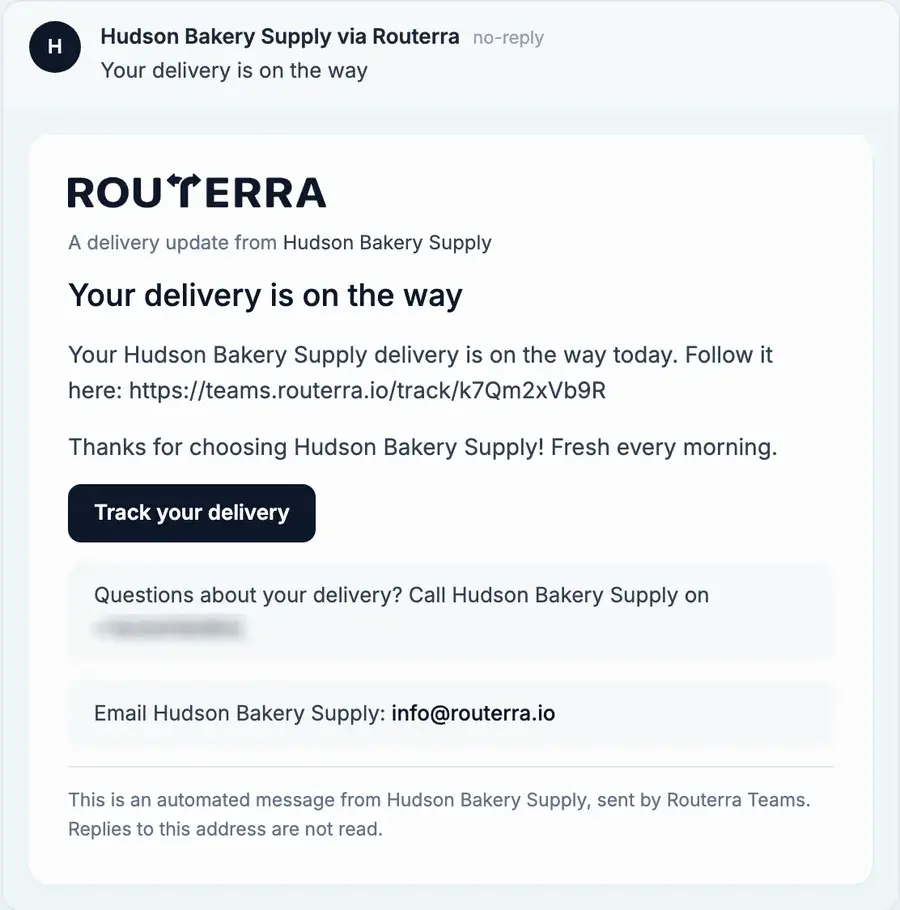
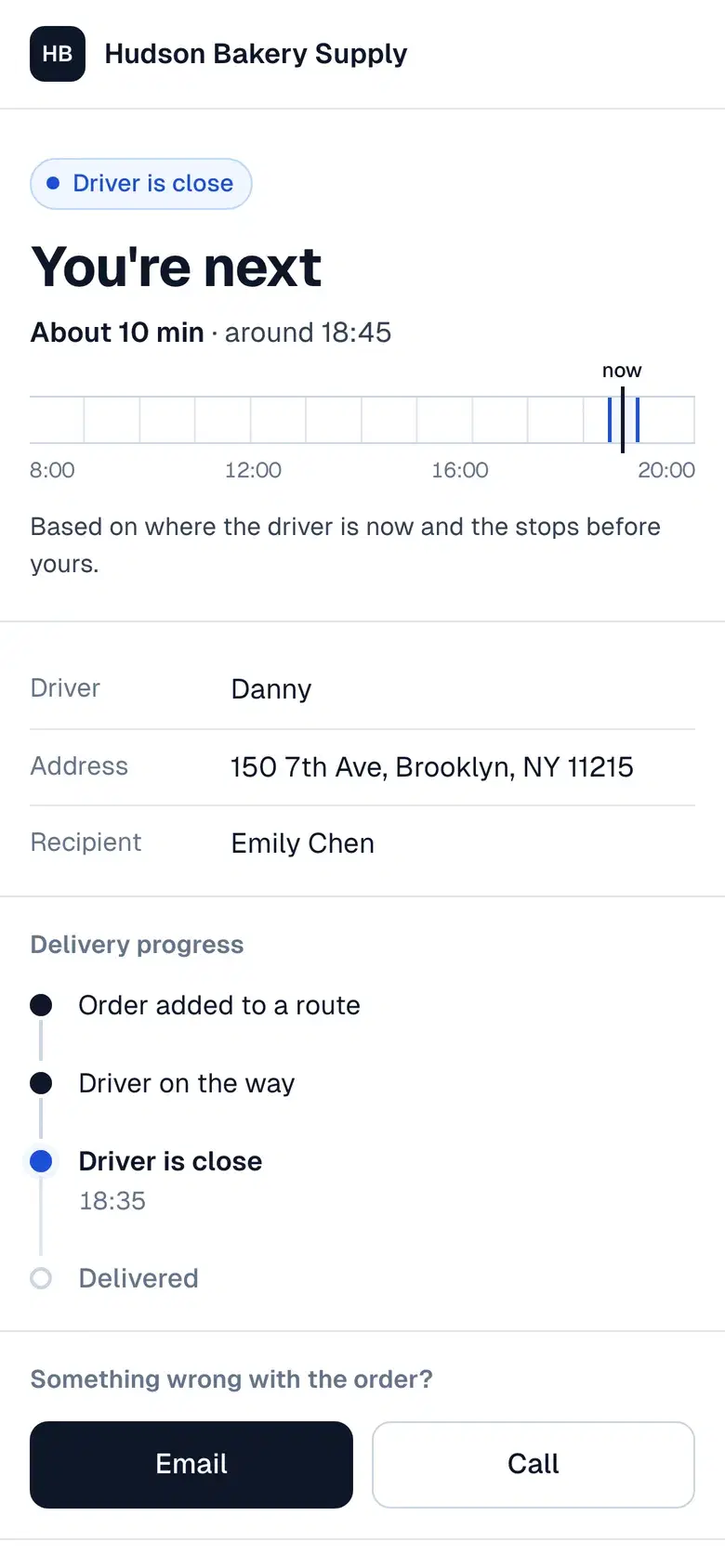
The update your customer gets by email or text carries a tracking link. It opens a page with their arrival time and the delivery's progress — and a way to reach you — so they stop calling to ask.

“On the way” email with a Track your delivery button
Customer tracking page on a phone showing the driver's arrival time

What a customer says

“The interface is clean, simple and just works… Their support has been one of the best I’ve come across. Always helpful, quick to reply, and genuinely open to feedback.”
Tiago V. · refrigerated local deliveryG2 review

Set up in an afternoon — we'll help

  1. Start your trial

    Name your team, add your depot and drivers. Your drivers install the free app.

  2. We import your first day

    Send us your spreadsheet or manifest. We set it up with you on a short call.

  3. Routes go out

    Optimize, send to drivers, follow them live. We stay a message away.

Frequently asked questions

About every 15 seconds while the driver is moving, and the puck keeps gliding along the road in between. Click a driver to see when the last position arrived, and battery and speed when the phone reports them.

Yes. The first time a driver starts a tracked route, the app explains what is shared and asks for location permission. If they tap Not now, that route runs untracked and the app asks again on the next one. Tracking is a team setting, so drivers can't switch it off on their own.

No. Tracking starts when the driver starts a route and stops when they finish it or sign out. Nothing is collected outside an in-progress route, and recorded locations are deleted after 30 days.

The route shows Signal delayed, then Connection lost if it lasts. The phone keeps recording GPS offline, so once it reconnects the position catches up and the track fills in the stretch driven without signal.

Yes. Customer notifications carry a tracking link to a page with the arrival time and the delivery's progress. You decide which updates customers get under Settings → Customer notifications.

One plan. Everything included.

Routerra Teams

$20per driver / month, billed annually · plus applicable tax

$240 per driver, billed once a year

  • Multi-driver optimization
  • Live driver tracking
  • Free driver app, works offline
  • Customer tracking link
  • Email & SMS updates*
  • Photo, signature & PDF proof
  • Zones, time windows, capacity
  • API, webhooks & MCP

* SMS is sent through your own Twilio account.

Start free trial

7 days free · card required · cancel anytime before day 7 and you won't be charged

More than 200 vehicles?

We'll set up a plan that fits your fleet.

Not sure yet?

See it on your own stops in a short demo.

See pricing details