
Vehicle types and restrictions
The five vehicle types, the road access limits each one implies, which route options each one unlocks, and how to pick the right one for your run.
Your vehicle type isn't a label — it changes the route you get. Routerra uses it to decide which roads you're allowed down, and it decides which route options you can turn on at all. Pick Truck and Routerra keeps you off roads a truck can't legally or physically use; pick Bike and the whole calculation changes.
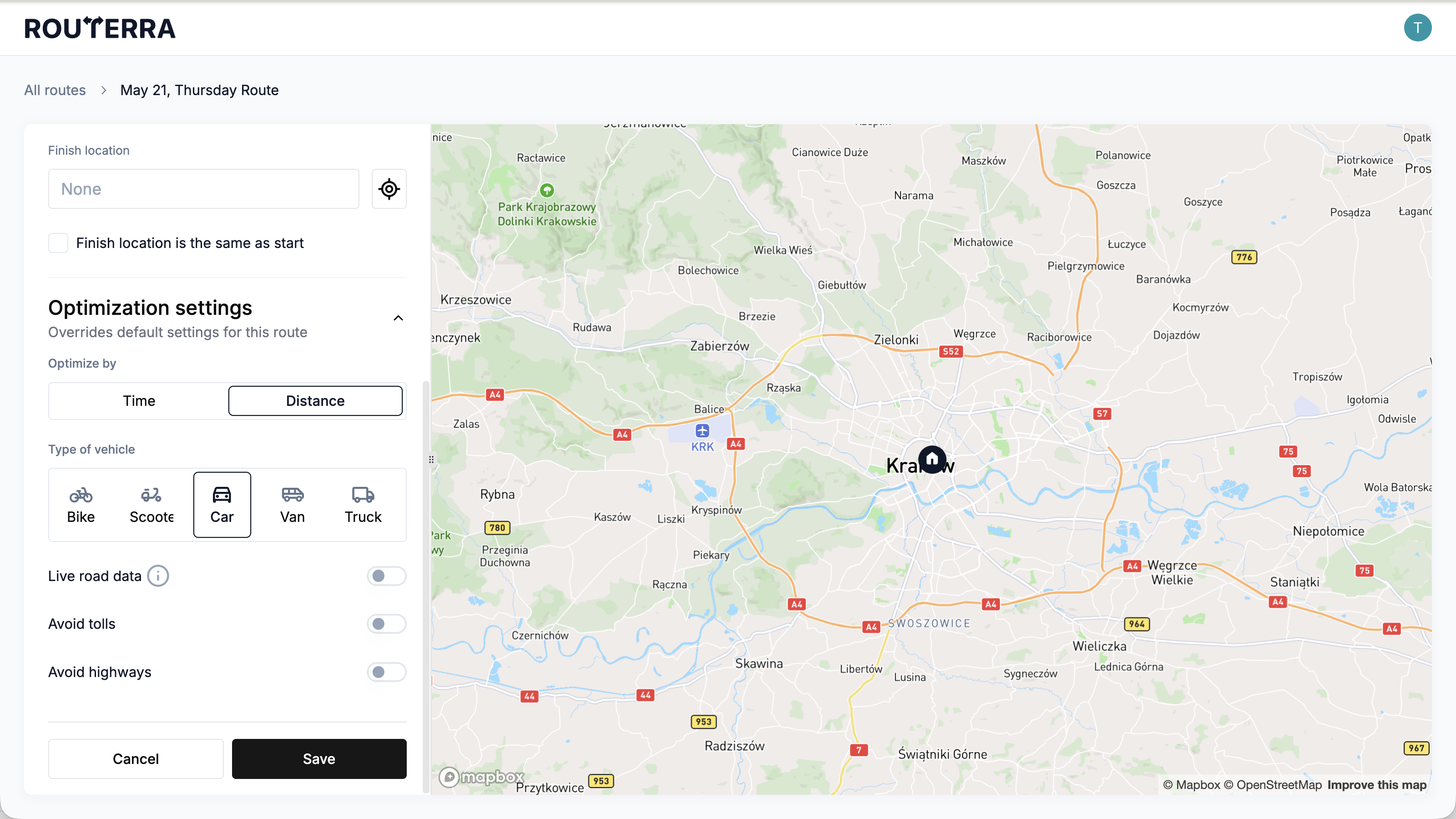
There are five: Car, Van, Truck, Scooter and Bike. The same five, with the same limits, exist on the web app and in the phone app.
What each vehicle is allowed
These are the access limits Routerra applies. They're shown in the app when you pick a vehicle.
| Vehicle | Access limits |
|---|---|
| Car | Up to 2,500 kg, maximum width and height 2 m |
| Van | Up to 2,080 kg (plus 1,400 kg of freight), max height 2.7 m, width 2 m (plus 0.28 m of freight), length 5.5 m |
| Truck | Up to 13,000 kg (plus 13,000 kg of freight), max height 3.7 m, width 2.6 m (plus 0.34 m of freight), length 12 m |
| Scooter | Maximum speed 50 km/h, up to 300 kg, max width 1 m, max height 2 m |
| Bike | Bike access |
Which options each vehicle unlocks
This is the part that surprises people: two route options appear only for certain vehicles. If you're looking for a setting you're sure you've seen before and it isn't there, the vehicle type is usually why.
| Option | Appears for | Plan |
|---|---|---|
| Live road data | Car and Van only | Paid plan |
| Avoid tolls | Car only | Any plan |
| Avoid highways | Car only | Any plan |
So a truck route has neither. Switch the vehicle to Van and Live road data appears; switch to Car and the two avoid options appear as well.
Live road data and the avoid options cancel each other out
On both clients these are mutually exclusive, and the app enforces it by switching things off for you:
- Turn on Live road data and both Avoid tolls and Avoid highways switch off.
- Turn on either avoid option and Live road data switches off.
That isn't a bug. Live road data routes you by current traffic conditions, which means it needs to be free to use the roads that are actually moving — including the highways and toll roads you'd otherwise be excluding.
Live road data — "Use live data to estimate better drive times" — needs a paid plan. On a free plan, switching it on opens the upgrade prompt instead. See Plans and limits.
Where to set it
The vehicle is part of a route's settings, so you can set it per route when you create one — see Create a route. You can also set the one you usually drive as your default, so every new route starts with it already chosen.