
I paid but it still says Free
Restore a purchase after reinstalling, changing phones, or signing in with a different store account — and what to do when the restore finds nothing.
Reinstalled the app, switched to a new phone, or signed into a different Apple ID or Google account? The app doesn't know about a purchase until you tell it to look — a quick restore reconnects your subscription to your store account.
Restore your purchase
Open Profile and tap Subscription
This is the same screen where you'd manage or cancel a plan — see Profile → Subscription.
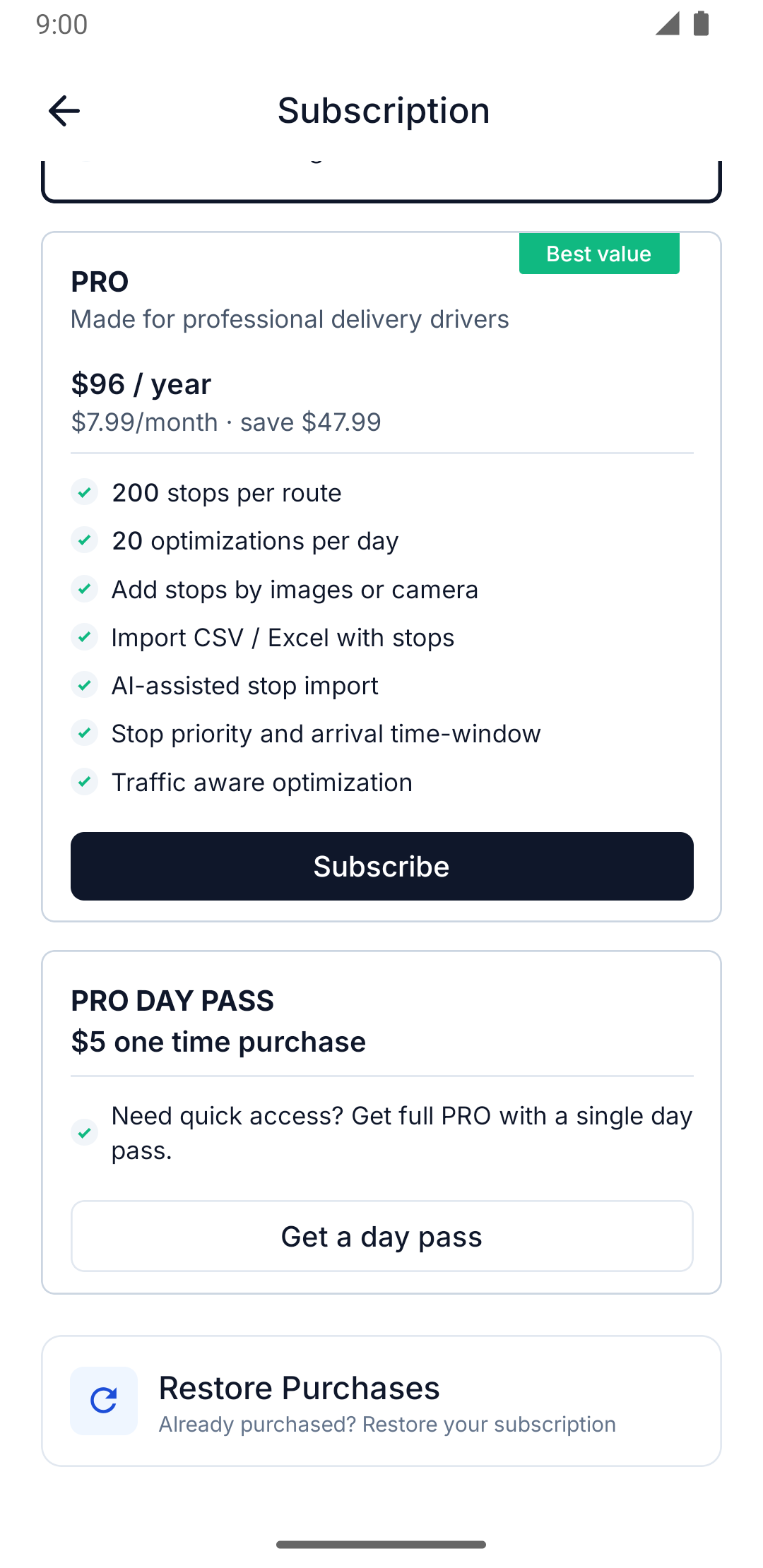
Scroll to the bottom and tap Restore Purchases
Restore Purchases sits below the plan cards, with the description "Already purchased? Restore your subscription".
Wait for the result
A "Success" alert reading "Your purchases have been restored." means your plan is back. An "Error" alert reading "Unable to restore purchases. Please try again." means the store didn't return a matching purchase — see the preconditions below before trying again.
Two things restore depends on
Restore only works when both are true:
- You're signed into the same store account that made the purchase — the Apple ID on iOS, or the Google account on Android. A restore checks that account's purchase history, so signing in with a different one won't find it.
- The subscription is still active in the store. If it lapsed or was cancelled, there's nothing current to restore.
Routerra also re-checks your membership automatically whenever the app comes back to the foreground, so if you've already restored once, switching away and back can be enough to pick up the change without repeating the steps above.
Why this isn't on the web
There's no Restore Purchases button on the web because there's no store account to check. A web subscription is tied directly to your Routerra account rather than to Apple or Google, so it's already there the moment you sign in — nothing to restore.
If restore still doesn't bring your plan back, confirm the subscription shows as active in the App Store or Google Play, then see Upgrade or cancel your plan.