
Mark a stop delivered or skipped
Record the outcome at each stop, pick a reason when the delivery didn't work, undo a mistake, and see how the route recalculates around a skipped stop.
Once you're at a stop, record what happened before you move on. The web and the app use different button names for the same two outcomes, and the app adds one required step the web doesn't have.
Record the outcome
On the current stop, press Done to mark it Delivered, or Reject to mark it Skipped. Reject records the skip immediately — there's no reason step.
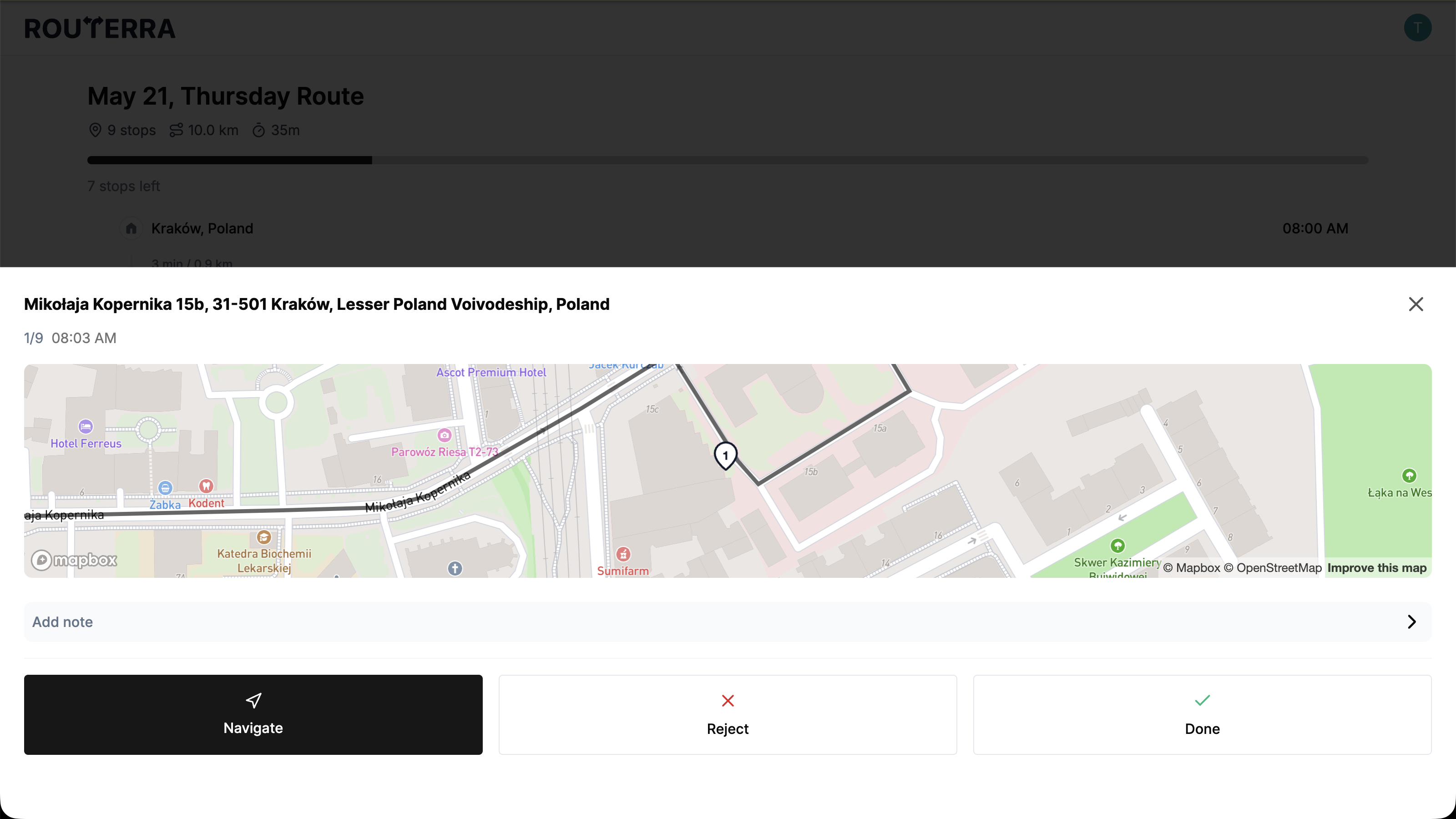
On the current stop, press Complete to mark it Delivered. Press Skip and the app opens a reason sheet first — you have to pick a reason before the stop is marked Skipped.
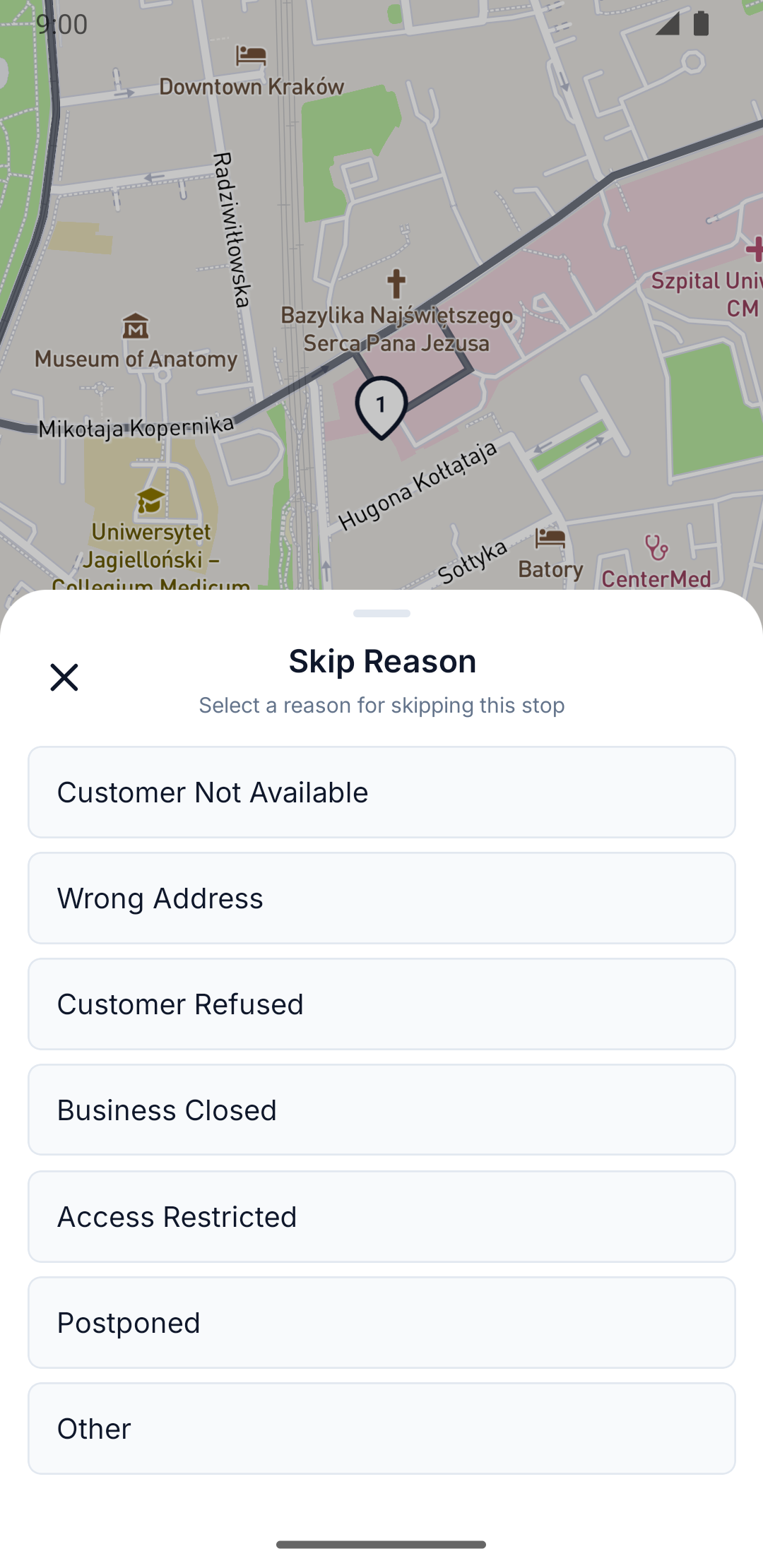
Pick a reason for a skipped stop
The app's reason sheet offers seven reasons. Choosing anything but the last one records the skip right away; choosing the last opens a note field so you can add detail before you submit.
- Customer Not Available
- Wrong Address
- Customer Refused
- Business Closed
- Access Restricted
- Postponed
- Other
The web has no reason picker of its own — pressing Reject never asks you to choose one. But web can still display a reason next to a Skipped stop if one was captured elsewhere (for example, you skipped it from the app), because both clients read and write the same stop record. Web's own reason list is one shorter than the app's, and missing the same one:
- Customer not available
- Wrong address
- Customer refused
- Business closed
- Access restricted
- Other reason
Undo a mistake
A resolved stop shows an Undo button next to its outcome. Press it and the stop reverts to pending, with a confirmation toast.
The app has no separate undo button. Press the same Complete or Skip button again and the stop toggles back to pending — no reason sheet this time, even if you skipped it with a reason the first time around.