Offline Mode: keep driving when the signal drops
If you deliver for a living, you know the moment: you pull into an underground garage or a rural stretch, the bars disappear — and your route app freezes.
Not anymore. Routerra drive mode now works fully offline.
What works without a connection
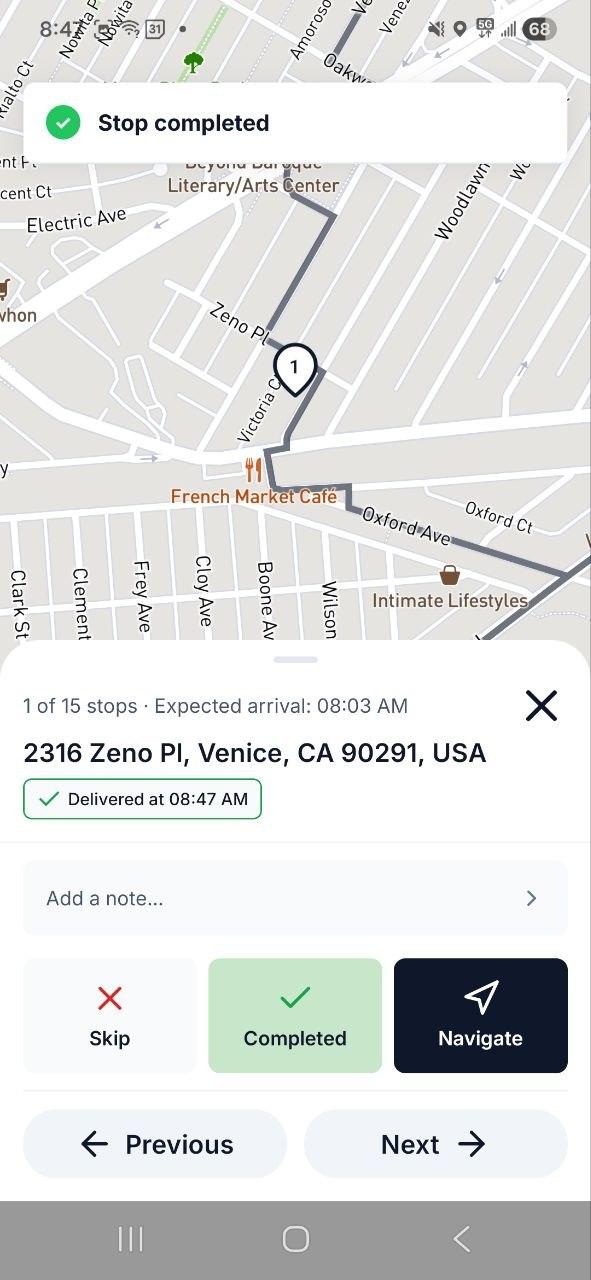
Everything you do at a stop: mark it delivered or skipped, pick a skip reason, add notes to a stop or to the whole route, complete your return stop, and start, finish or reopen the route itself. The app keeps moving as fast as it does online — there is no "waiting for network" spinner between you and the next stop.
Syncing is automatic
Every change you make offline is stored safely on your phone. The moment your connection returns, Routerra syncs it all in the background — in the order it happened, with the original timestamps. A small badge shows how many changes are waiting to sync, so you always know where you stand.
There is nothing to configure and no button to press. It just works.
Why it matters
Route progress is your record of the day. Losing a delivery confirmation because of a dead zone means calling dispatch, re-checking addresses, second-guessing yourself at the end of a long shift. Offline Mode makes signal strength irrelevant to your workflow: drive the route, work the stops, and let the app worry about the network.
Offline Mode is available now on iOS and Android with app version 1.10.
Want a refresher on drive mode itself? See the Drive your route guide.