
Route templates, weekly statistics, and what a route really paid
Route templates
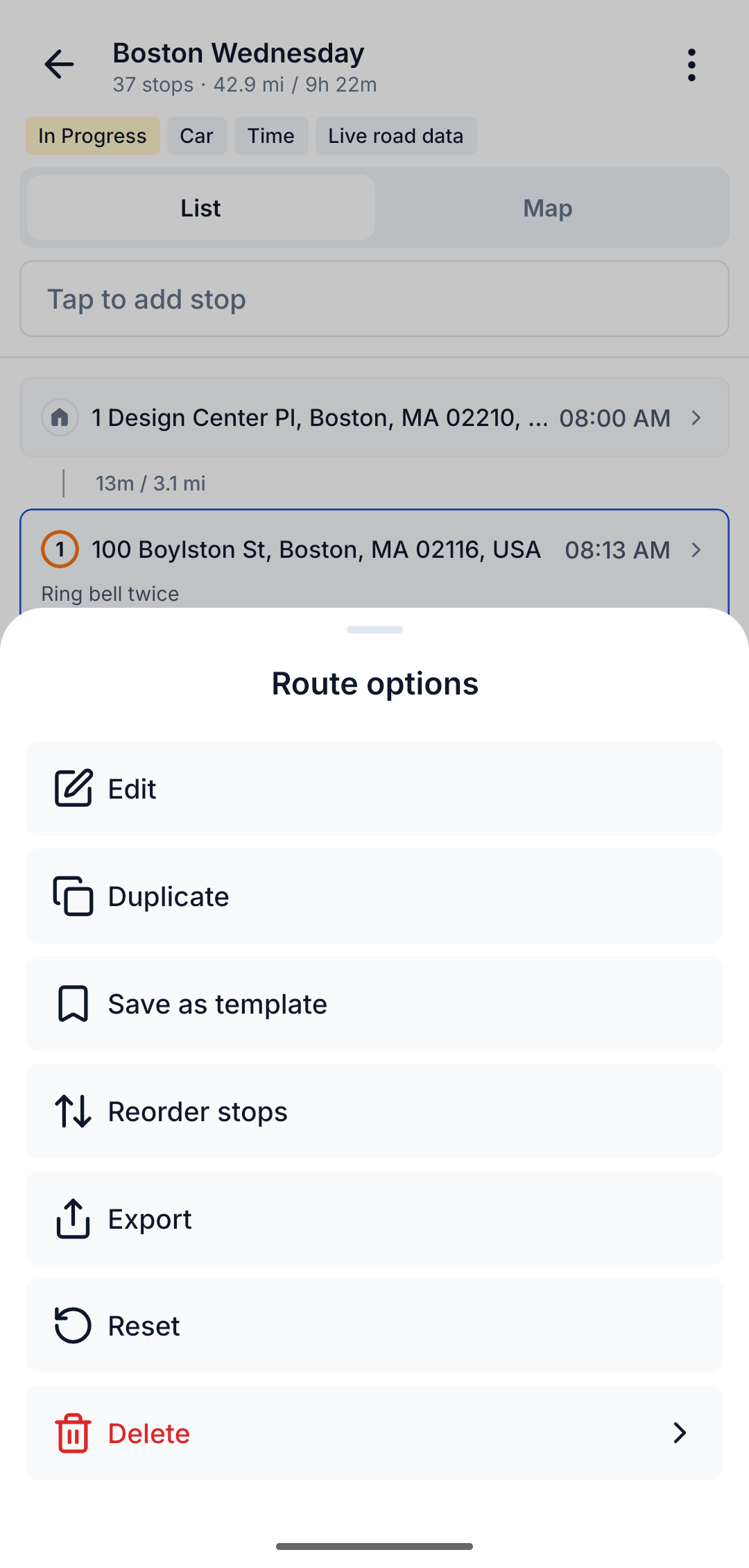
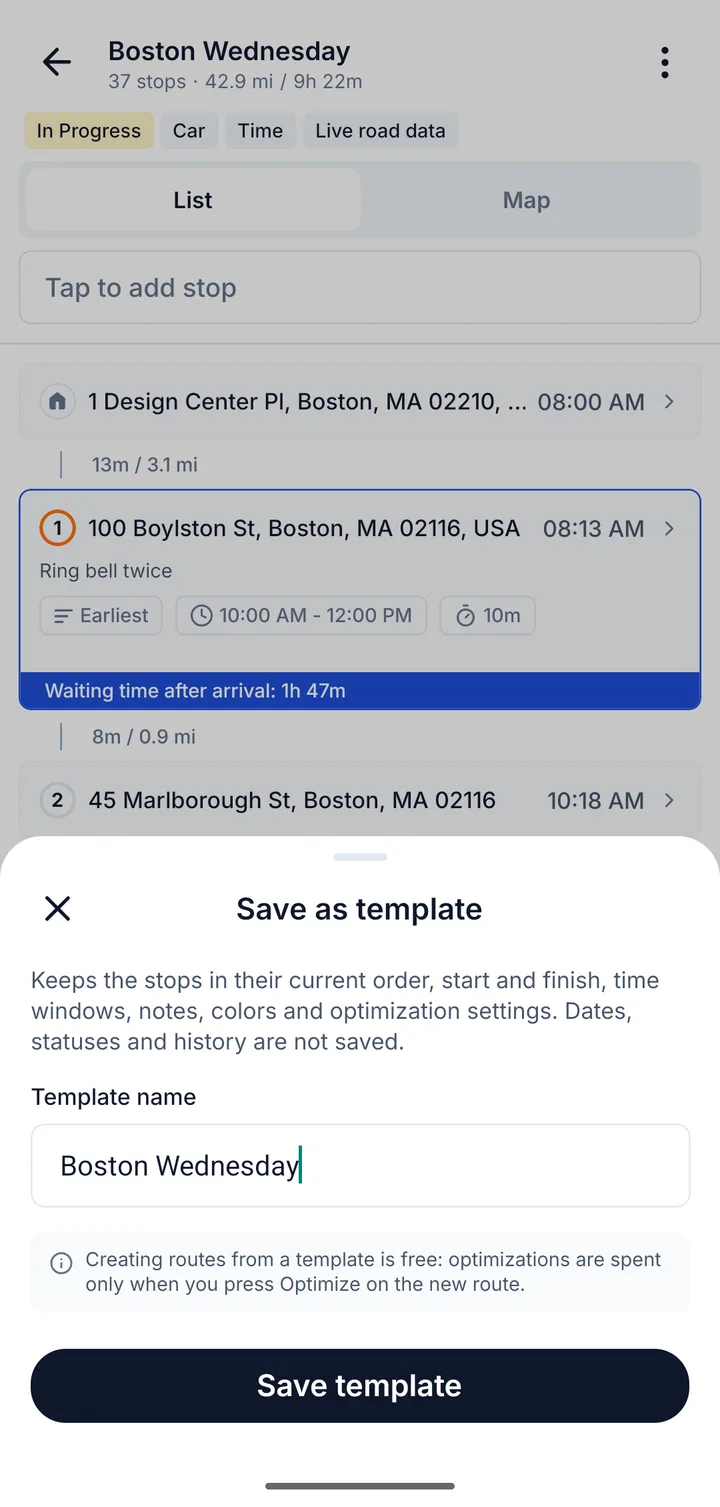
Many drivers run the same route every week: the same depot, the same business stops, the same time windows. Now you can open a route and choose Save as template from its menu. Next time, start a new route from the template for any date. Stops, start and finish, time windows, notes and optimization settings come with it; dates, statuses and history do not.
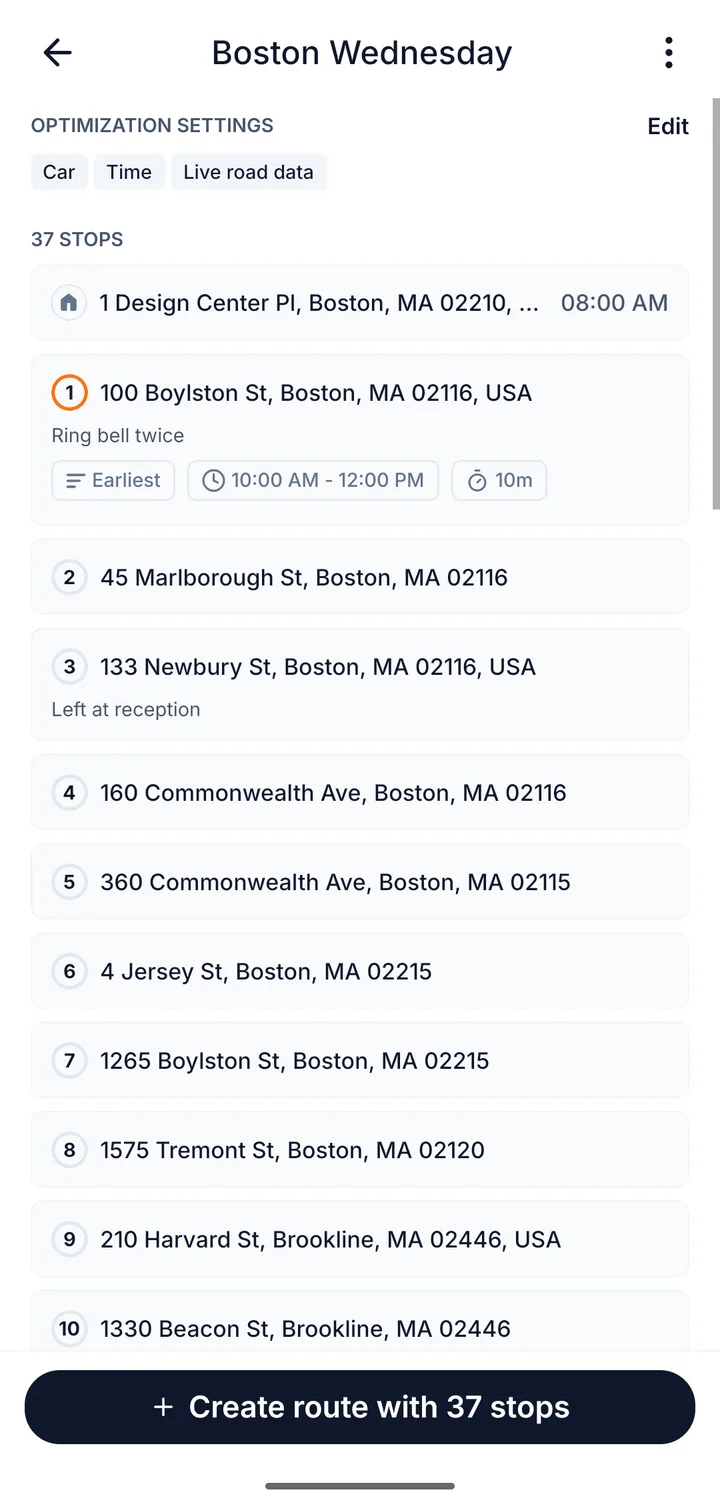
Templates sit on the Home screen under your statistics. Open one, check the stops, and tap Create route to start the day.
Your week in numbers
Statistics now open by week, month or year, with a bar chart and a comparison to the period before. A Pace block shows stops per hour, and a weekday view shows which days of the last 12 weeks were your busiest. Export any period as a CSV through the share sheet.
You find Statistics in Profile, and the Home card follows the period you looked at last.
Fuel and route pay
Tell Routerra your fuel price and consumption, in the units you use, and it works out what each route cost in fuel and what optimizing saved. Add what a route paid when you finish it, and you see your net, your pay per stop and per hour.
Everything lives in a new Settings section, Fuel & earnings, including the day your week starts, so it can match the week your gig app pays for.
Fix a pin once
If the map puts a stop at the wrong door, tap Adjust pin and drag it to the right place. The address stays as it is, and Routerra offers to remember the corrected pin for that address, so the next route that includes it starts in the right spot.
Smaller things
- Settings are regrouped into General, Routes, Drive mode, and Fuel & earnings.
- Many fixes.