
Navigate your way: exact stop location in Google Maps, start now or check the route first
Routerra 2.6 is rolling out now: on Google Play today, and on the App Store as soon as Apple approves it.
The exact spot, not a text search
When you tap Navigate, Routerra now sends Google Maps the stop's exact location instead of the address as text. No more arriving at the right street and the wrong building because the search guessed. If you use Google Maps, Navigate opens it directly without asking which app to use, and the app you chose stays saved, even if you changed it while offline.
On Android, Navigate works with Android Auto: the stop opens in Google Maps on the car screen, and you tap Start. If Google Maps is not on your phone, Navigate offers your other map apps instead of a web page.
Start now, or check first
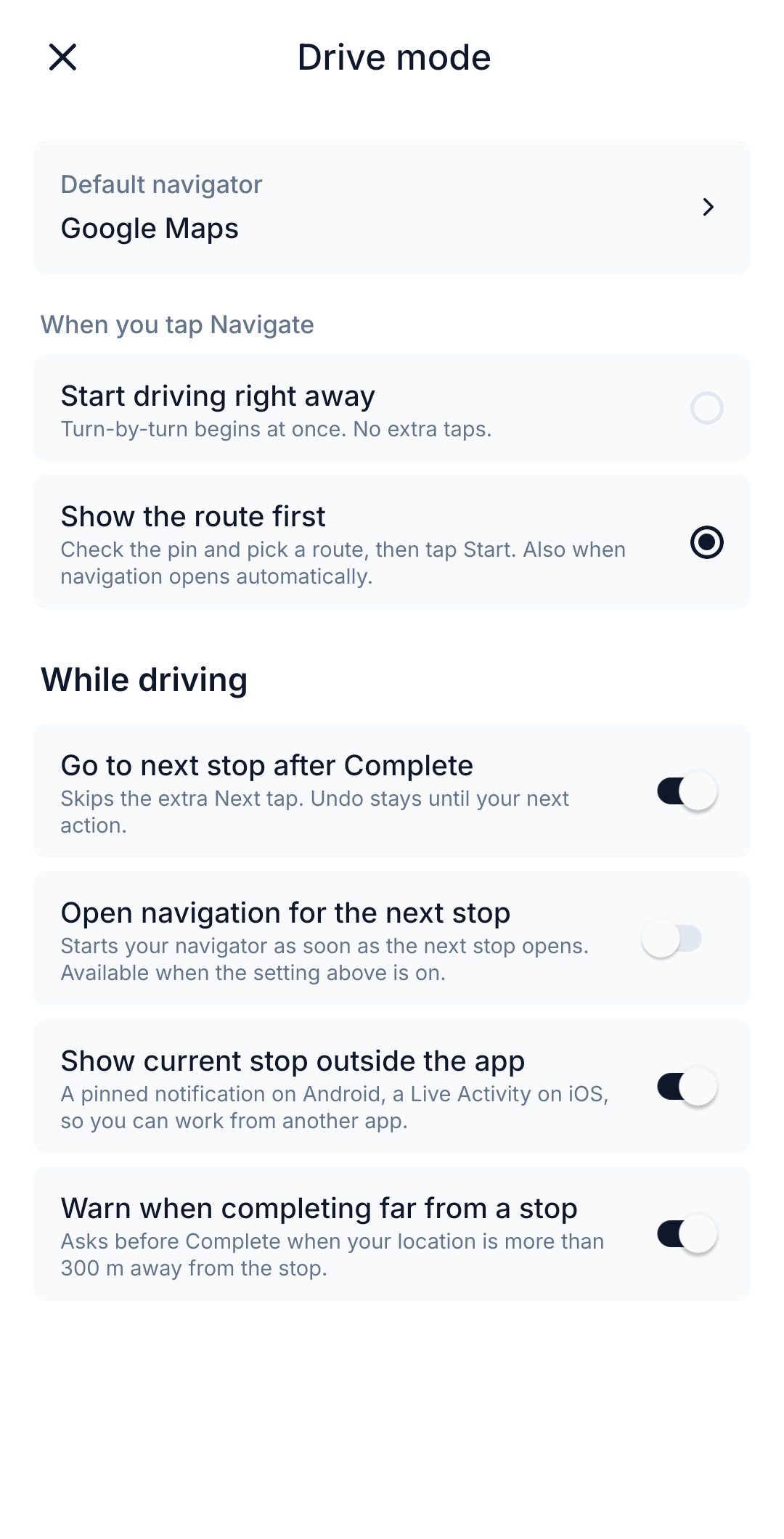
Some drivers want turn-by-turn the moment they tap. Others want a look at the pin and the route before they go. Pick yours under Settings › Drive mode › When you tap Navigate:
- Start driving right away: turn-by-turn begins at once.
- Show the route first: check the pin, pick a route, then tap Start. This also applies when navigation opens on its own after you complete a stop.
Bigger routes on Pro
Pro now plans routes of up to 1,000 stops and includes 50 optimizations a day. Reordering stops by hand does not count toward that. If you need more, email info@routerra.io and we raise it.
Smaller things
- Many fixes and stability improvements.