
Routerra vs Loop Route Planner: Price, Stop Limits and Desktop
Loop costs less. Its Pro plan is $9.99 a month for up to 200 stops per route, with a 7-day free trial. Routerra Pro is $14.99 a month for up to 1,000 stops per route. Routerra also plans routes in a web browser, and Loop's Free and Pro plans do not.
Pick Loop if your phone is all you plan on and 200 stops covers your day. Pick Routerra if you plan at a computer, run long routes, or drive only some days.
Free covers 20 stops per route. No credit card needed.
Routerra and Loop, side by side
Prices and limits as each product publishes them, checked on 10 November 2026.
| What matters | Routerra | Loop Route Planner |
|---|---|---|
| Free plan | 20 stops per route; 5 optimizations a day, 30 a month | 10 stops per route; as many routes as you need |
| Paid plan, US price | Pro $14.99/month or $119.99/year | Pro $9.99/month or $79.99/year |
| Stops per route on the paid plan | Up to 1,000 | Up to 200 |
| Try before you commit | No Pro trial. A $5 day pass gives you Pro for one day and does not renew | 7-day free trial of Pro |
| Plan on a computer | Web planner in any browser, synced with the phone app | No browser planner on Free or Pro. The web dashboard is part of Loop Teams, $29 per driver per month |
| Phone apps | iPhone and Android | iPhone and Android |
| Add stops | Paste a list, import a spreadsheet, or use a photo or screenshot of a manifest | Paste a list, import a spreadsheet or CSV, scan a label with the camera, or say the address |
| Navigation | Google Maps, Apple Maps or Waze | Google Maps, Apple Maps or Waze |
Sources, all checked on 10 November 2026. Prices change, so check both products before you buy.
- Loop Route Planner on the US App Store: prices, stop limits, trial, Mac support
- Loop Route Planner on Google Play, US: stop limits, routes on Free
- looprouteplanner.com: Loop Teams, import and navigation
- Routerra plans and limits: our Free and Pro limits
When Loop is the better fit
For some drivers, Loop is the right choice.
You want the lowest monthly price
Loop Pro is $9.99 a month or $79.99 a year. Routerra Pro is $14.99 a month or $119.99 a year.
You want to try Pro first
Loop Pro starts with a 7-day free trial. Routerra has no Pro trial. It has a $5 day pass instead.
You plan many short routes
Loop Free lets you create as many routes as you need, up to 10 stops each. Routerra Free allows 5 optimizations a day.
One real route in each app: import, then hand-off
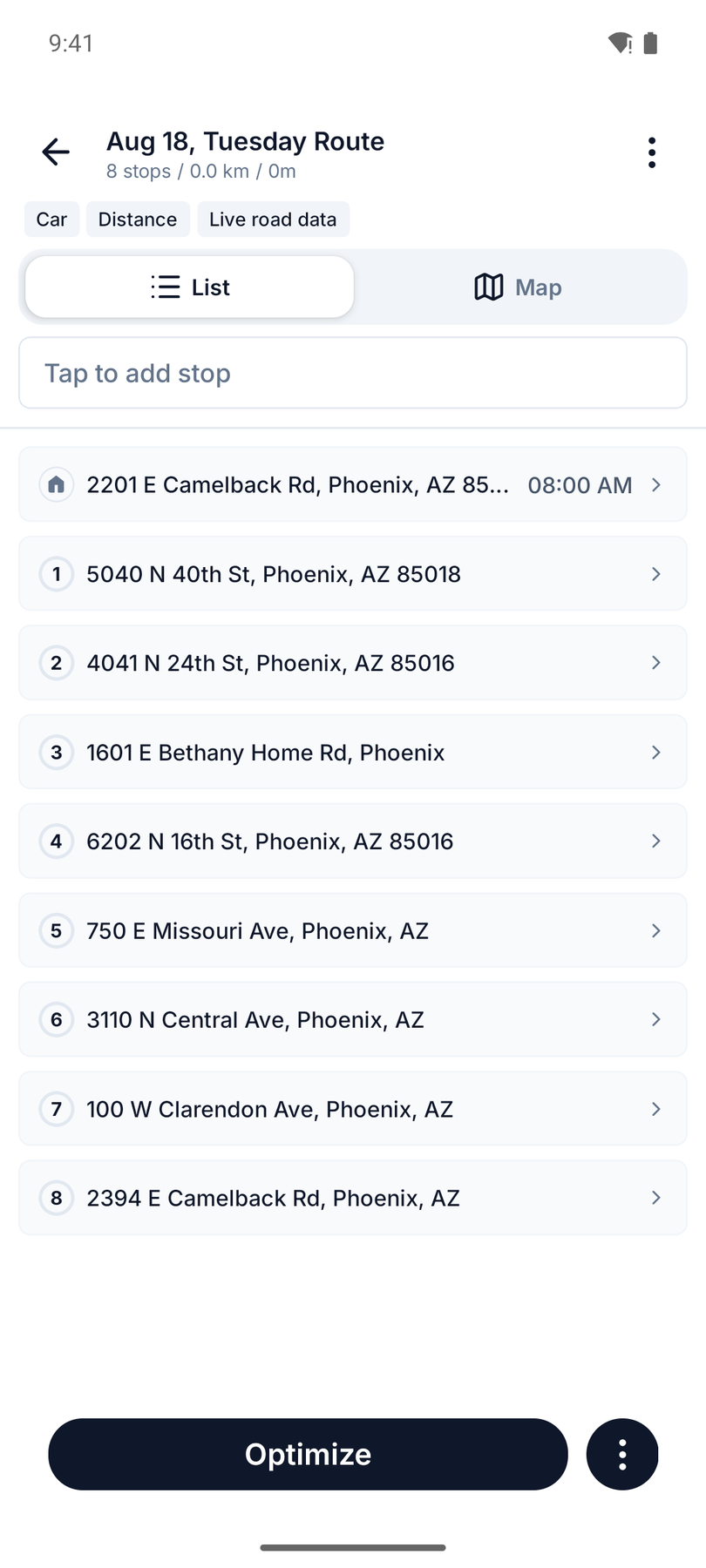
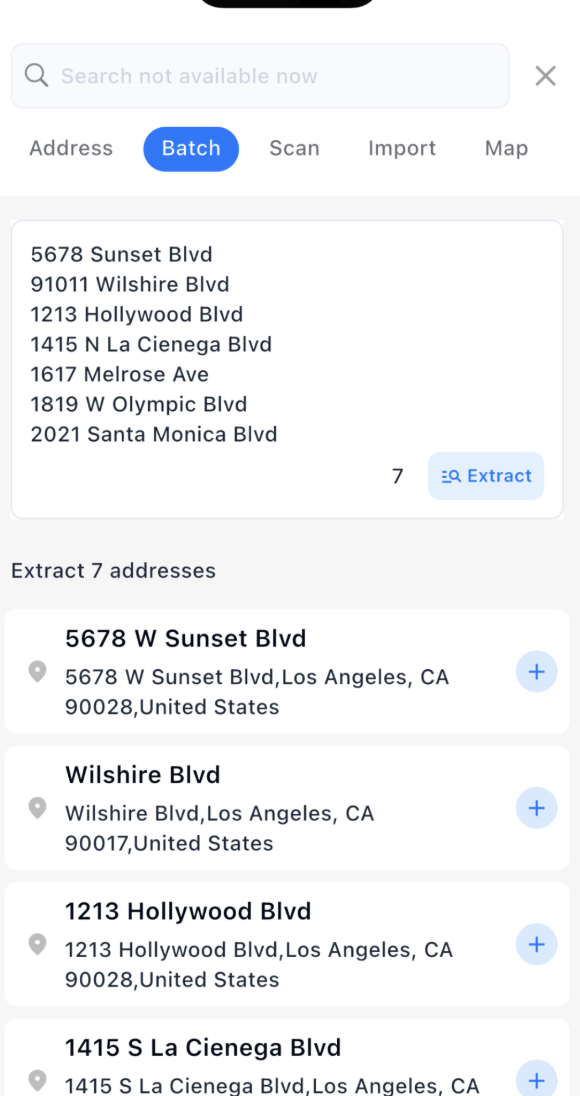
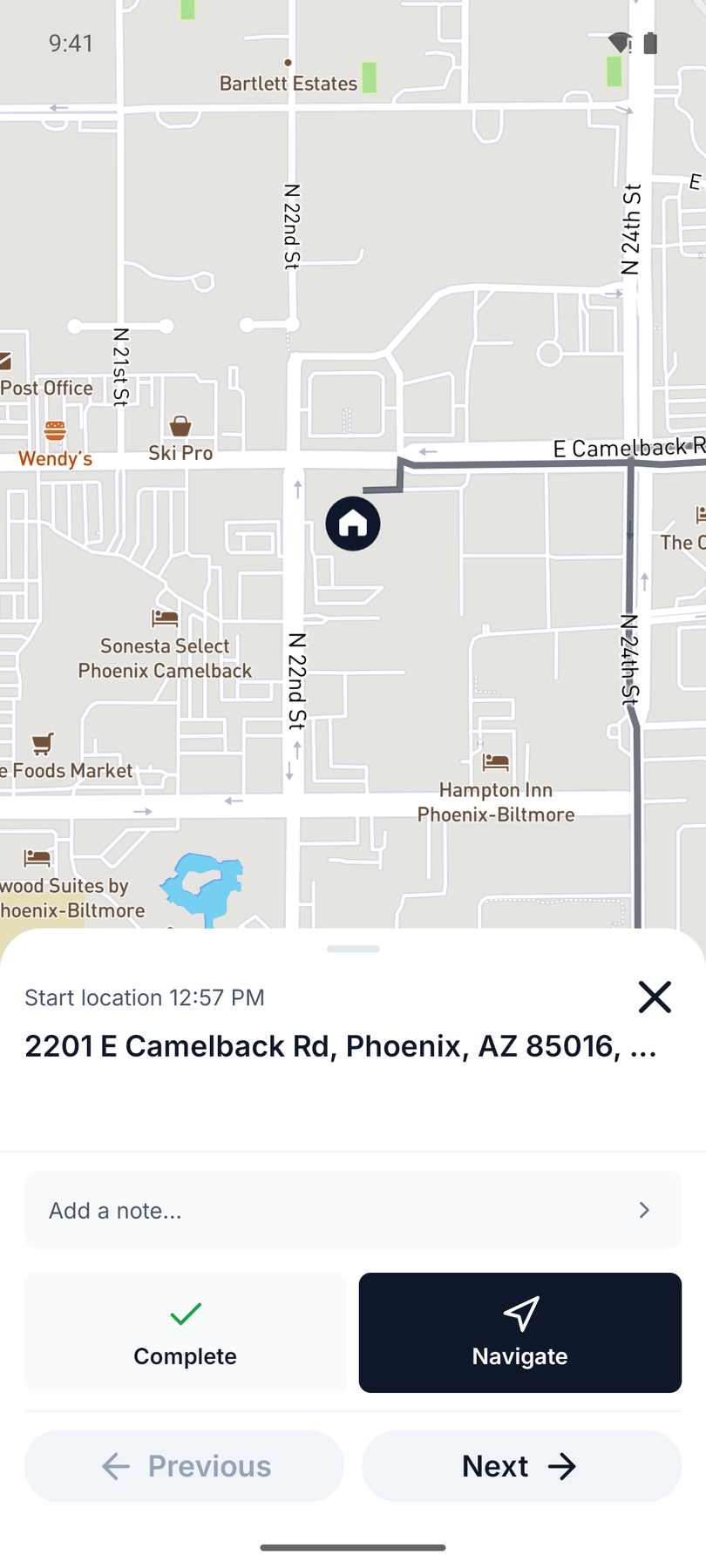
Left, Routerra with eight Phoenix addresses from a dispatcher's text. Right, Loop with a seven-address Los Angeles list, screenshots taken on 2026-11-15.
Import the stops
Routerra reads the addresses from the attached text screenshot. Loop takes a pasted list and extracts the addresses from it.
Hand off to your maps app
Both apps send each stop to a maps app. In Routerra, tap Navigate on the stop card and Android asks which app to open. In Loop, tap Navigate under the stop.
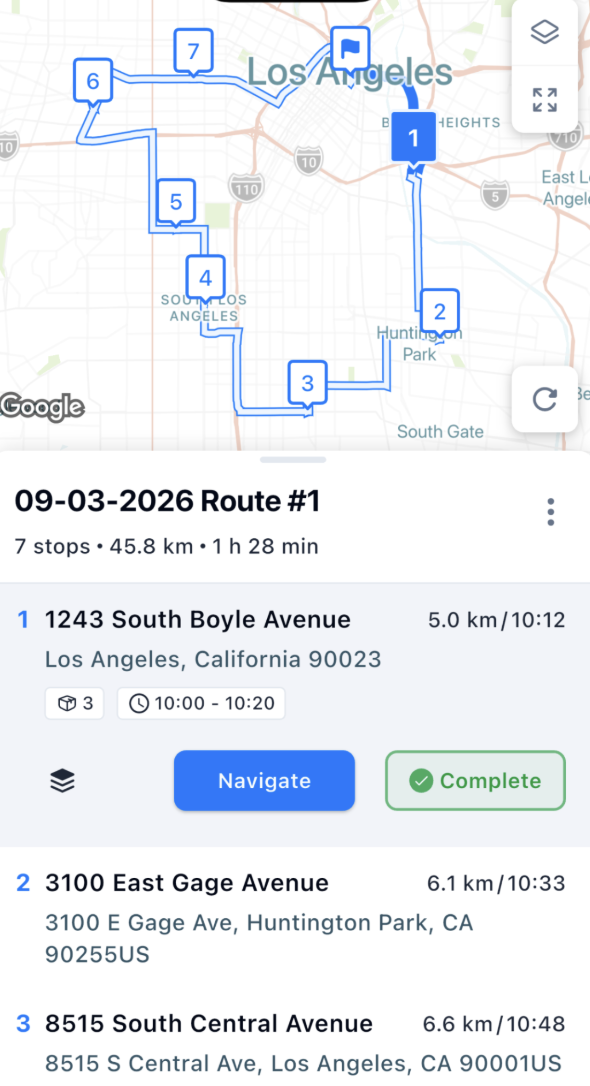
Loop also imports from a file, a camera scan or your voice, and opens stops in Google Maps, Apple Maps or Waze, according to Loop's website.
Planning at a computer
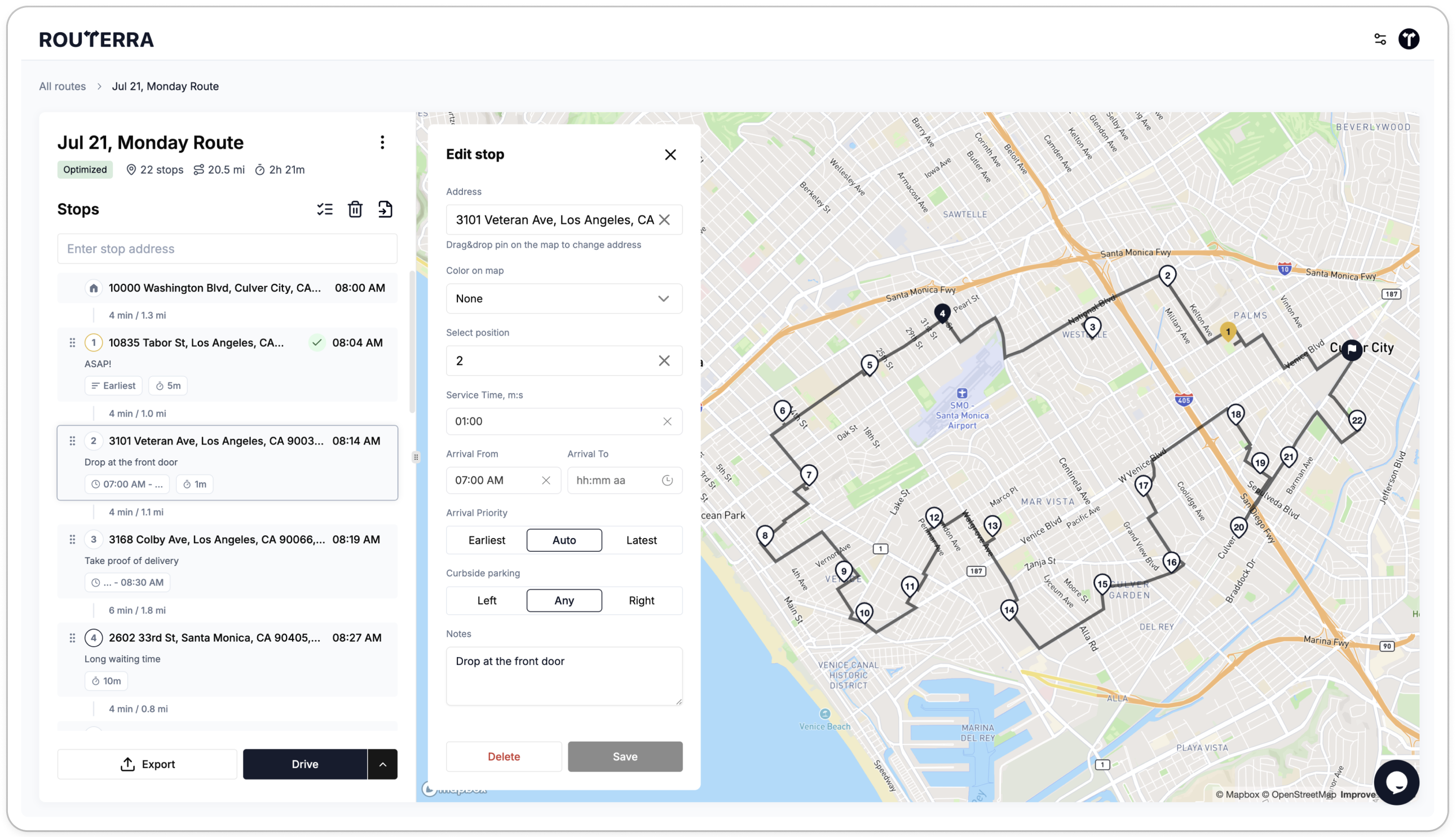
Routerra runs in a web browser as well as on the phone. Routes sync between the two on Free and Pro. Plan at a desk, then drive from the phone.
Loop's website lists no browser planner for drivers. Its web dashboard comes with Loop Teams, at $29 per driver per month. The App Store also lists Loop's iPhone app as able to run on Apple Silicon Macs.
Routerra vs Loop: common questions
More comparisons and guides