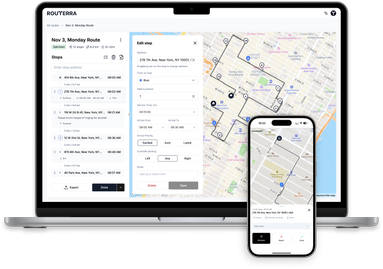
How to Deliver Amazon Flex Packages Faster: Tactics That End Blocks Early
In this article
Amazon Flex pays by the block, not by the hour you actually work. Per Amazon's Flex FAQ, "regardless of whether a block ends early or late, you will earn what you see in the offer." Take a $72, 4-hour block: finish on time and you made $18/hour. Finish 45 minutes early and the same $72 works out to about $22/hour — a 23% raise, earned entirely with a sorted trunk and a tighter routine.
That's why the fastest Flex drivers obsess over minutes. Here's where those minutes actually hide, ranked by what each tactic is worth.
Fastest ways to finish a Flex block early
- 1Sort your cargo area by stop number before leaving the lot — driver guides put the saving around 30 seconds per stop, 10–20 minutes per block.
- 2Preview the whole itinerary at the station: spot doubling-back, early deadlines, and where the route ends before you commit to the order.
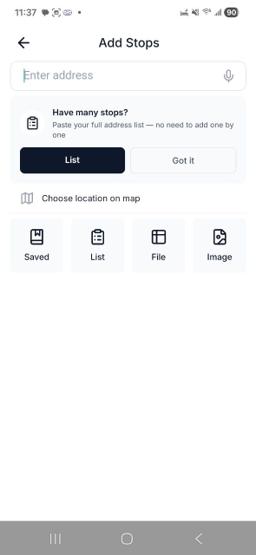
- 3If the order is genuinely bad, re-sequence it in a route optimizer — screenshot import gets 40+ stops in without typing.
- 4Keep door time under 3 minutes: photo, drop, go. Never wait unless a signature is required.
- 5Bank apartment gate codes and carry a headlamp for night blocks — the slowest stops are the ones you can't find.
Every tactic below that carries a number says where the number comes from. Anything based on our own logic is labeled an estimate.
At the station: the block is won in the parking lot
The strongest habit shared across driver guides is refusing to drive off with an unread route. Before you leave the lot:
Preview the full itinerary. Scroll the entire stop list and glance at the map. You're looking for three things: stops that double back on each other, any early delivery deadlines, and where the route ends. Amazon builds routes around its own costs — the March 2025 Flex blog post says routes account for package count, stop locations, and historical weather and traffic, but nothing in that math cares how far the last stop leaves you from home. We covered that specific problem in why Flex blocks end far from home.
Concretely: open the itinerary list and scroll it end to end once, then switch to the map view and look at the shape of the route rather than any single stop. A route that reads as one loop is fine. A route that crosses its own path, or that puts a far-out stop in the middle of a tight cluster, is telling you the order was built around Amazon's costs and not your driving time — and that is the signal to re-sequence before you leave.
Load against the delivery order. If you know stop numbers before loading, put the last stops in first, deepest in the trunk, and your first ten within arm's reach — the package you need next should always be the easiest one to grab. Pull out two packages specially: stop 1 goes on the front seat, and the final stop gets marked so it can't get buried.
The five minutes this takes is the highest-leverage time of the whole block. Estimate, but a conservative one: un-burying a single misplaced package mid-route costs more than the entire sorting pass.
Sort the cargo area by stop number
Flex labels carry the stop number, and the sorting system driver guides converge on is simple: zones by number range. One section for stops 1–10, another for 11–20, and so on — banana boxes or collapsible totes keep the zones from sliding into each other, and envelopes ride flat in their own stack so they never slip under a box.
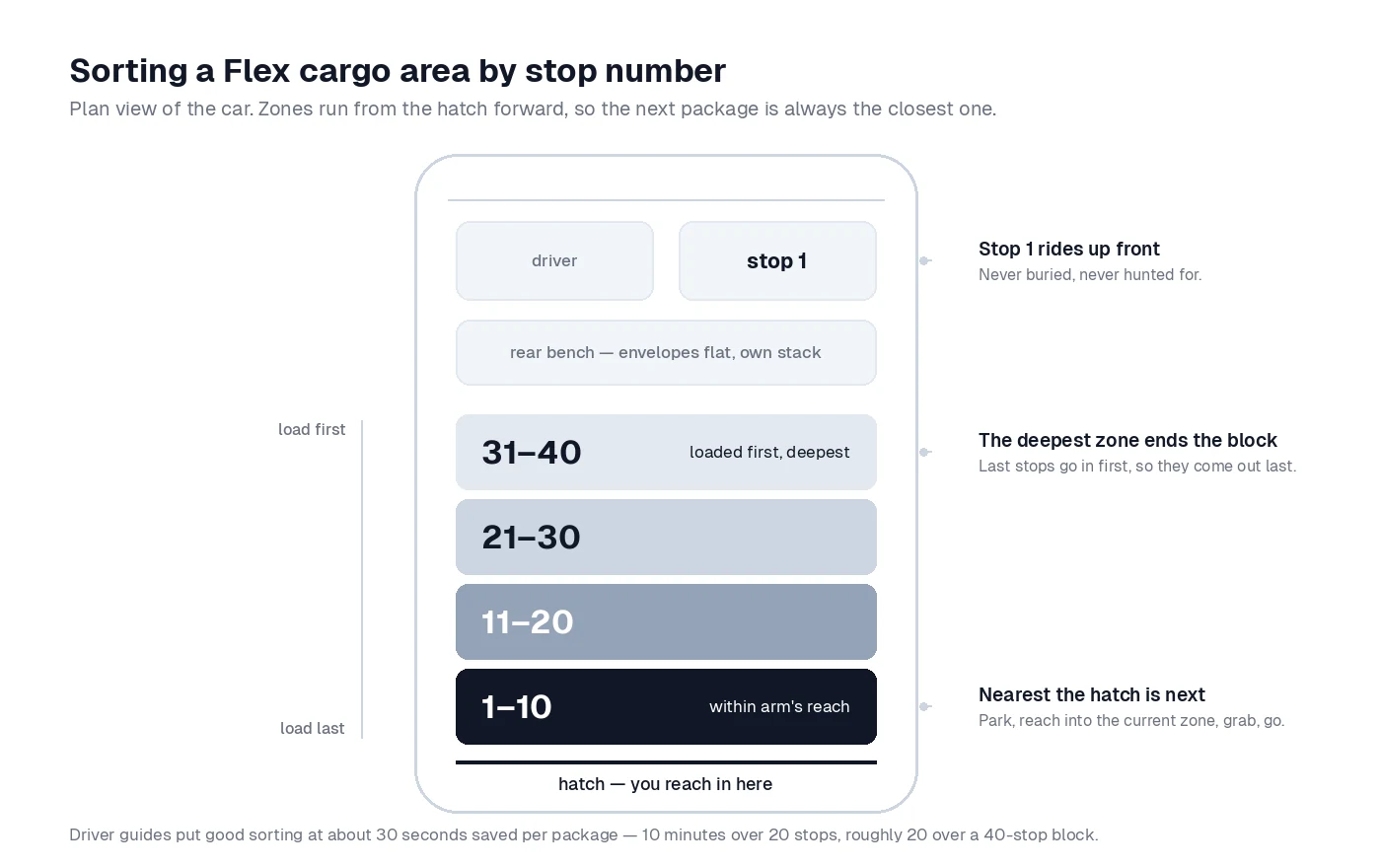
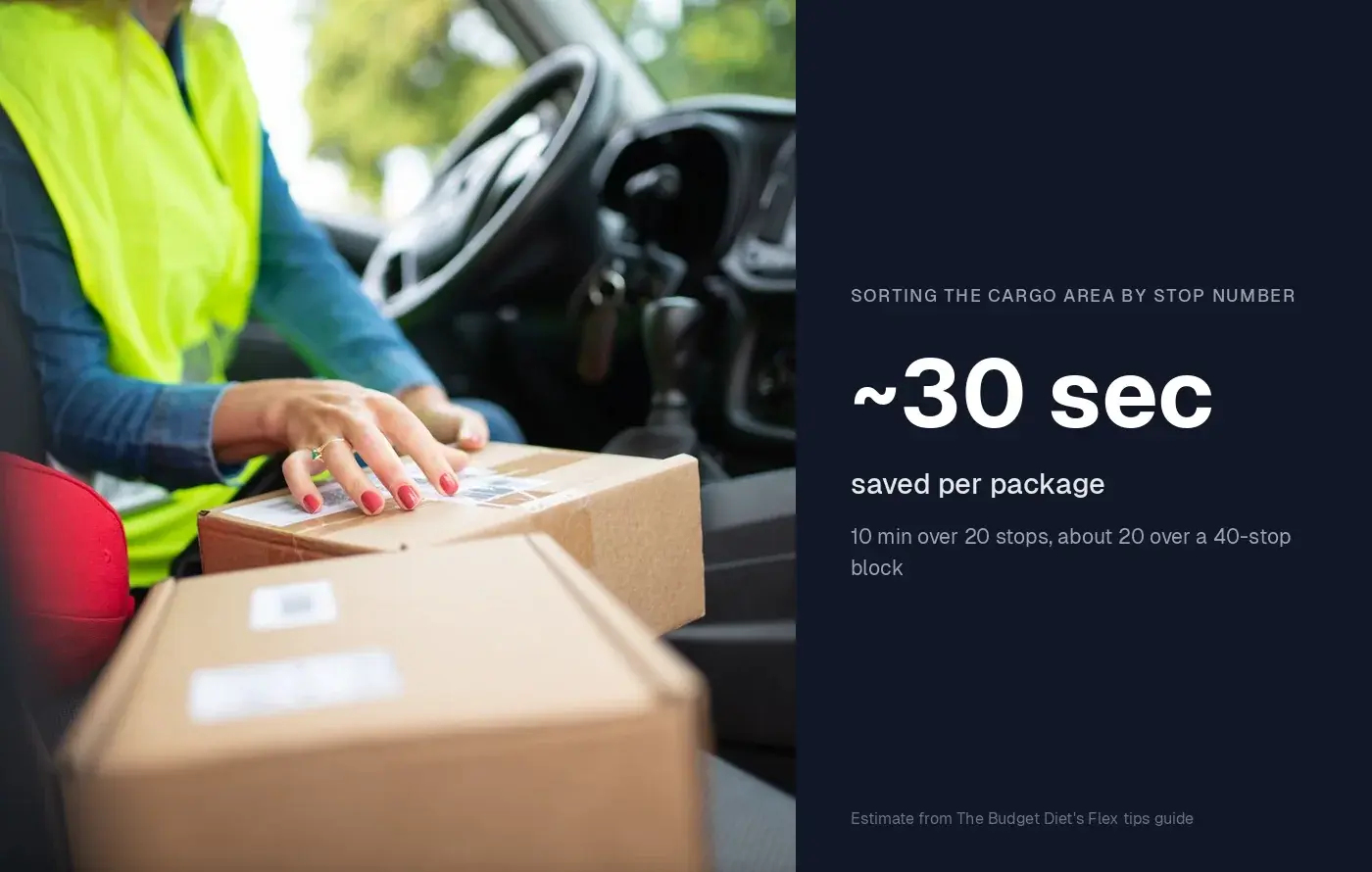
The time math, from a published driver guide rather than our imagination: The Budget Diet's Flex tips guide estimates good package organization saves about 30 seconds per package — roughly 10 minutes across 20 deliveries. Scale that to a 40-stop block and sorting is worth around 20 minutes, which is often the difference between finishing early and finishing late.
At each stop the routine becomes: park, reach into the current zone, grab, go. No trunk archaeology in a customer's driveway.
Can you change the delivery order in Amazon Flex?
Partially — and knowing exactly where the line sits is what separates drivers who fight the app from drivers who work around it.
What the app allows, per Amazon's own guide to adjusting your route: you can regroup stops and delivery locations — tap Edit stop, choose a location, and update the itinerary — and an interactive map shows nearby stops so you can group them differently. You can also open any stop from the list and navigate to it out of order. What it doesn't allow: skipping packages (everything assigned must be delivered) or a one-tap "re-optimize this for me."
So when is it worth building your own order instead?
Follow the Flex order, or re-sequence?
The order looks reasonable and the block is small
Follow the app. Sorting and door speed are your wins today.
Only the last few stops are ugly (dead miles home)
Manually regroup just those stops — low risk, most of the benefit.
The route doubles back repeatedly, or 40+ stops end far from home
Re-sequence the whole route in an optimizer and follow its order, marking stops off in Flex as you go.
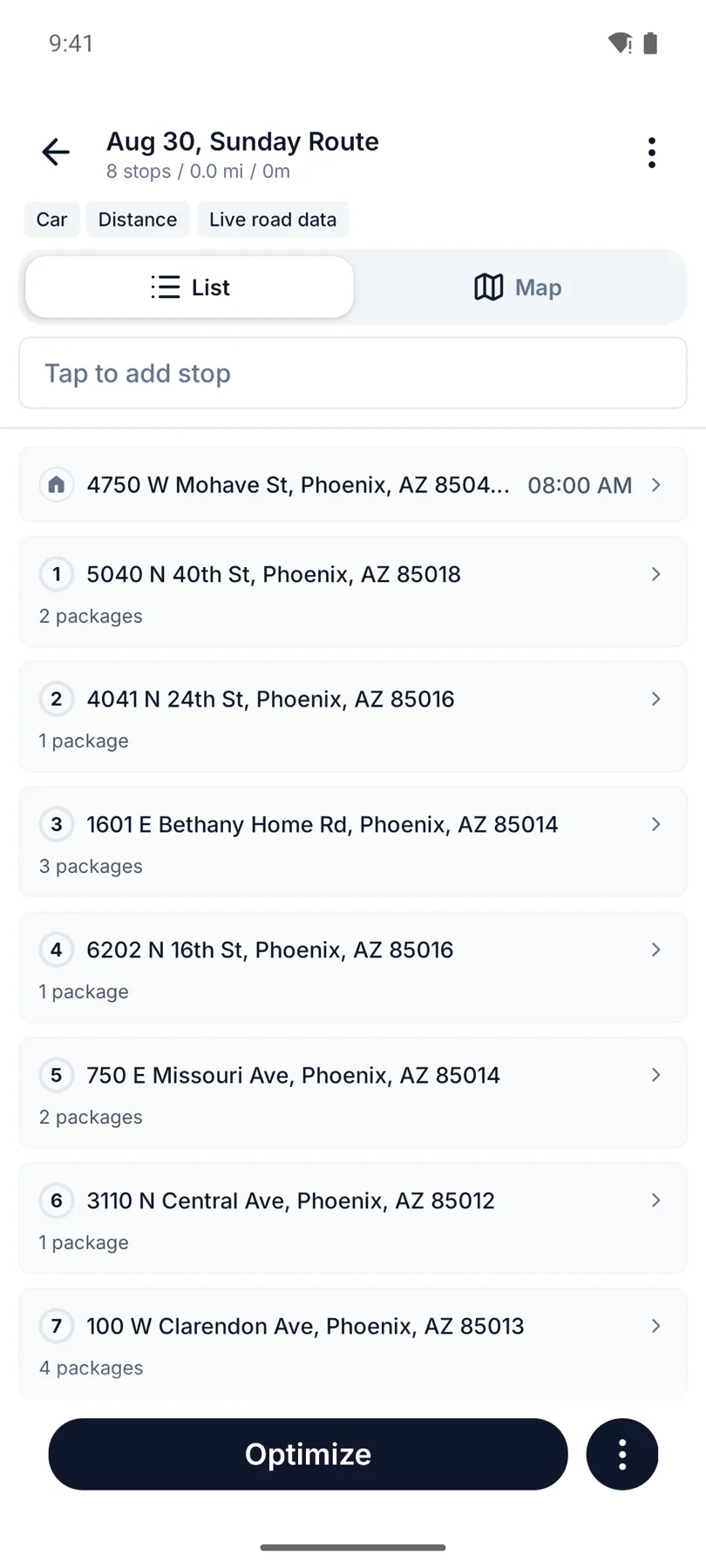
The historical blocker on that third row was data entry — nobody retypes 45 addresses in a parking lot. That's exactly why we built screenshot import: take a scrolling screenshot of your Flex itinerary, upload it to Routerra, and the stops are parsed into an editable list — with your Flex stop numbers preserved as labels and duplicates flagged for review. Set the start at the warehouse and the end at home, optimize, then run the block in your order while completing stops in the Flex app. The full story of how one Flex driver shaped that feature is in our AI-Import case study — he'd sometimes ended shifts 30 minutes from home before re-sequencing became a five-minute job.
At the door: the sub-three-minute stop
Driving faster is dangerous and barely helps; shrinking door time is safe and compounds across every stop. Driver onboarding guides suggest aiming for under three minutes per delivery on average, and the routine that gets there is boringly consistent:
- Photo first, then go. Ring if required, take the delivery photo, and move — don't linger waiting for a door to open unless a signature or handoff is actually required.
- Frame the photo as you set the package down, not as a separate step afterward. One motion instead of two. (Estimate: a few seconds per stop, but it's also the step people redo most.)
- Park for the exit, not the entrance. Point the car toward your next stop before you get out, and skip tight driveways you'll have to back out of.
- Use the app's building outlines. Per Amazon's 2025 route post, the Flex map highlights building outlines to help identify the delivery location — trust it before circling a complex on foot.
Apartments, gates, and night blocks: where routes go to die
The stops that blow up an average aren't houses — they're locked lobbies and unlit door numbers.
Apartments and gated communities. Read the delivery notes before you arrive; codes are often already there. When you get a working gate or lobby code that isn't, write it down — guides for new drivers make exactly this point: you will deliver to that building again. Inside a complex, deliver every unit in the building before moving the car, and park once per cluster instead of once per door.
Night blocks. Carry a headlamp, not a phone flashlight — you need both hands for packages and the camera. House numbers disappear at night, so lean harder on the map pin and building outline than you would in daylight, and double-check the number before the photo: a misdelivery costs far more time (and standing) than the ten seconds a check takes.
Beginner mistakes that eat the clock
If you're searching "amazon flex tips for beginners," skip the scars and start here:
- Leaving the station unsorted. The single most expensive shortcut. Five minutes in the lot beats twenty spread across the route.
- Following the app into obvious backtracking. You're allowed to regroup stops — Amazon documents it. Passivity isn't compliance.
- Waiting at doors. Unless a signature or age verification is required, photo and go.
- Fueling mid-block. Start full. A gas stop inside a block is pure lost time.
- Driving back to the station at the first failed stop. Attempt the rest of the route and circle back to retries later if you're in the area — returns to the station belong at the end, not the middle.
- Ignoring where the block ends. Check the last stop's location before you start; if it's 25 minutes from home, that's an unpaid 25 minutes you might have planned away.
FAQ
How do I finish Amazon Flex blocks faster? Preview the itinerary before leaving the station, sort the cargo area by stop number, keep door time under three minutes, and re-sequence genuinely bad routes in an optimizer. The sorting alone is worth an estimated 10–20 minutes per block; the full routine routinely ends blocks 30–60 minutes early.
Can you change the delivery order in Amazon Flex? Partially. Per Amazon's Flex blog, you can regroup stops via Edit stop and navigate to any stop from the list, but there's no full re-optimization and every assigned package must still be delivered. For a completely re-sequenced order, drivers build the route in an outside planner and follow it while marking stops off in Flex.
Do you still get paid in full if you finish a block early? Yes — per Amazon's Flex FAQ, you earn the amount shown in the offer whether the block ends early or late. That's precisely why minutes saved translate directly into a higher effective hourly rate.
How should I organize packages in my car? Zones by stop-number range (1–10, 11–20, …), first stops closest to hand, last stops deepest, envelopes flat in their own stack, and the stop-1 package on the front seat. Totes or banana boxes keep zones intact around corners.
When is re-optimizing worth it? When the route doubles back, buries an early deadline, or ends far from home — and especially on big blocks where the fix pays back the setup. With screenshot import, the setup is a few minutes even for 50 stops.