Why Amazon Flex Blocks Often End Far From Home (and How Drivers Finish Closer to Home)

In this article
Why Amazon Flex Blocks Often End Far From Home (and How Drivers Finish Closer to Home)
If you've driven Amazon Flex for a while, you've probably noticed a frustrating pattern:
The last stop is far from home, the block ends there, and the long drive back is completely unpaid.
This is one of the most discussed pain points among Flex drivers, especially on longer or rural routes. Let's break down why this happens, what drivers actually do to deal with it, and how some manage to finish their blocks closer to home without breaking the app or risking mistakes.
Why Amazon Flex Routes Often End Far Away
Amazon Flex routes are designed to optimize Amazon's costs, not the driver's total day.
That usually means:
- Minimizing Amazon-paid mileage and time
- Ending the block exactly where payment stops
- Pushing "dead miles" (the drive home) onto the driver
From Amazon's perspective, this keeps blocks shorter and cheaper but from a driver's perspective, it often means:
- Extra unpaid miles
- Extra unpaid time
- More wear on your car
- More fatigue at the end of the day
On spread-out or rural routes, this effect is much more noticeable.
The Real Trade-Off Drivers Face
Every Flex driver eventually runs into the same choice:
"Finish deliveries earlier" VS "Get home earlier"
Amazon optimizes for the first. Drivers usually care more about the second.
That's why many drivers are willing to accept a slightly later delivery, reordering stops and change the route flow if it means cutting 20–40 minutes off the drive home.
Common Ways Drivers Try to Fix This
Drivers have developed their own workarounds. None are perfect.
1. Running the Route Backwards
Some drivers start with the last stop and work backward to end closer to home.
✓ Pros
- •Can drastically shorten the drive home
✗ Cons
- •High risk of mistakes
- •Deadline issues
- •Harder to manage inside the Flex app
- •Requires careful planning
2. Manually Reordering the Last Few Stops
Instead of redoing the whole route, drivers often fix only the last 3–5 rural stops for the most inefficient "dead mile" segment
✓ Pros
- •Less disruption
- •Faster than a full reroute
✗ Cons
- •Still takes time
- •Requires attention to deadlines
- •Packages may not be in physical order
3. Doing Nothing (Most Common)
Many drivers don't reroute at all, especially with large package counts — and they are large: a DSP route commonly carries 250–350 packages across 170–200+ stops.
Why? Reordering takes time. Packages are already loaded in order — which is exactly why drivers who sort their cargo by stop number before leaving the station can afford to reorder and the rest can't.
For many, the hassle outweighs the benefit — even if the route is clearly inefficient.
Why Rerouting Often Feels Like Too Much Work
Rerouting isn't just about maps. It affects everything:
- Package access (not in order anymore)
- Deadlines (especially with early deliveries)
- Mistake anxiety (missed stops, wrong order)
That's why most drivers don't want perfect optimization.
They want just enough control to fix the unfair part of the route.
A Smarter Way to Think About It
Instead of asking:
"What's the most efficient route overall?"
Many experienced drivers ask:
"Which part of this route hurts me the most?"
Usually, that's:
- The last few stops
- The long unpaid drive home
- A small cluster of inefficient deliveries
Fixing only that part often delivers most of the benefit with far less risk.
Practical Checklist Before Leaving the Station
Many experienced drivers do this every time:
- Open the route map
- Identify where the route ends
- Check how far that is from home
- Look for early delivery deadlines
- Decide whether:
- to follow the route as-is
- to start from the end
- or to reorder only a few stops
- Accept the trade-off consciously
This alone can prevent wasted time and frustration.
Where Routing Tools Can Help (Without Taking Over)
Some drivers use routing tools not to rebuild the entire route, but to:
- Reorder only selected stops
- End the route closer to home
- Reduce unpaid miles
- Keep most of the original sequence intact
The key is low friction:
- Minimal setup
- No full reshuffle
- Clear visibility of trade-offs
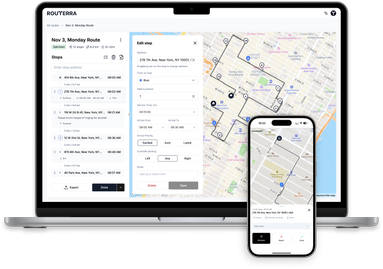
Tools like Routerra are designed around this idea — helping drivers fix specific pain points (like dead miles at the end) rather than forcing a full route redesign.
Final Thoughts
Amazon Flex routing isn't random — it's optimized for Amazon.
Drivers who understand that can:
- Make better decisions
- Reduce unpaid mileage
- Get home sooner
- Lower stress over time
There's no single "perfect" solution.
But knowing why routes end far from home — and when it's worth fixing — already puts you ahead.
Drive safe, and protect your time.