Does Waze Work Offline? What Actually Happens Without Internet (Tested)
In this article
Waze is built around a live connection — traffic, police reports, hazards, rerouting. So what happens when the connection disappears mid-shift?
We tested it the direct way: a Pixel phone, a delivery route across Phoenix, and airplane mode. Here is exactly what Waze can and cannot do without internet — with screenshots — and the setup to use instead if your routes cross dead zones.
Short answer: Waze partially survives losing signal, but it cannot start anything new offline. A route that is already navigating keeps working. Search, new routes, traffic, and alerts all stop.
The test: Waze online, then airplane mode
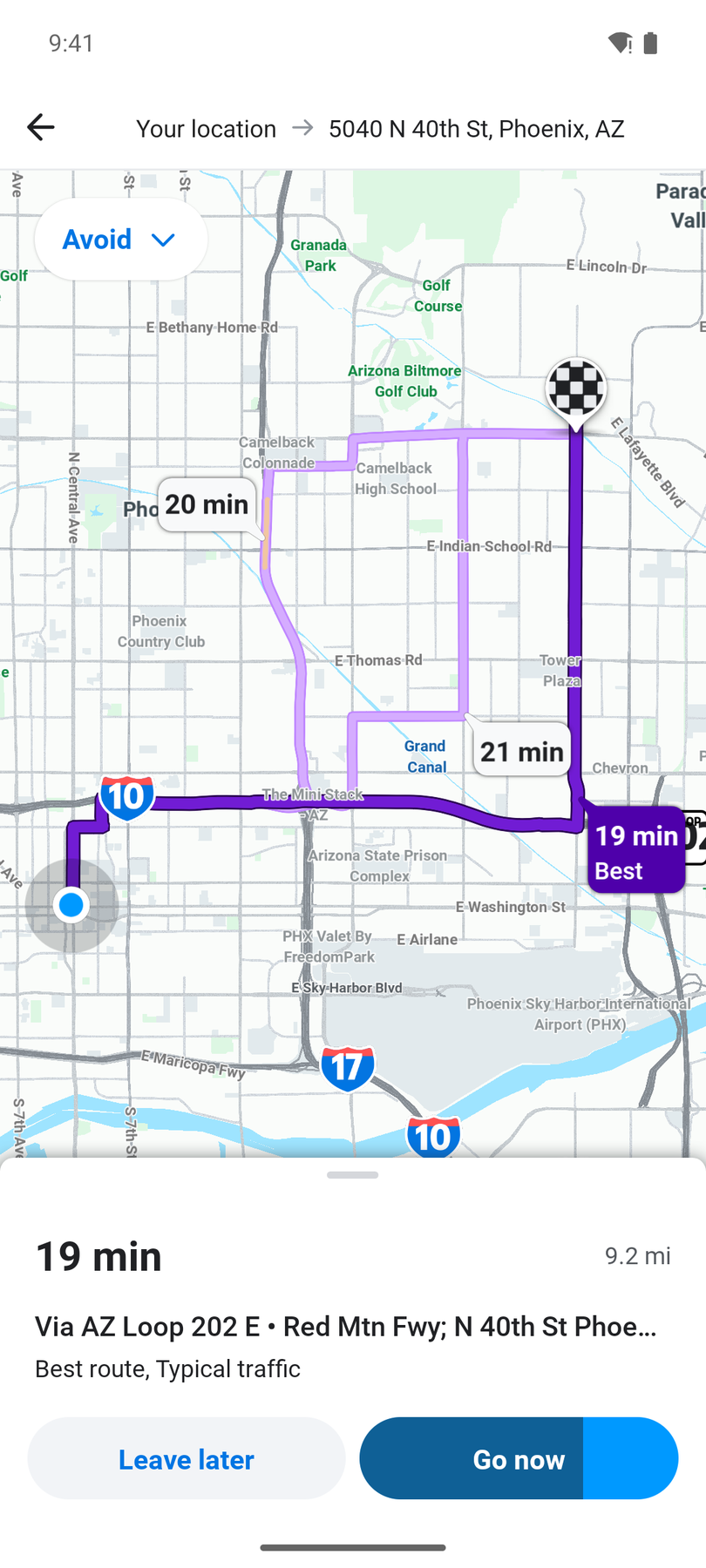
Online, Waze behaved exactly as you'd expect — it found the address instantly and offered three route options with live traffic estimates:
We started navigation, then switched the phone to airplane mode.
What kept working
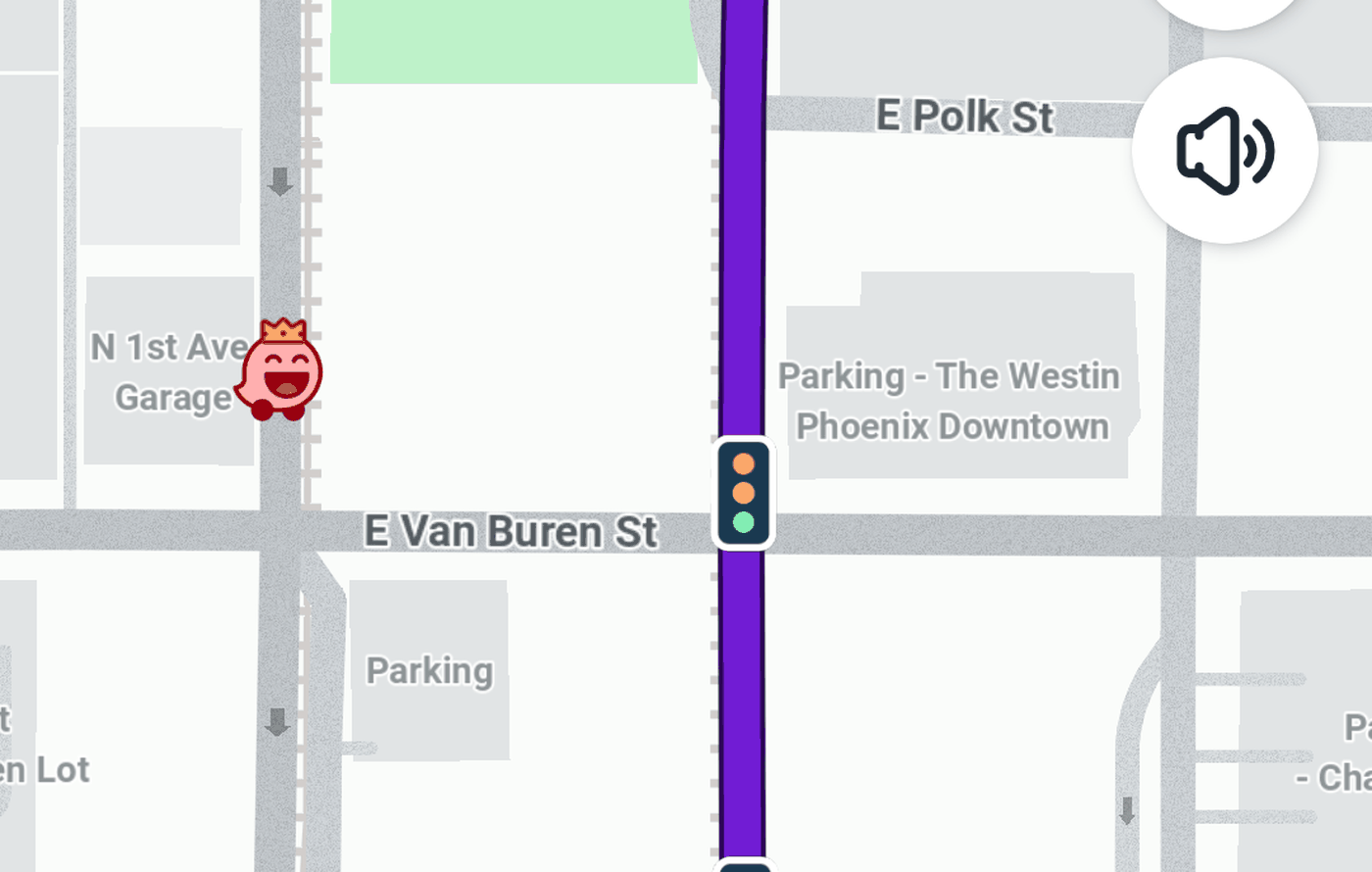
The active route survived. Turn-by-turn guidance continued along the pre-calculated route with the map still rendering from cache:
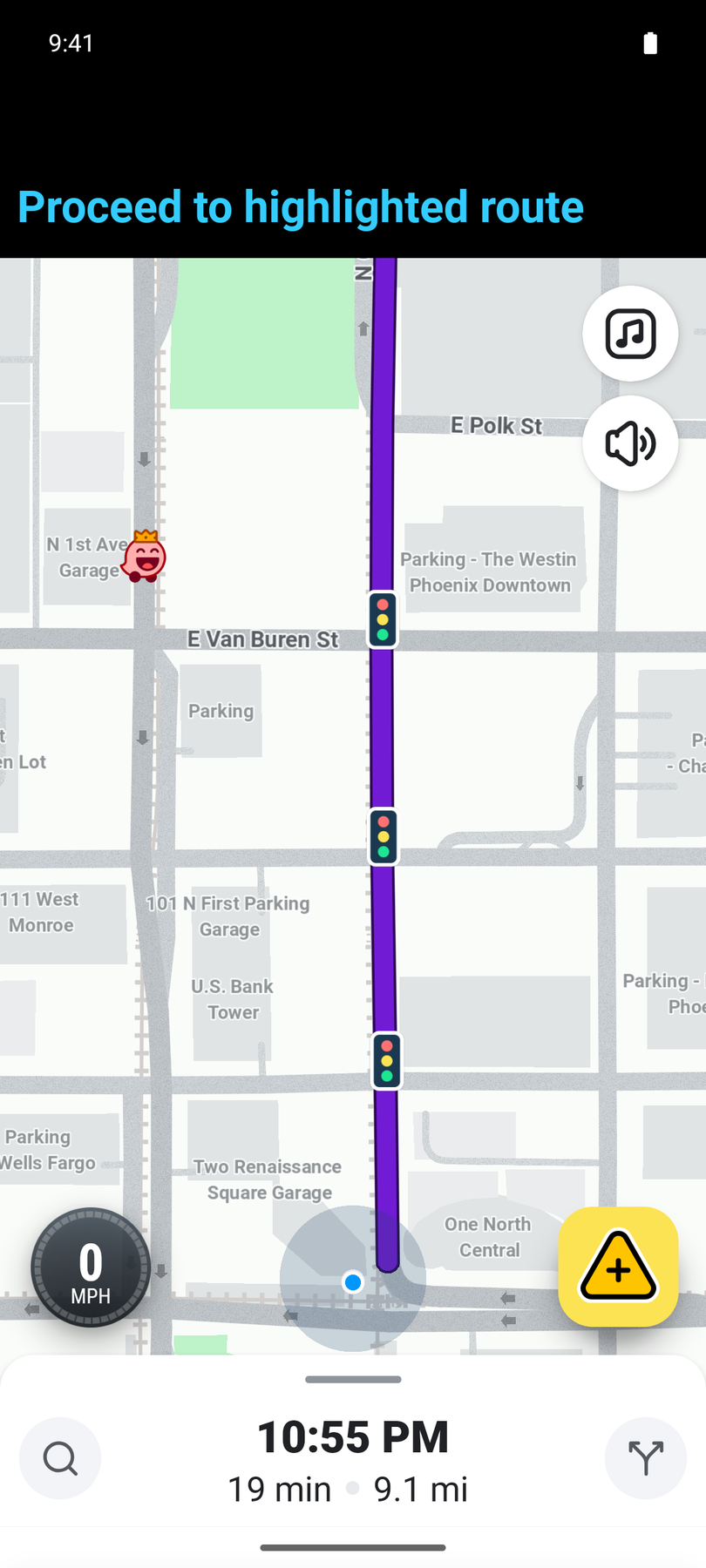
Waze is transparent about this state — open the ETA panel and an orange "Using offline maps" badge appears:
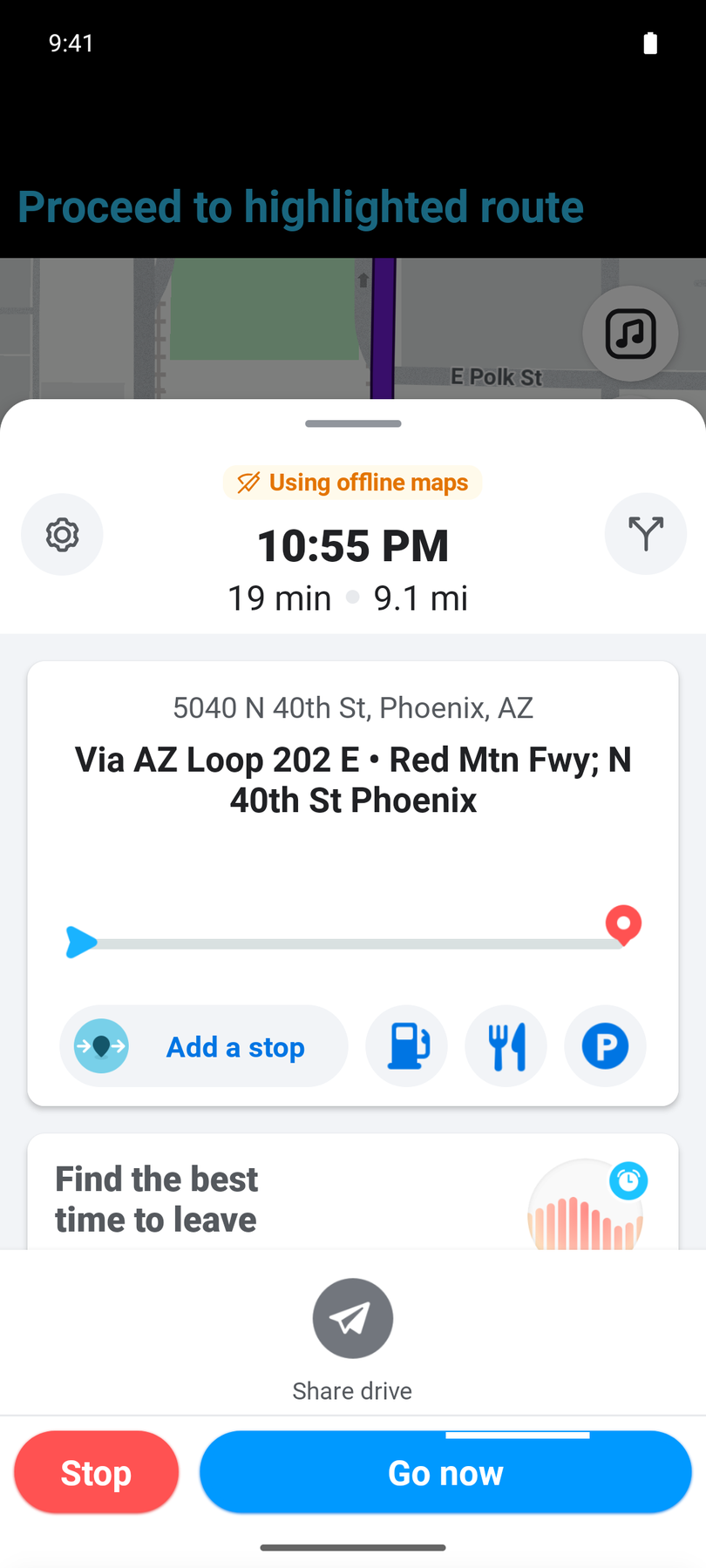
So Waze does have some offline resilience: it caches your active route and enough map data to finish guiding you along it. For a commuter who loses signal in a tunnel, that's usually enough.
What broke immediately
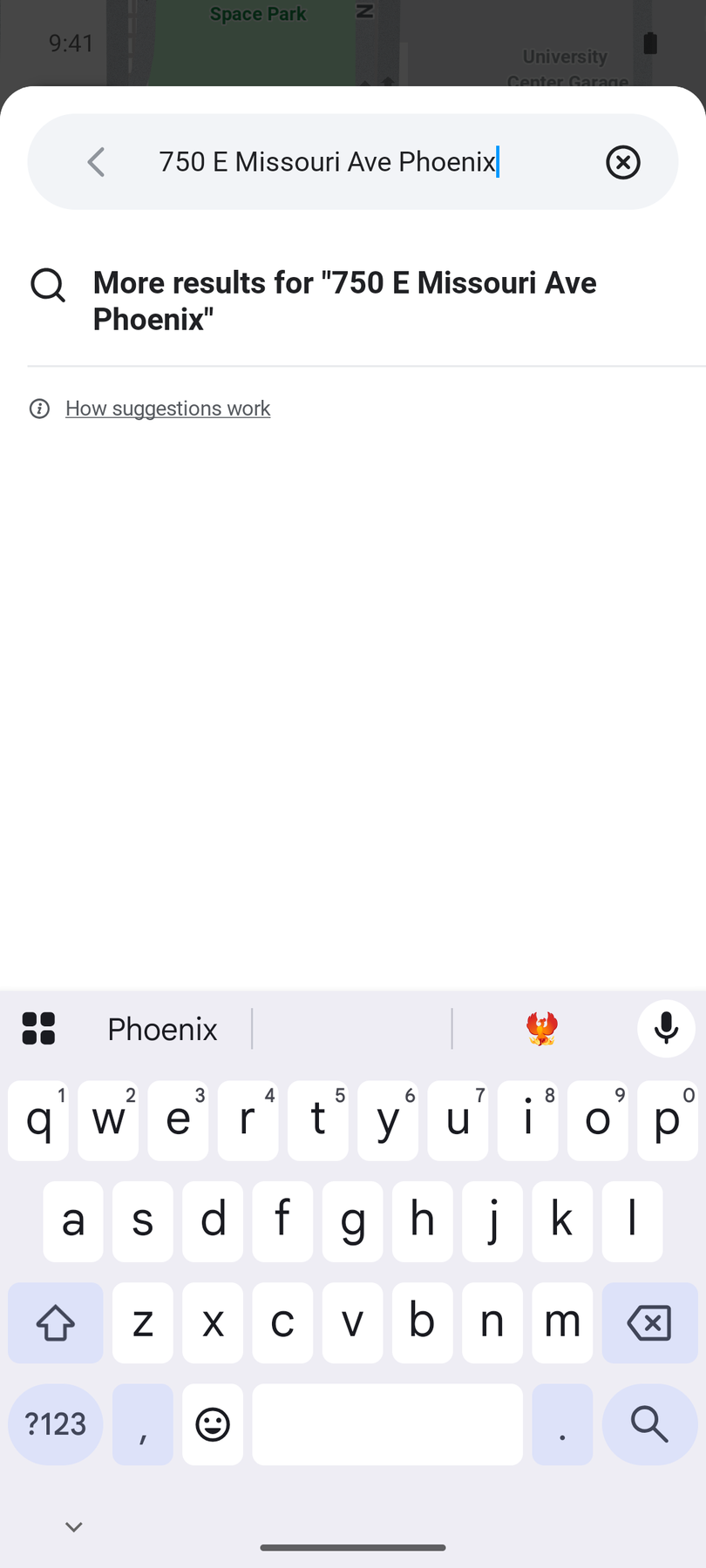
Then we stopped the route and tried to navigate somewhere new — the situation a driver faces at every next stop. Searching for an address offline returned nothing:
And forcing the search produced an error:
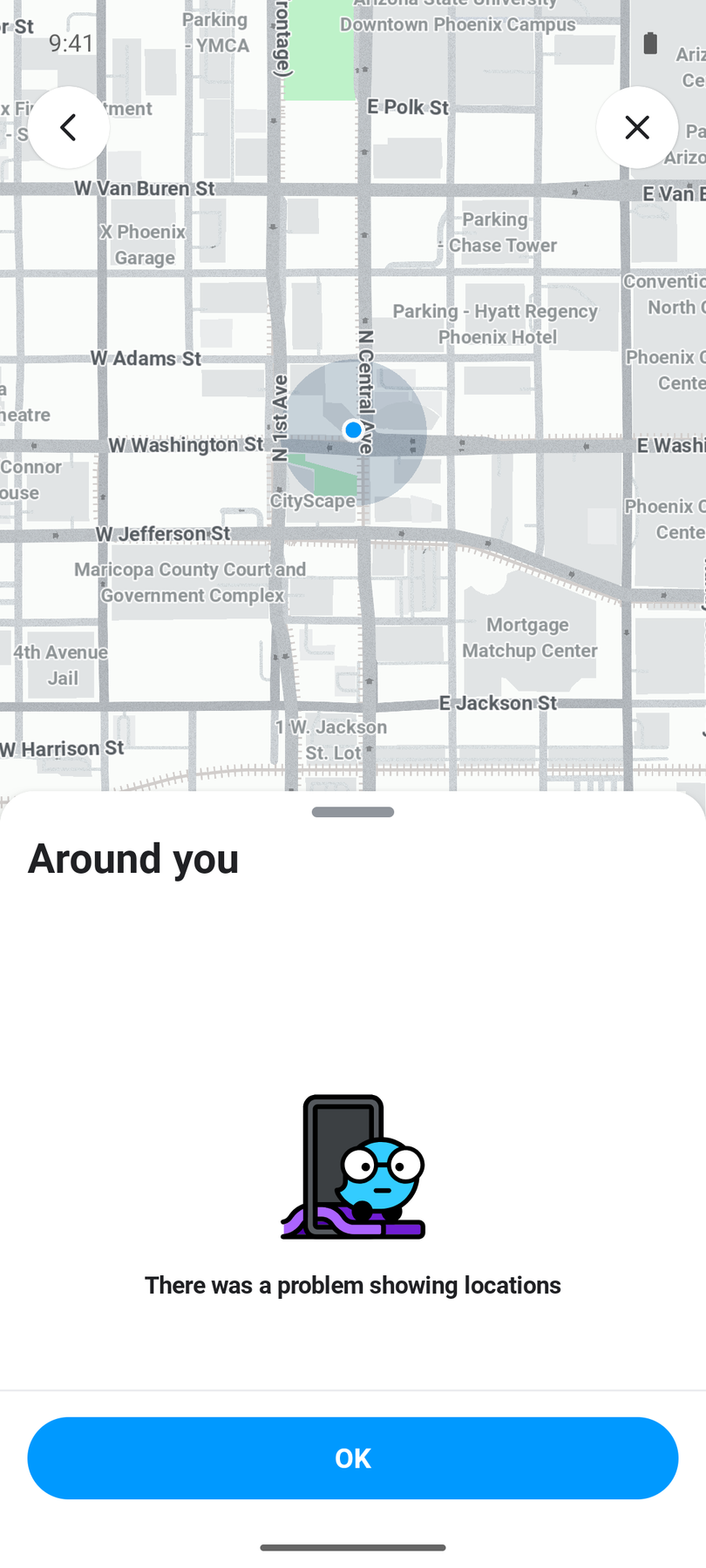
That's the whole story in one screen. Without internet, Waze cannot look up an address or calculate a route. If your next destination isn't already loaded, Waze has no way to get you there.
What works offline in Waze vs Google Maps
| Capability without internet | Waze | Google Maps (with downloaded area) |
|---|---|---|
| Continue an active route | ✅ Cached automatically | ✅ |
| Start navigation to a new address | ❌ | ✅ Within the downloaded area |
| Search for places/addresses | ❌ | ✅ Within the downloaded area |
| Download maps in advance | ❌ Not supported | ✅ Any area, ~50–200 MB per city |
| Live traffic and alerts | ❌ | ❌ (requires connection in both) |
The difference comes down to one feature: Google Maps lets you download the map before you need it. Waze doesn't. There is no setting to change this — offline maps simply aren't part of Waze.
We covered the Google Maps side in detail — with the full download walkthrough and airplane-mode navigation test — in How to Use Google Maps Offline.
The reliable setup for drivers who lose signal
Whatever you do, the offline map has to come from another app. On Android that means Google Maps offline; on iPhone, Apple Maps offline is the stronger option — it covers walking, cycling and transit too, and its downloads never expire.
If you drive routes with multiple stops through patchy coverage — rural roads, industrial zones, underground garages — relying on Waze alone means gambling that you'll have signal at every stop. Here's the combination that survived our airplane-mode testing end-to-end:
1. Plan the route while you have internet. Build and optimize your stop list in Routerra before you leave — import addresses, optimize the order, review the ETAs.
2. Download the Google Maps area covering your route. Google Maps → profile icon → Offline maps → Select your own map. Make the rectangle cover every stop. Full steps in the offline guide.
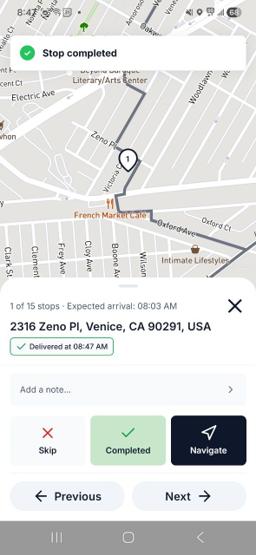
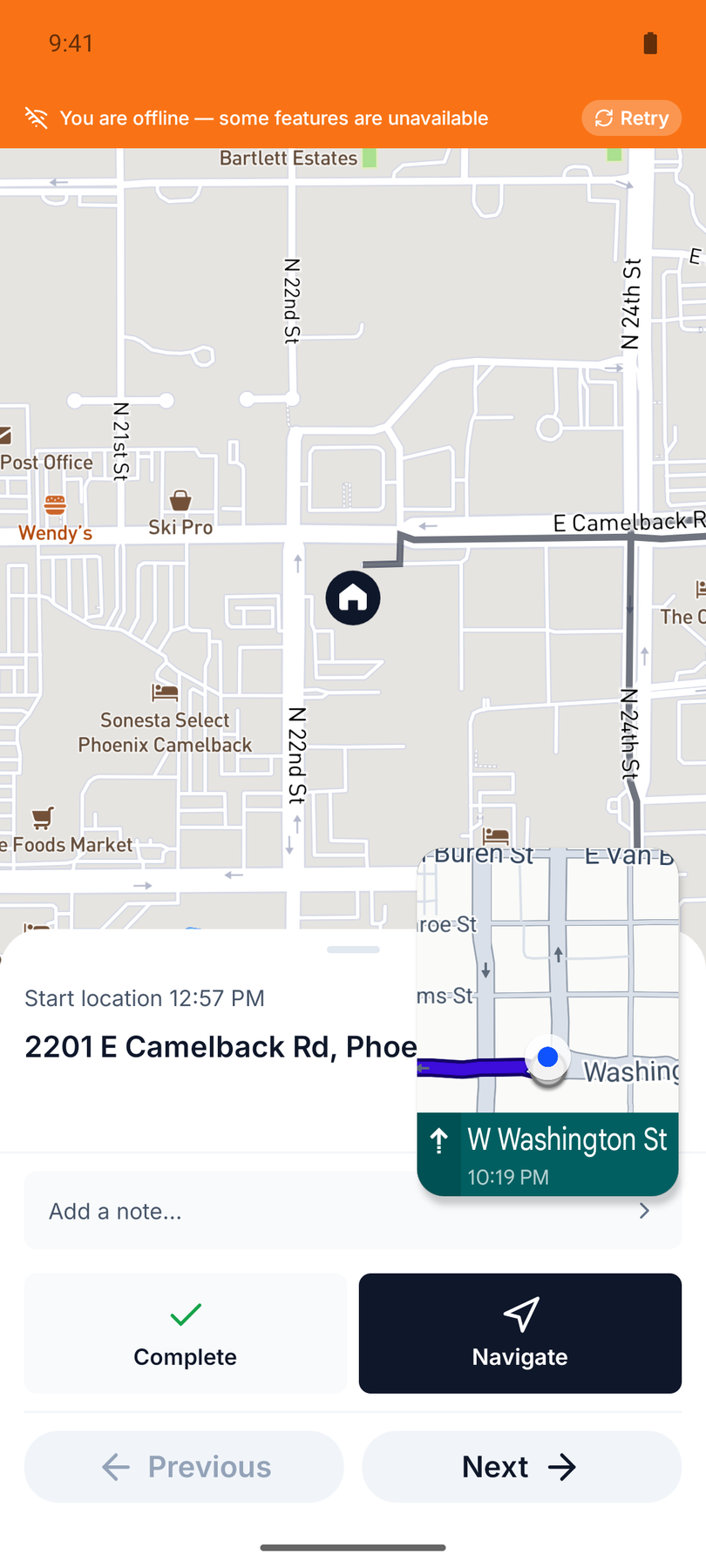
3. Drive with Routerra managing stops and Google Maps navigating. Routerra's drive mode works offline — the stop list, Complete/Skip buttons, and notes all keep functioning under its offline banner, and everything syncs back when signal returns:
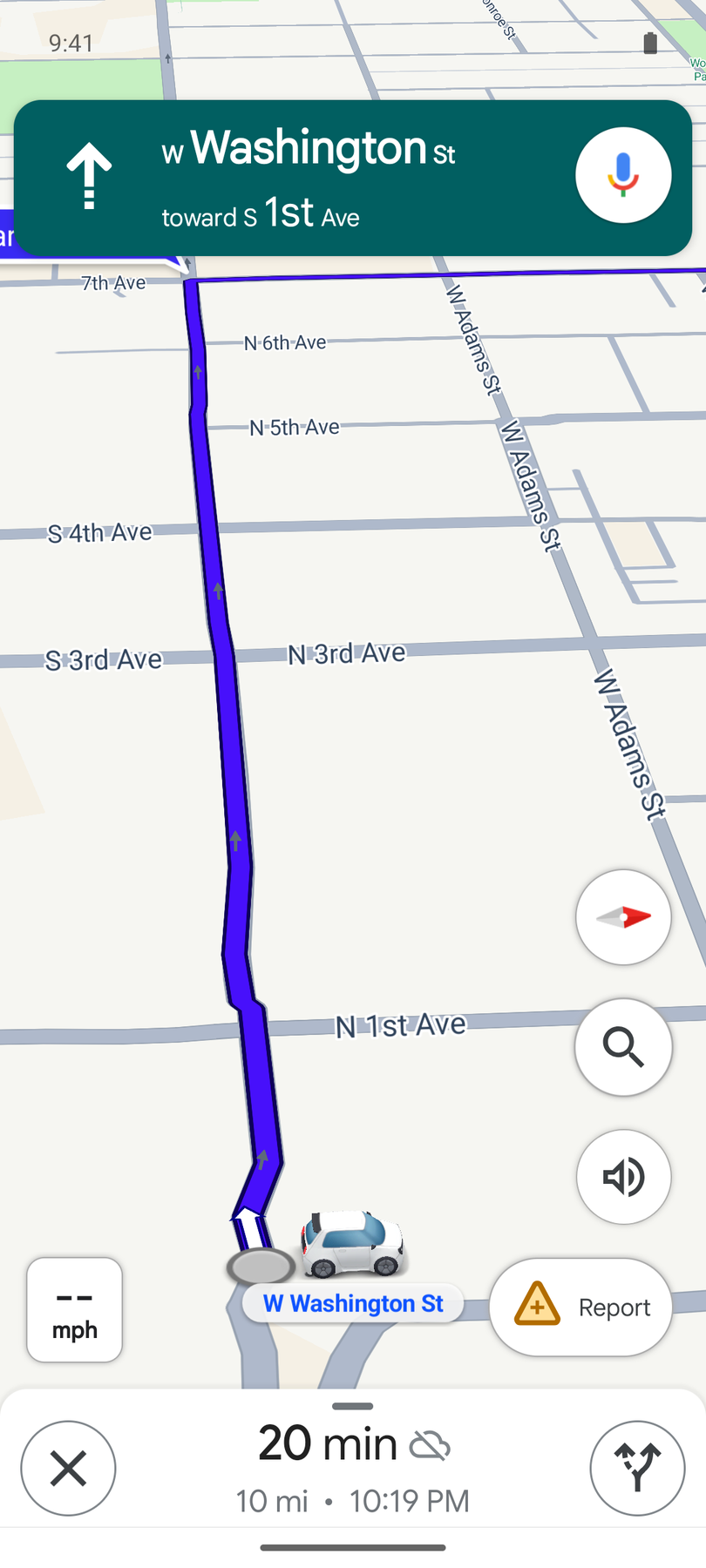
When you tap Navigate on a stop, Google Maps picks up turn-by-turn using the downloaded map — the crossed-out cloud icon next to the ETA is the only hint you're offline:
Where does Waze fit? Keep it for the parts of your day with coverage — its traffic avoidance and alerts are still the best in the business, and Routerra hands off to Waze just as easily as to Google Maps. But for the dead-zone stretches, the offline pair above is the setup that doesn't fall apart.
Tips if you're committed to Waze
- Start navigation before you lose signal. A route that's already running keeps guiding you — this is the one offline scenario Waze handles.
- Don't stop the route in a dead zone. Ending navigation throws away the cached route; you won't be able to restart it until you're back online.
- Expect stale ETAs. Offline, Waze can't see traffic, so arrival times drift from reality.
- Have a fallback for the next stop. If you finish a delivery in a dead zone, Waze can't take you to the following address — that's exactly the gap the Google Maps offline area covers.
FAQ
Does Waze work offline? Only partially. An active route started online keeps guiding you — Waze shows a "Using offline maps" badge. But offline, Waze cannot search addresses or calculate new routes, and there's no way to download maps ahead of time.
Can you download offline maps in Waze? No. Waze has no offline maps feature at all. It automatically caches the active route and nearby tiles, but you can't pre-download an area the way you can in Google Maps.
What happens if I lose signal while Waze is navigating? The current route continues with turn-by-turn guidance from cache. You lose live traffic, reports, automatic rerouting, and the ability to change the destination.
What should delivery drivers use in low-coverage areas? Download the Google Maps area covering the route in advance, and keep your stop list in an app with a real offline mode. Routerra's drive mode works offline and hands each stop off to Google Maps for navigation.
Is Google Maps better than Waze for offline use? Yes. With a downloaded area, Google Maps searches, routes, and navigates entirely offline. Waze can only finish a route it calculated while still connected.