
Plan, dispatch, and track deliveries for your whole fleet
Fewer miles, faster deliveries, and full visibility — without the back-and-forth between dispatchers and drivers.
Driving solo? Routerra for drivers →
Your morning shouldn't start with a spreadsheet
Manual routing eats hours every morning — and falls apart the moment something changes.
Drivers are waiting, you're still sorting
While you split stops across drivers and work out who covers which zone, your fleet is idling — and every minute costs fuel and late deliveries.
"Who's got the Northside stops?"
Routes live in group chats and screenshots. Reassigning a stop means texting two drivers and hoping they both saw it.
No proof when a delivery is disputed
A customer says it never arrived. You have no photo, no timestamp, and no record of what the driver actually did at the door.
How it works
From a pile of stops to drivers on the road in four steps.
Import your stops
Paste a list, upload a CSV or Excel file, or snap a photo of a paper manifest — AI-assisted import pulls the addresses out for you.
Optimize and assign
One click builds balanced routes that respect your zones, time windows, vehicle capacity, and shift hours.
Send to your drivers
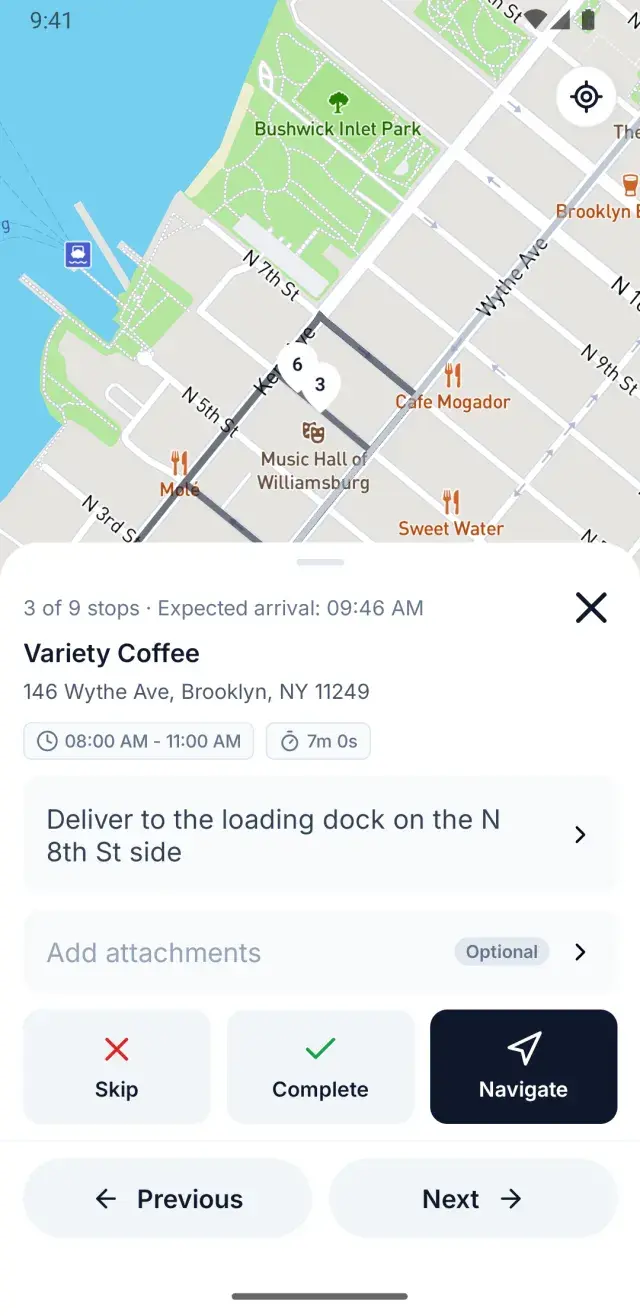
Routes appear in the driver app instantly — and keep working even when a driver loses signal.
See what happened
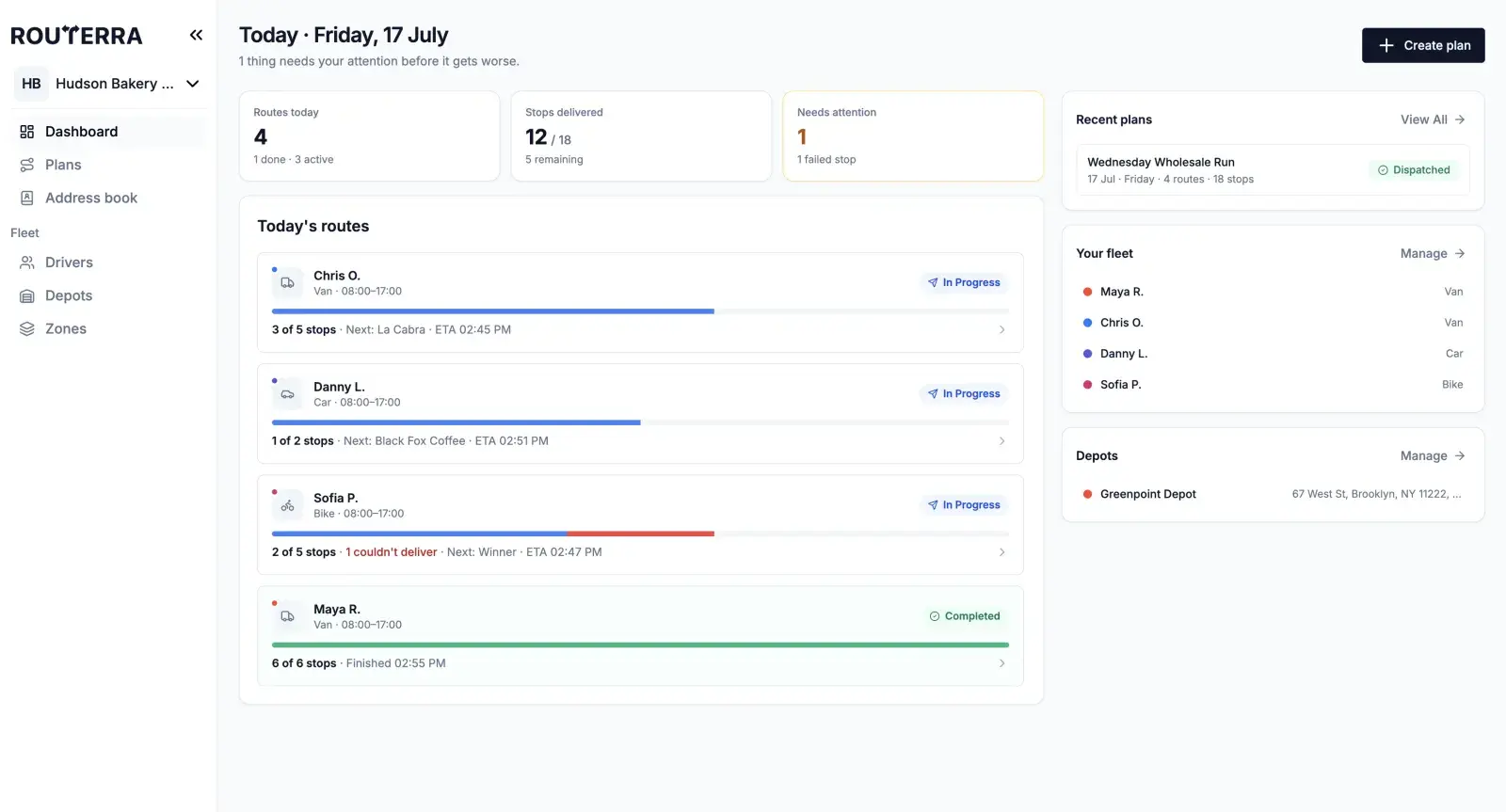
Watch statuses, failure reasons, and proof-of-delivery photos come in as your drivers work, and notify customers automatically.
Build the day's stops however they come in
Get orders into Routerra no matter what shape they arrive in, then set the details that make a route realistic.
- Paste a list, or import from CSV and Excel
- Snap a photo of a paper manifest — AI-assisted import extracts the addresses, and you can save hints for formats you handle often
- Keep your regular stops in a shared team address book
- Set per-stop time windows, priority, service time, load, and curbside side
Routes that match how your fleet actually runs
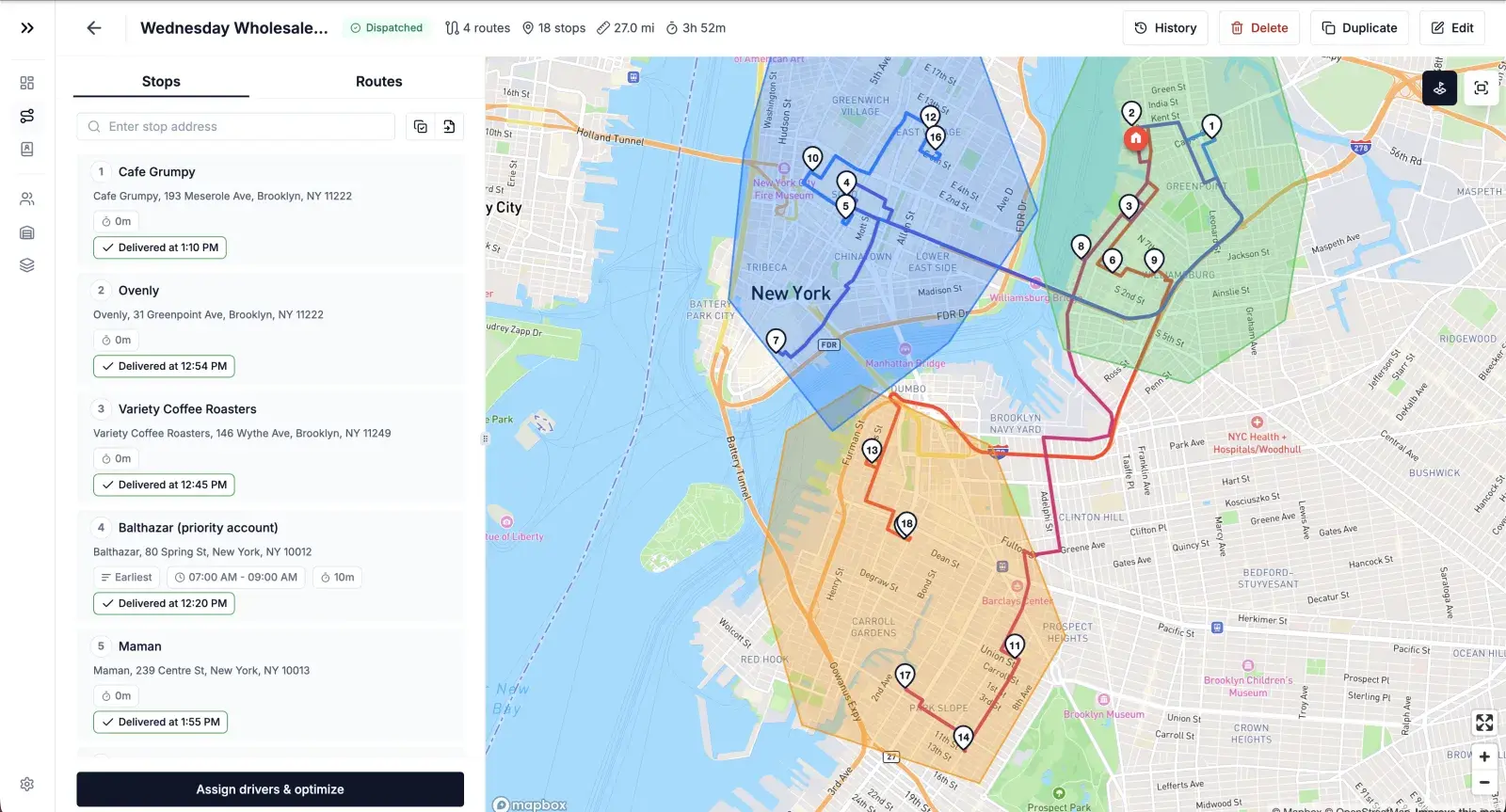
Optimize for the outcome you care about today, with the vehicles and rules you really have.
- Choose your strategy: balance stops evenly, balance drive time, go fastest, or a balanced mix
- Set vehicle profiles for cars, vans, trucks, bikes, and scooters
- Respect capacity and a maximum number of stops per driver
- Route with live traffic, and avoid tolls or highways when you need to
Send every route with one click
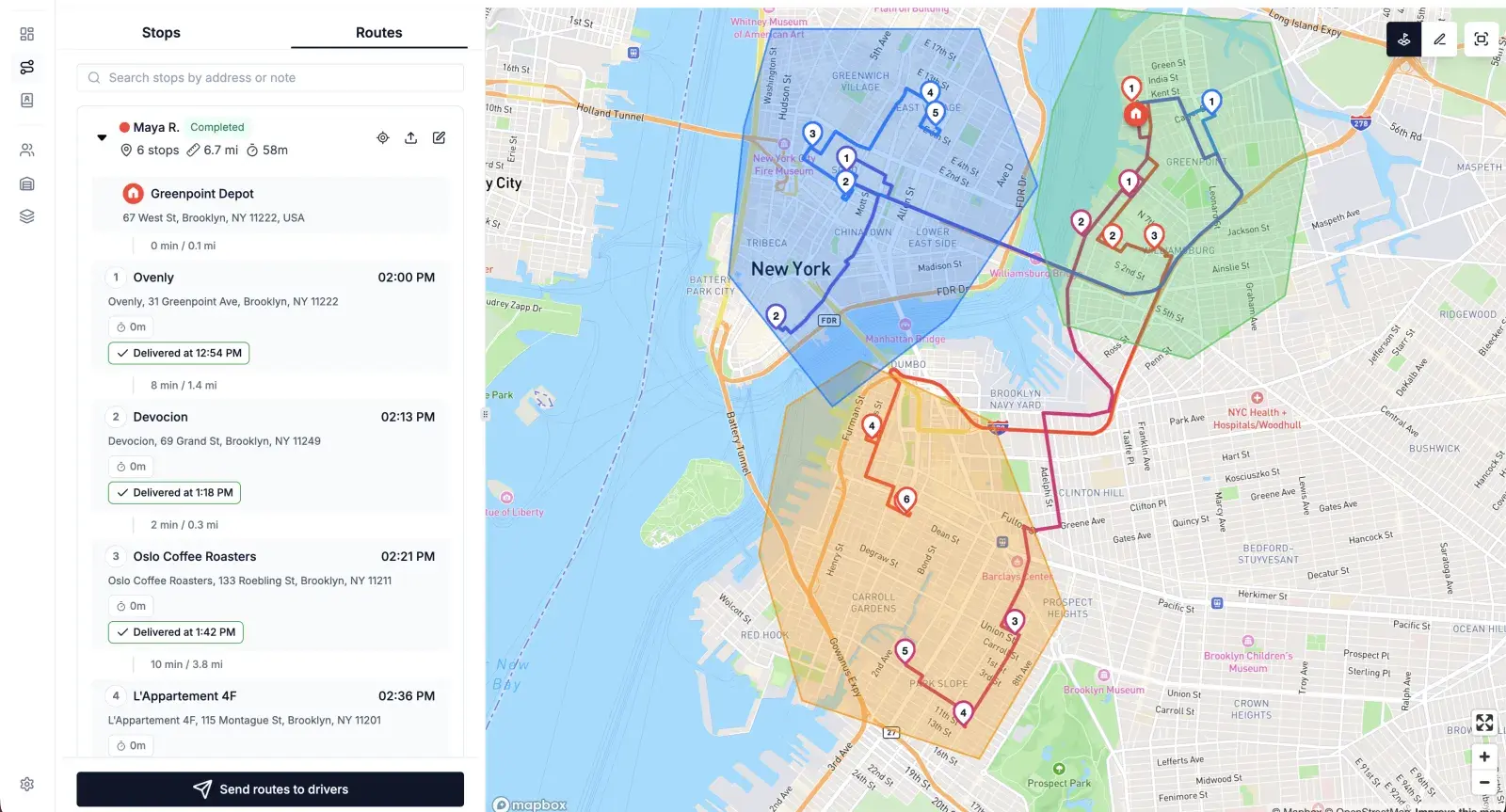
Assign, adjust, and hand off routes without a single group-chat message.
- Send optimized routes straight to each driver's app in one click
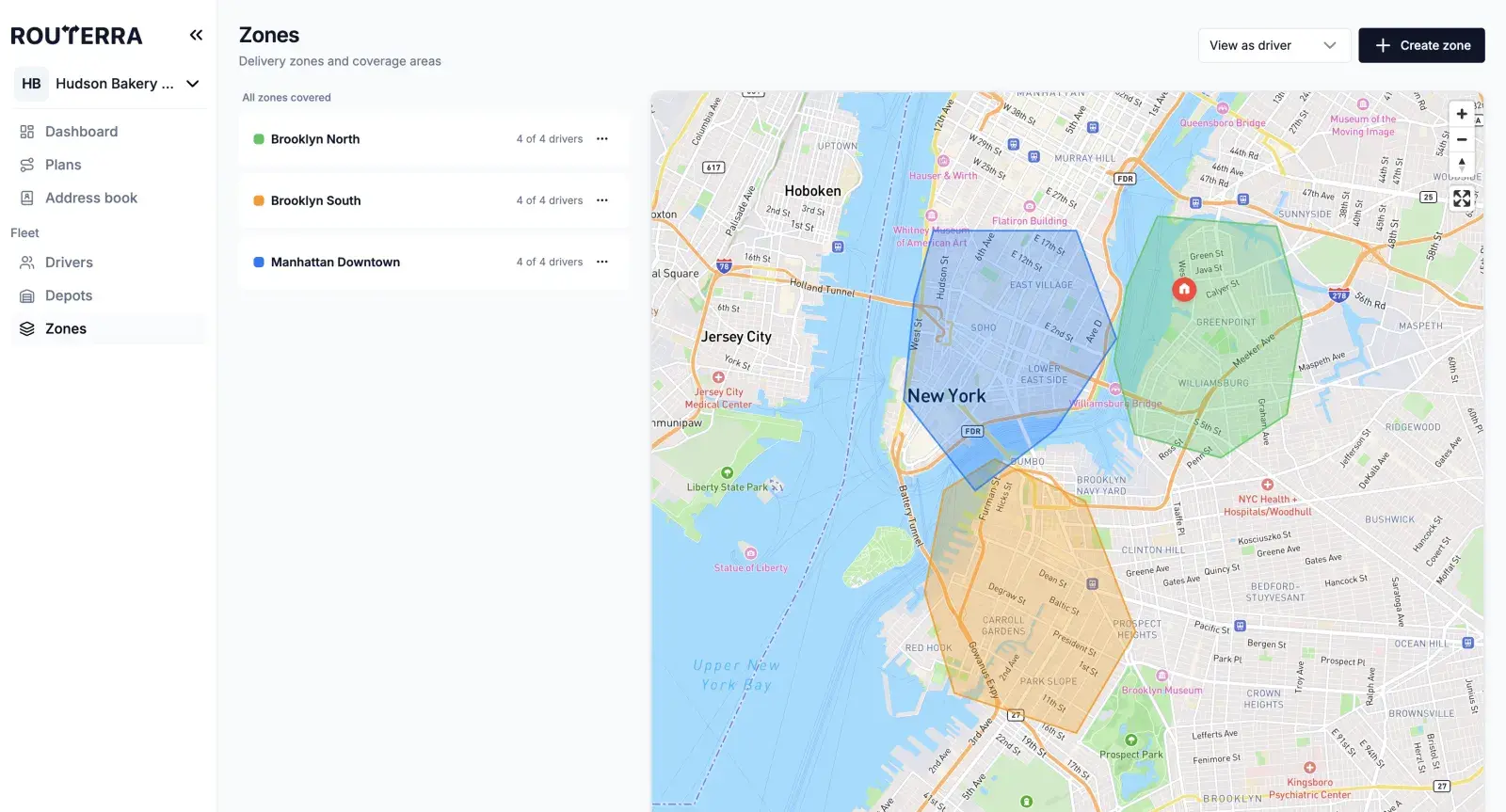
- Draw zones and set them as hard rules — allow or exclude them per driver
- Drag and drop to refine, reassign a stop, or split a route between drivers
- Export any route to CSV, XLSX, or PDF
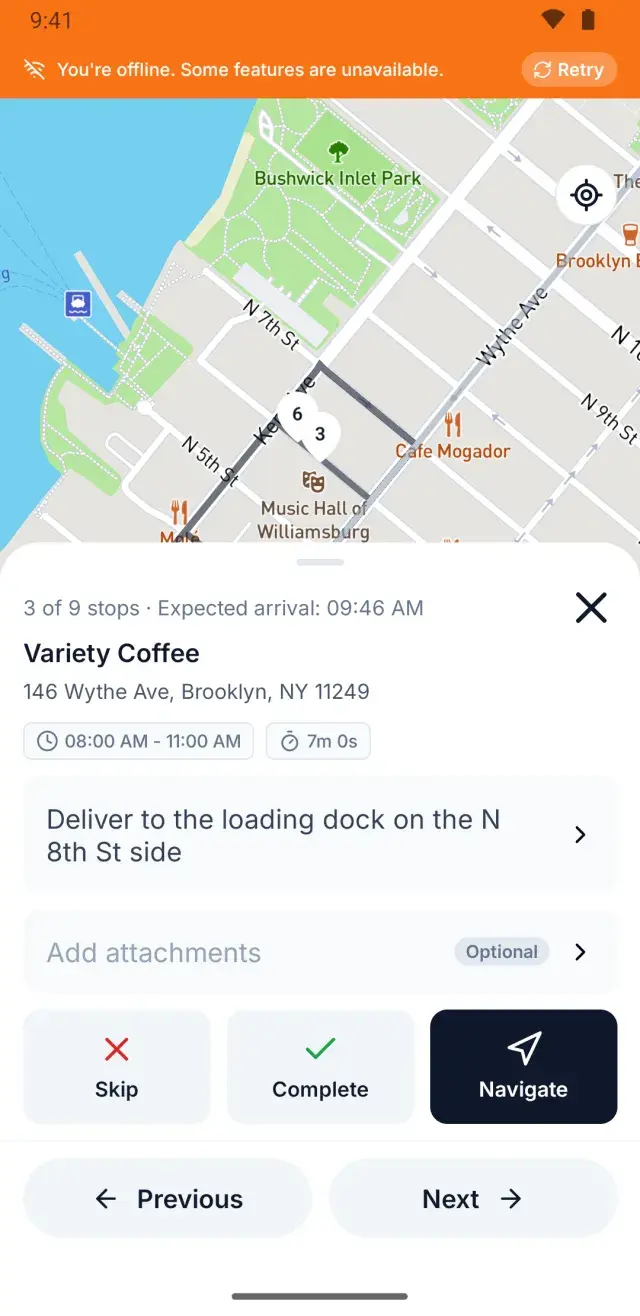
A driver app that works where the signal doesn't
Basements, parking garages, dead zones — your drivers keep working, and everything syncs the moment signal returns.
- Offline-first: statuses, notes, and photos queue on the phone and sync automatically when signal comes back
- Navigate with the app they already use — hand off to Google Maps, Apple Maps, or Waze
- Mark stops delivered or not-delivered, with a structured reason when something goes wrong
- Available in four languages, with a dark mode for night shifts
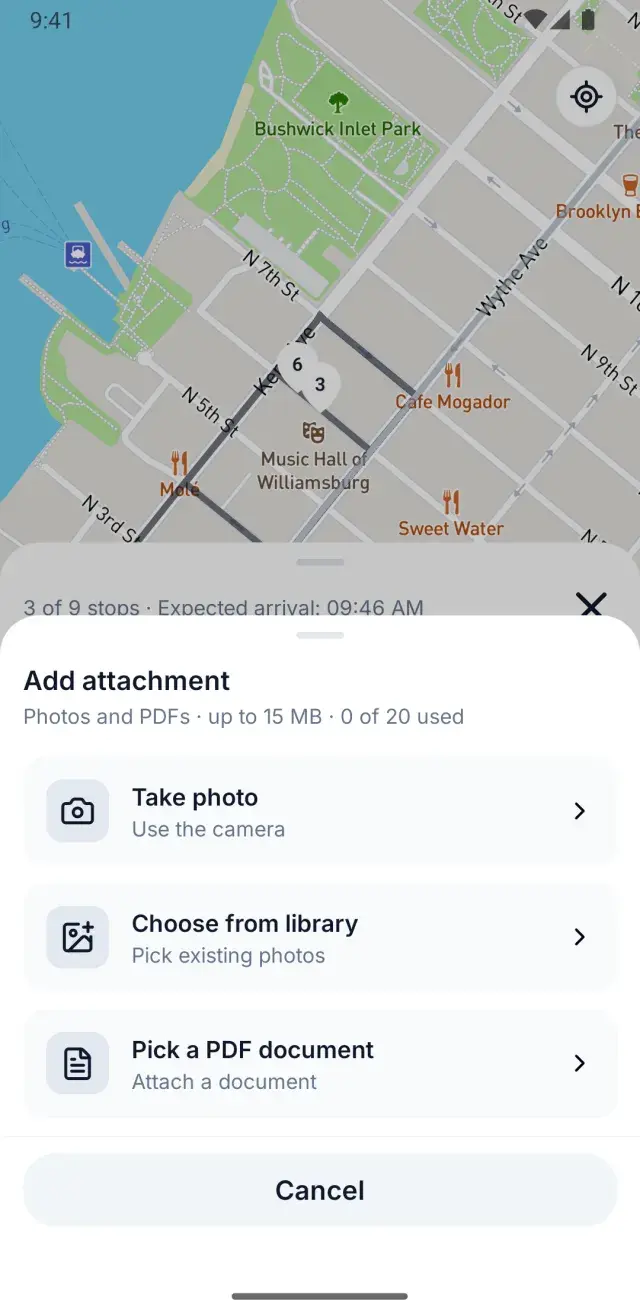
Proof for you, updates for your customers
Close the loop on every stop — with a record you can stand behind and a message your customer actually gets.
- Capture photo and PDF proof of delivery at the door
- See every attachment, stop by stop, from the dispatcher app
- Send automatic SMS or email to recipients when a delivery status changes, using your own templates
- Keep a full audit log of who did what, and when
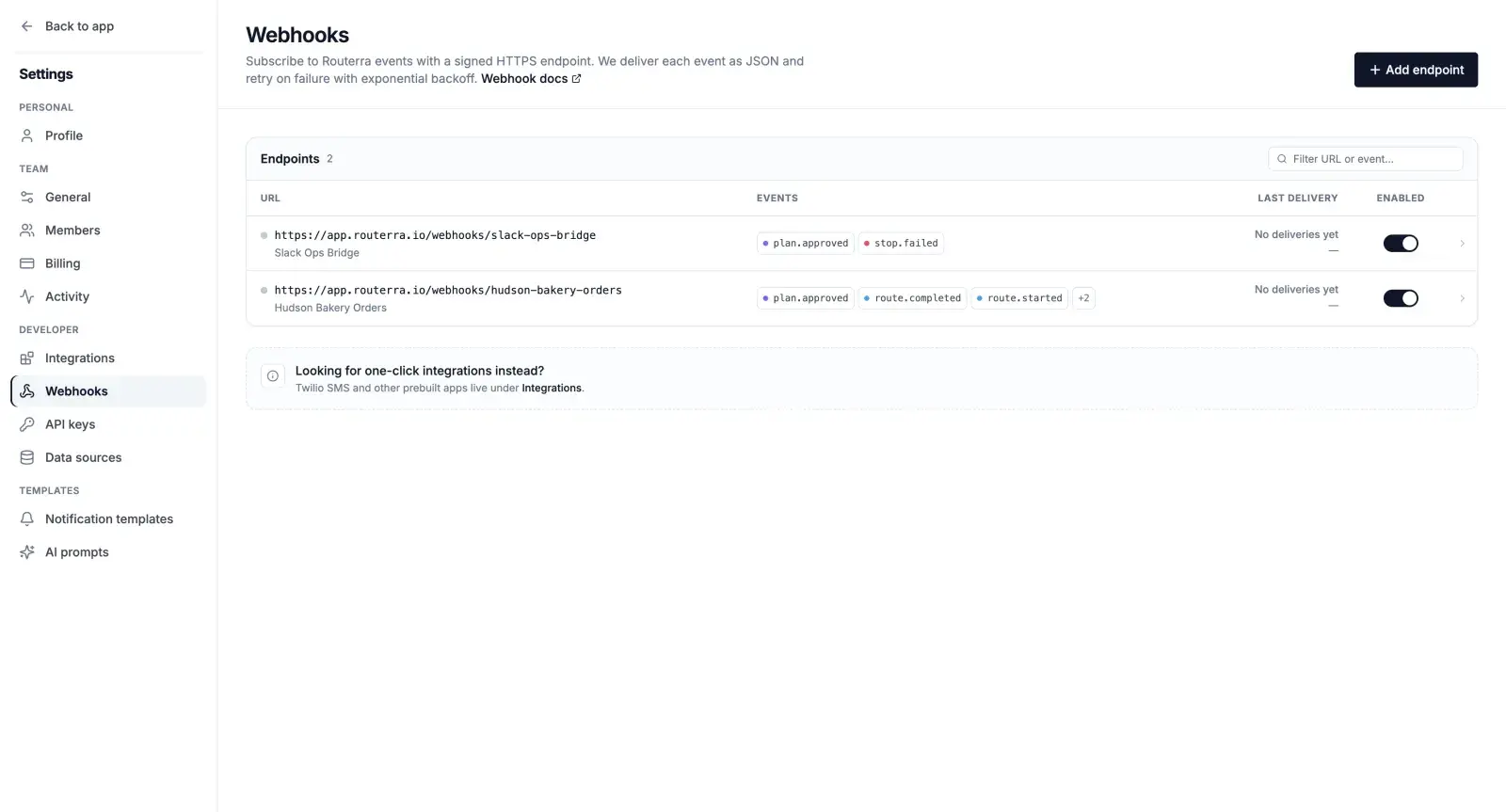
Connect Routerra to the systems you already run
A developer platform at a small-fleet price — build the workflows you need instead of paying for a tier you don't.
- Get signed webhooks for plan approved, route started and completed, and stop delivered and failed — with automatic retries
- Call the public Optimize API with your own API keys
- Feed stops in from your own system with a data-source connection
One workspace, three roles
Everyone sees exactly what they need — and nothing they don't.
Owner
Runs billing and has full access to everything in the workspace.
Manager
Plans, dispatches, and manages the fleet — drivers, depots, and zones.
Driver
Sees only their own routes, in the driver app, on their phone.
One price. Everything included.
Pay per driver seat. No add-on fees for proof of delivery or customer notifications — it's all in.
7-day free trial · cancel anytime
Set up in minutes: name your team → add depots → add vehicles → start your trial.
One plan for all features:
- The dispatcher planning web app
- The offline-first driver app
- Photo and PDF proof of delivery — no add-on fee
- Automatic SMS and email customer notifications
- Webhooks, the Optimize API, and API keys
- Add or remove driver seats anytime
More than 20 vehicles? Contact us and we'll set you up. Contact us →
Frequently asked questions
Get your fleet on the road faster tomorrow
Import your stops, optimize in one click, and send every driver their route — offline app, proof of delivery, and customer notifications all included.
7-day free trial · cancel anytime
Set up in minutes: name your team → add depots → add vehicles → start your trial.