
Delivery Route Optimization Features
Everything you need to import stops fast, optimize multi-stop delivery routes, and navigate efficiently — saving drivers 30+ minutes per route.
10K+ routes optimized daily
50+ stops in seconds
Works offline
05
Set It Once, Optimize Forever
Configure your defaults and forget about them. Every new route inherits your preferences — start location, vehicle type, and routing rules.
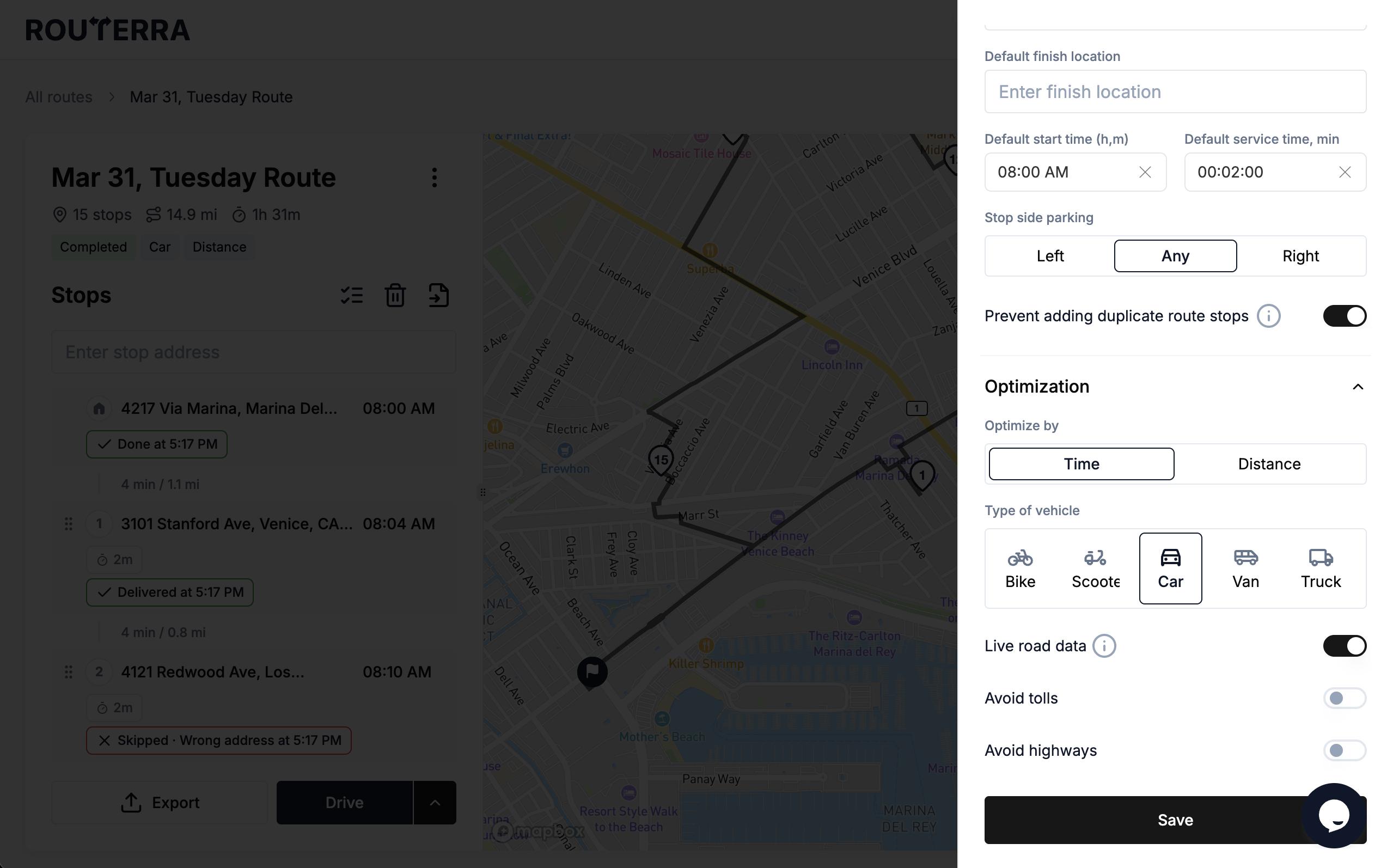
Default Location
Set your home base—never type the same start point twice
Default Start and Service Time
Pre-configure your schedule and service windows for instant route planning
Duplicate Stops and Stop Side Parking
Prevent duplicate addresses and set preferred parking side automatically
Optimize By
Choose to minimize distance or time—tailor optimization to your needs
Type of Vehicle
Select your vehicle type to ensure road access and accurate drive times
Avoid Options
Skip tolls, highways, or ferries—use live traffic data for real-time routing
Default Location
Set your home base—never type the same start point twice
Default Start and Service Time
Pre-configure your schedule and service windows for instant route planning
Duplicate Stops and Stop Side Parking
Prevent duplicate addresses and set preferred parking side automatically
Optimize By
Choose to minimize distance or time—tailor optimization to your needs
Type of Vehicle
Select your vehicle type to ensure road access and accurate drive times
Avoid Options
Skip tolls, highways, or ferries—use live traffic data for real-time routing
app.routerra.io
AI-Powered
01
Import 100+ Stops in Seconds
Paste addresses, upload files, or snap photos—our AI handles the rest. No spreadsheet formatting, no manual entry, just instant route-ready stops.
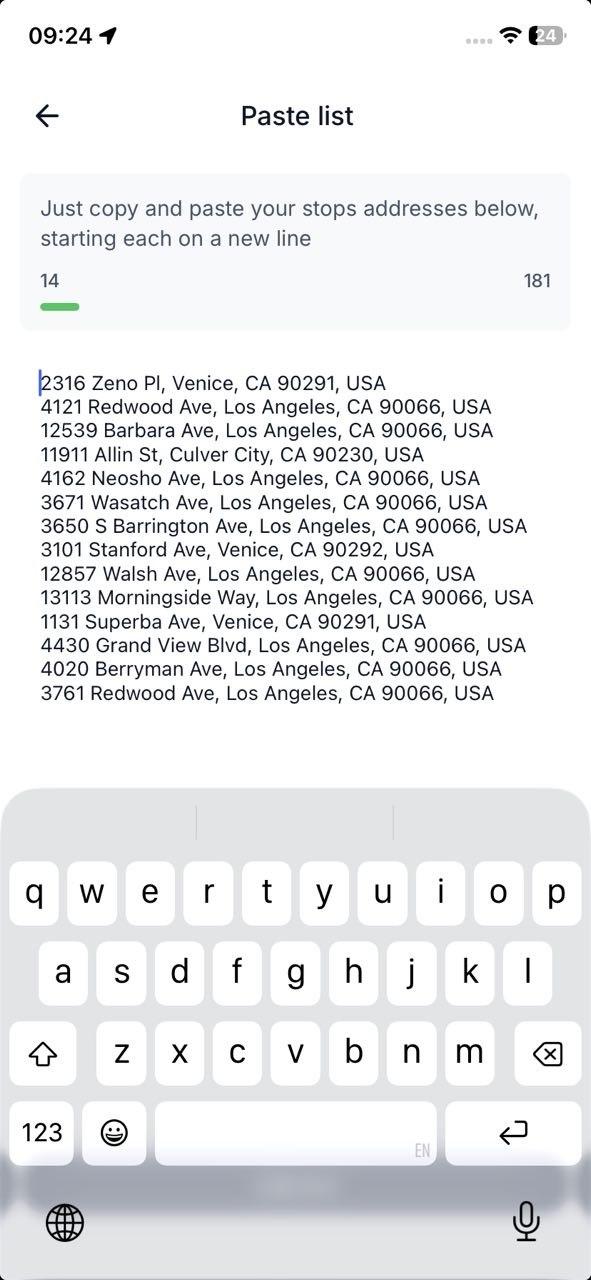
Paste List
Copy any list of addresses and watch them populate instantly
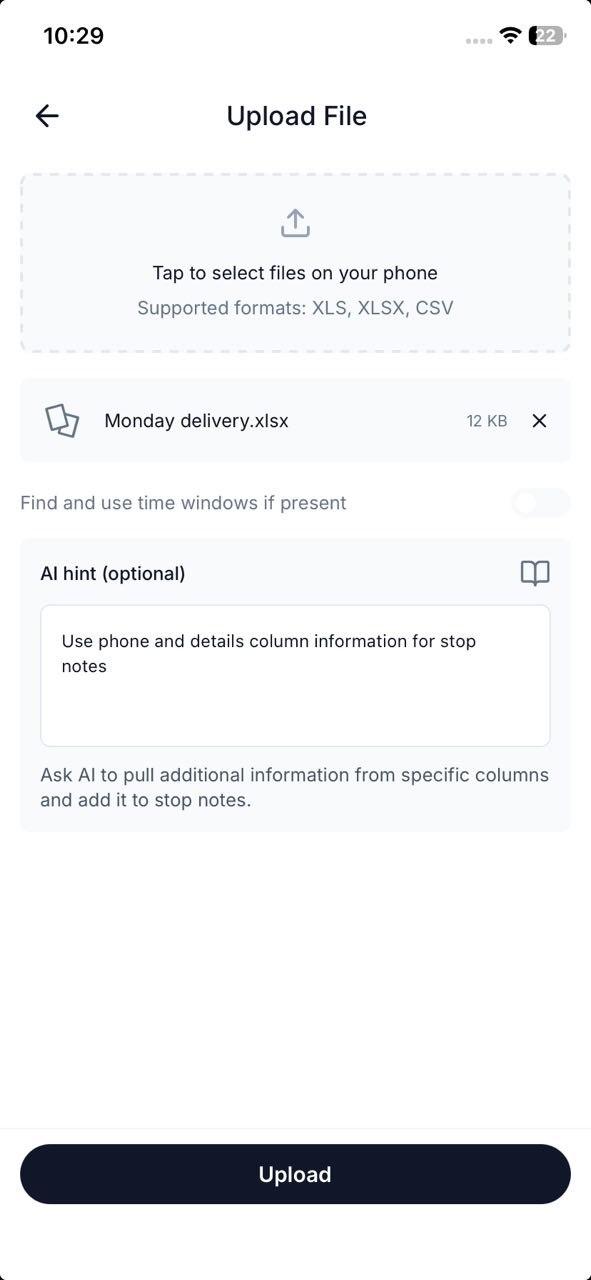
Upload Files
Drop your Excel, CSV, or screenshot—AI extracts every address
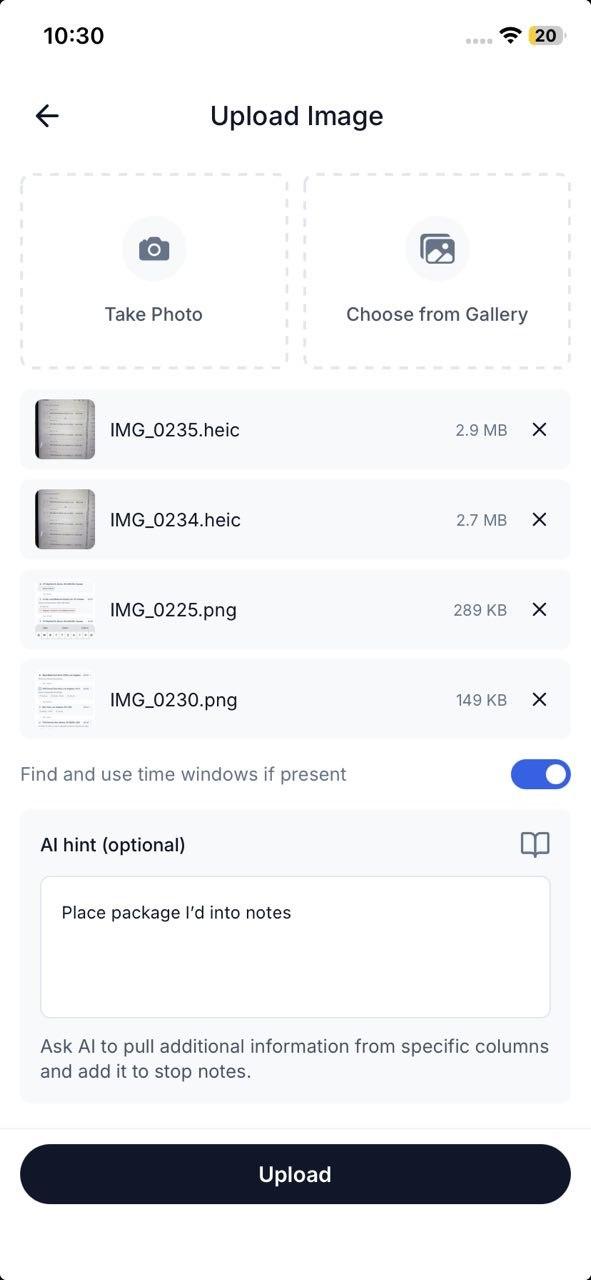
Upload Images
Snap package labels or manifests—AI reads and imports all stops automatically
Pro Feature
04
Fine-Tune When You Need To
Most routes work great with defaults. When you need precision, every stop has full control — time windows, priorities, parking side, and more.
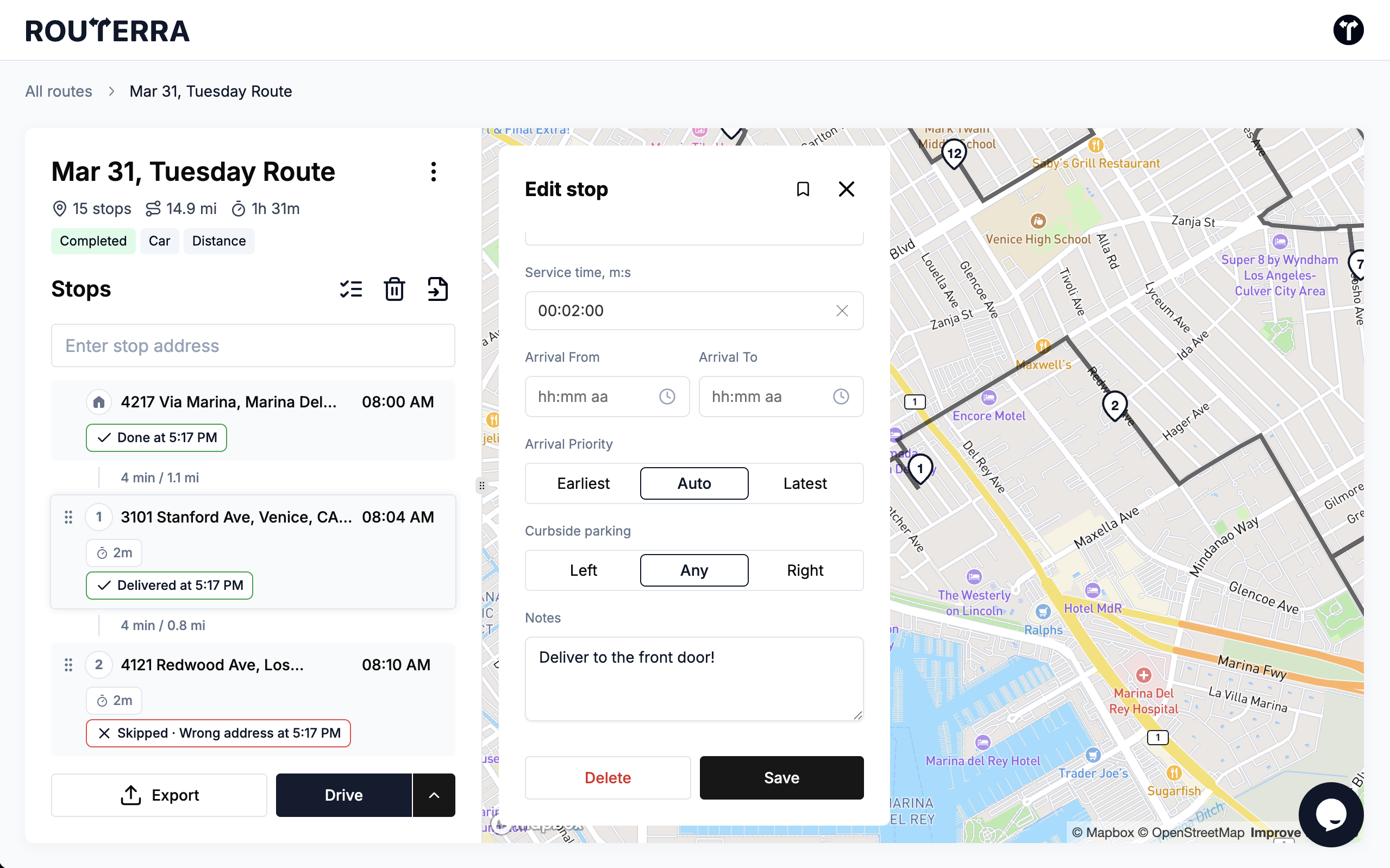
Address
Update addresses or drag pins to exact locations on the map
Color On Map
Color-code stops by type, priority, or customer—your system, your way
Select Position
Drag stops to reorder or use the position selector for precision control
Service Time
Set how long you'll spend at each stop—accurate ETAs every time
Arrival From - To
Define time windows so you never arrive too early or too late
Priority
Mark stops as earliest or latest—optimizer respects your constraints
Curbside Parking
Choose left or right side parking to minimize U-turns and save time
Notes
Add delivery instructions, gate codes, or customer preferences
app.routerra.io
Address
Update addresses or drag pins to exact locations on the map
Color On Map
Color-code stops by type, priority, or customer—your system, your way
Select Position
Drag stops to reorder or use the position selector for precision control
Service Time
Set how long you'll spend at each stop—accurate ETAs every time
Arrival From - To
Define time windows so you never arrive too early or too late
Priority
Mark stops as earliest or latest—optimizer respects your constraints
Curbside Parking
Choose left or right side parking to minimize U-turns and save time
Notes
Add delivery instructions, gate codes, or customer preferences
Time-Saver
02
Optimize, Adjust, Export—Instantly
One-tap optimization, drag-to-reorder adjustments, and instant export — your route is ready however you need it.
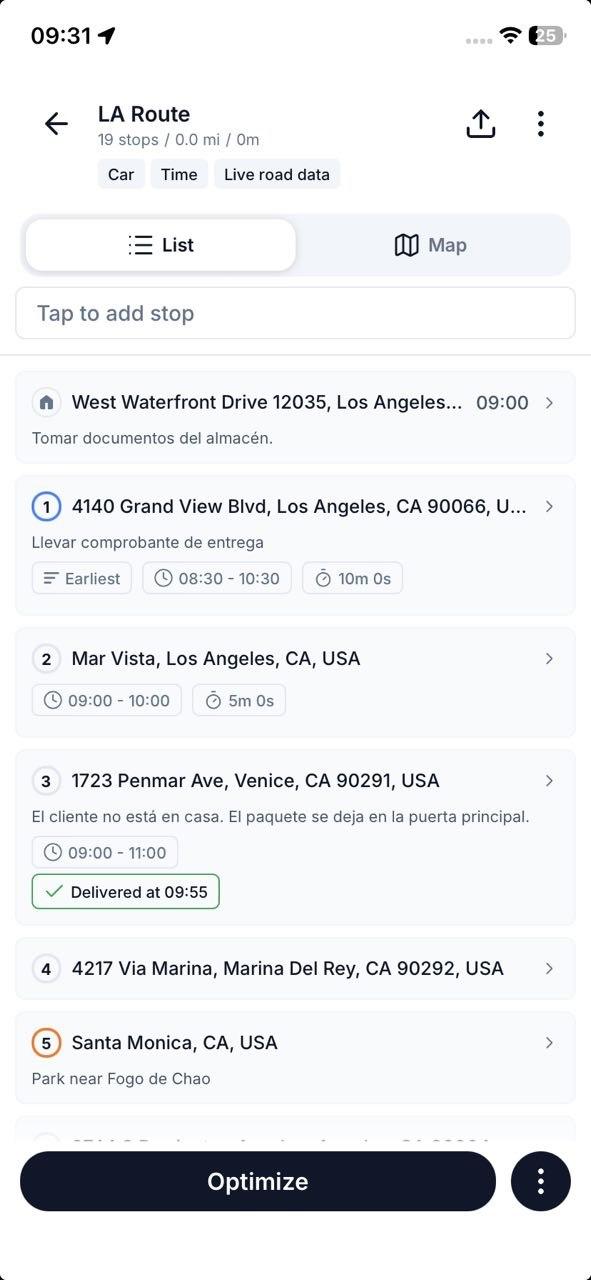
Route Optimization
Calculate the fastest route with one click—or follow your manifest order
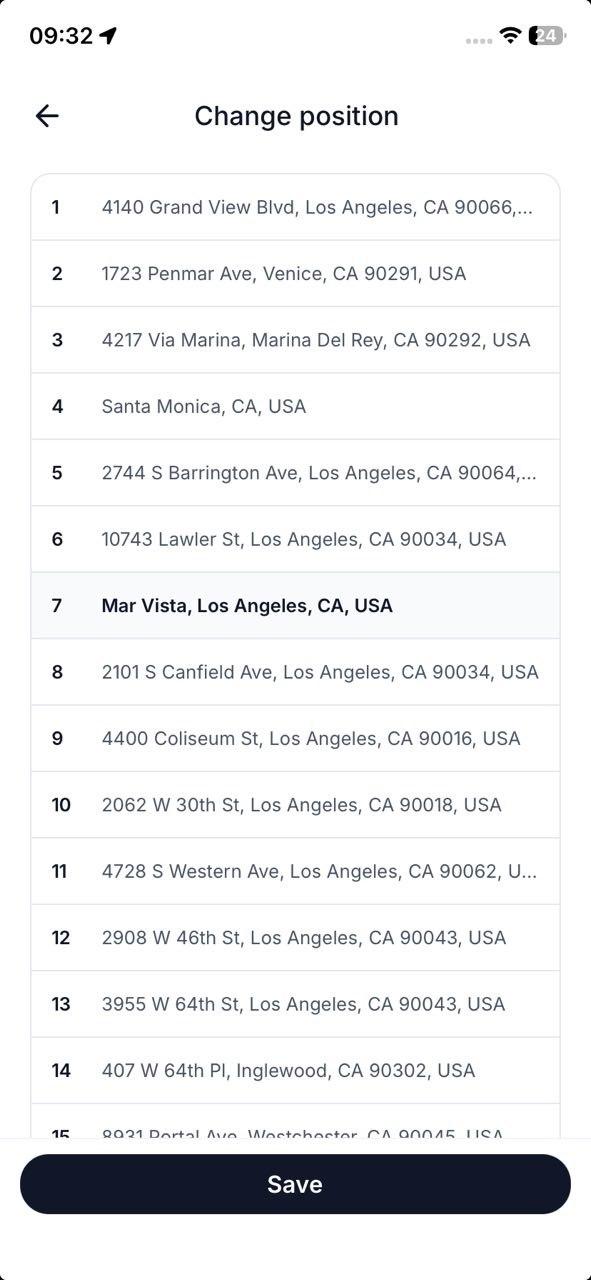
Manual Adjustments
Drag stops to adjust on the fly—plans change, your route adapts instantly
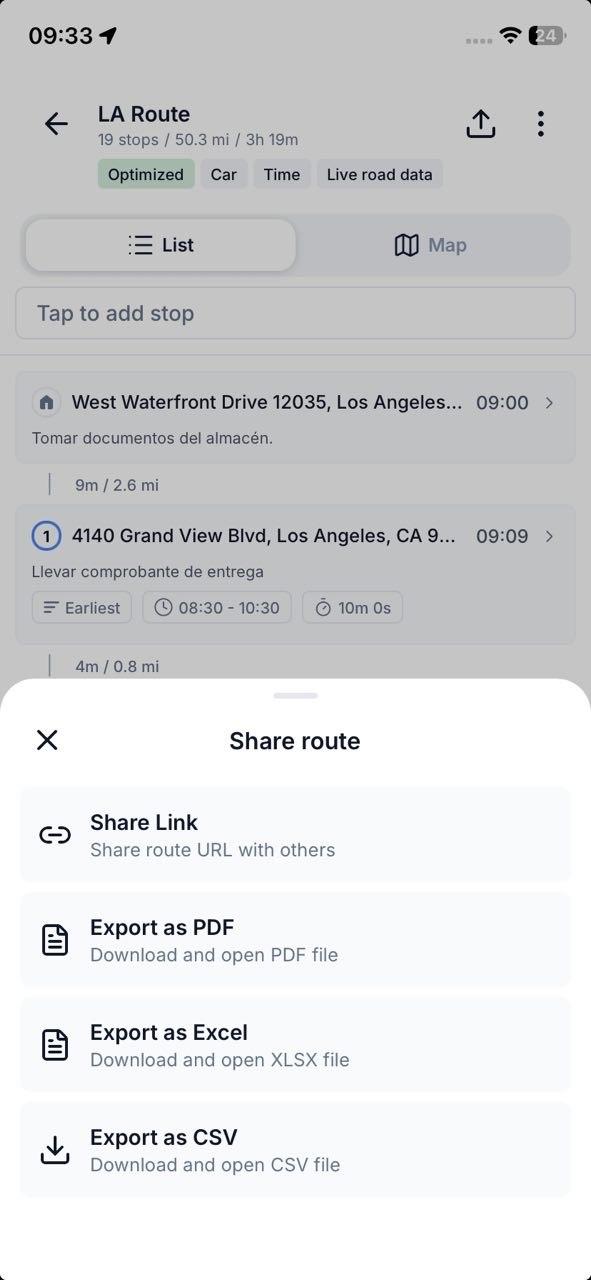
Export and Share
Export to CSV/XLSX, print-ready PDF, or a read-only link for drivers and teams
Drive Mode
03
Navigate Like a Pro
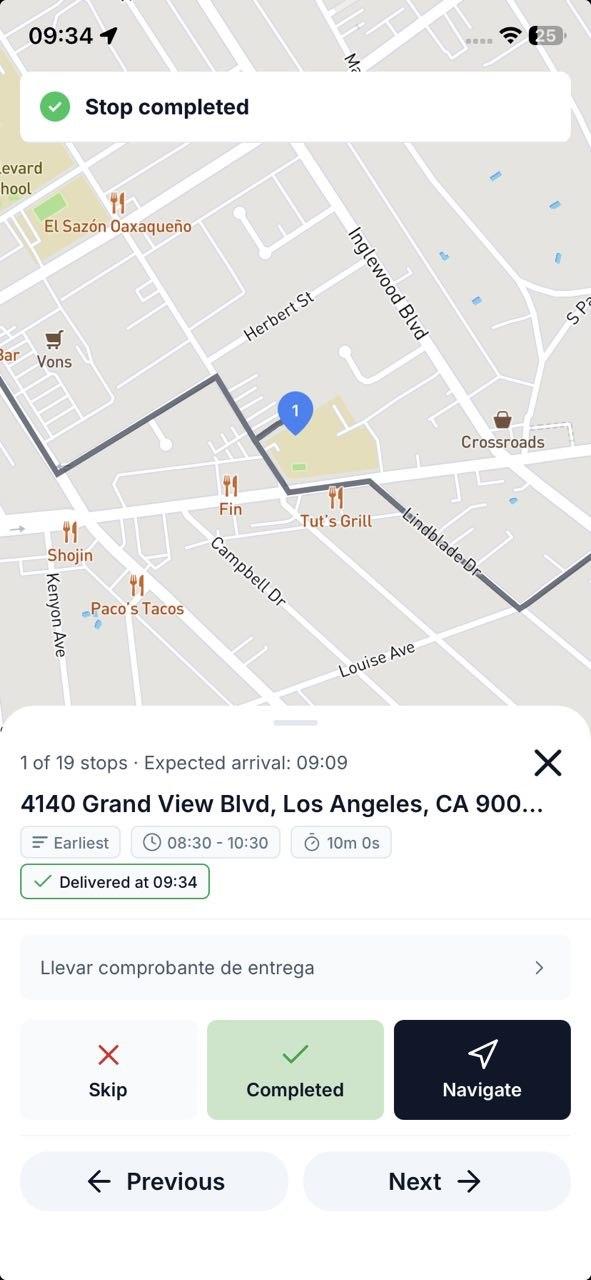
Drive Mode
Turn-by-turn navigation to every stop—tap Next or jump to any location instantly
Track & Update:
- Mark deliveries "Completed" or "Skipped"—real-time status tracking
- Add notes for failed deliveries, customer feedback, or special instructions
- Tap "Navigate" to launch Google Maps, Apple Maps, or Waze—your choice
Drive Mode
Turn-by-turn navigation to every stop—tap Next or jump to any location instantly
Track & Update:
- Mark deliveries "Completed" or "Skipped"—real-time status tracking
- Add notes for failed deliveries, customer feedback, or special instructions
- Tap "Navigate" to launch Google Maps, Apple Maps, or Waze—your choice